XR is for everyone: Designing accessible spatial experiences
Speakers
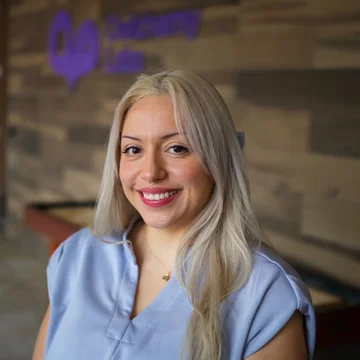
About
About the talk
When we say XR is for everyone, that principle has to guide how we build from day one. In this introductory guide for developers new to XR, Jazmin Cano shares the foundational accessibility principles honed at Owlchemy Labs. Engine-agnostic and universally applicable to both games and apps, this session explores how early consideration of motor, visual, auditory, and cognitive needs leads to better experiences for all users. Discover how to build an inclusive development culture, conduct meaningful testing, and design spatial interactions that remove barriers without sacrificing quality.
Summary
- Spatial interfaces risk excluding users if access needs are omitted during early design. Consider accessibility across physical and cognitive categories from the very start.
- Disability affects 1.3 billion people worldwide, including roughly 20% of gamers. Designing for specific access needs often benefits a wider audience in temporary or situational contexts.
- Physical accessibility features reduce body strain and accommodate limited mobility. Useful options include scalable environments (such as small human mode) and artificial snap turning.
- Vision and auditory aids provide critical cues across alternate senses. Useful implementations include high-contrast object glows and directional subtitles.
- Testing with diverse groups helps teams iterate effectively on spatial designs. Involve people across varied disabilities and age groups throughout development.
- Developers should prototype inclusively from the beginning, test with diverse users, and make an immediate commitment to implement at least one accessible feature.
Resources
- Resource XR Accessibility Project
- Resource GAConf
- Resource GAConf Archive
- Resource Owlchemy Labs
- Resource Owlchemy Labs Resources and White Papers
Gemini Notebook
Topics
- xr
- accessibility
- spatial-computing
- inclusive-design
- vr
- ux-design
Transcript
Introduction
-
Jazmin Cano
Hello.
-
I am Jazmin Cano, a User Experience Research Lead at Owlchemy Labs.
-
I have been in the XR space for over 10 years, and at Owlchemy Labs, I've been working there for four years with a focus on accessibility.
-
That means-- Oh, thanks.
-
So that means making our games easier to play and actually usable for people with disabilities.
-
Owlchemy Labs, we have so many VR titles, you probably have played at least one of them.
-
Raise your hand if you played Job Simulator.
-
That's like, okay, like 80% of the room, awesome.
-
Maybe you played our first multiplayer game, Dimensional Double Shift.
-
We have a lot of VR titles under our belt.
-
If you're newer to XR, maybe you've seen Inside Job, which we made for the Samsung Galaxy XR.
-
Or perhaps, today you got to play Hyper Visor, which we made for the, XREAL Aura glasses.
-
If you haven't, definitely check it out when you get your glasses, cuz it's a lot of fun.
-
So I am very excited to talk to you today about designing just accessible content and experiences.
-
And I'm so grateful that you're here because that tells me that you're my people.
-
You care about others, you have empathy, and we want to make content that anyone can use.
-
So this talk will cover some inclusive designs, some features that we built in our games, and probably be saying that XR is for everyone a lot.
-
Okay.
-
So, when it comes to games, sorry, the examples I'm show you today are coming from games, cuz that's what we do.
-
But this is something that you can apply to anything.
-
Whether you're doing like, educational content, maybe healthcare stuff, something that's not video games, it's okay.
-
The principles, the ideas, everything will apply to all of XR.
-
Let's talk about this spatial shift.
-
It's very exciting times.
-
We are no longer limited by like, a mouse and keyboard, a computer monitor, the little screen on your phone.
-
The space around us becomes the new UI.
-
And when you're building these types of apps, you're asking people for their hands, their limbs, the environment around them, so the space.
-
Perhaps you'd want them to do some gestures with their hands and fingers and use their voice.
-
But, maybe not everyone can do what you're probably expecting or hoping.
-
And with that, comes risk because this opens up the opportunity to exclude people.
-
And there could be some friction, and maybe some barriers that would block people from using your apps.
-
And it's not intentional.
-
It's just a lot of projects get started without accessibility in mind, and that's how these barriers come up.
-
And the outcome's the same, if you just don't build, build thinking about people and their access needs, you may be leaving people out.
-
So the core mission's got to be clear from the start, XR for everyone.
-
This is what has set up Owlchemy Labs as a trailblazer in the XR industry.
-
We've heard over the years from so many game studios that they compare what they're working on with ours, and they use our accessibility as a benchmark to see like how they're doing with their accessibility.
-
And that's pretty awesome.
-
It's just, I feel so honored to work for a company that cares that much that people look up to us to see how to make apps playable for more people.
-
So it's got to be foundational.
-
It needs to be in the very first conversations when you're brainstorming and you're sharing ideas.
-
Keep that in mind that there are people with disabilities who may not, be able to do something.
-
That something is a long list, I'll cover a lot of that later.
-
It's also important to keep accessibility in mind when you are developing throughout, when you're doing QA testing, when you're doing user tests, and when you're talking to people externally.
-
Maybe you're having some people review.
-
Accessibility goes beyond games, and I'll cover that a bit, as well.
-
So next, I will show you some practical UX implementations that you can keep in your developer tool box.
Understanding accessibility
-
Jazmin Cano
When it comes to understanding accessibility, there's so much.
-
There's a ton of info, and no two people with the same disability or disabilities experience life the same.
-
They experience disabilities differently.
-
Even like cultural backgrounds could change how they interact with your apps, and we never stop learning.
-
That's the awesome part.
-
You just keep learning, you keep inventing, you keep making XR for everyone.
-
Let's cover four categories of disability to consider.
-
There's motor, sometimes called physical, disabilities.
-
So when you are working on your apps, some questions you can ask yourself include, can someone play this seated comfortably?
-
Because your next user may be sitting in a wheelchair.
-
Maybe they're sitting at the edge of the bed.
-
Maybe they just don't have so much room, because maybe they're on an airplane.
-
So it's really important to think about the person's environment and maybe you don't want to force them to turn.
-
And then, something else that you can think about is avoiding anything that could trigger seizures.
-
So the photosensitivity things are very important to reference.
-
There are many guidelines you can find online, and it'll tell you what to avoid like patterns, colors, and more specifics.
-
For vision disabilities, use the spatial audio in your apps, because maybe someone can't see the visuals, but they could hear the direction something is in.
-
They can hear the direction where a landmark is or where someone is.
-
And for people with like low vision or who are legally blind, they can't maybe see everything, but what I have seen in user tests is that objects that have bright, saturated color or glows and outlines, those are a bit easier to see, so it's really important to have that high contrast in mind.
-
For auditory disabilities, directional subtitles, those are awesome, because you can see like who's speaking and read what they're saying, because you don't want to miss out on any information, any contacts that you will need.
-
And if you add like a little name to it, you'll know who's speaking also, so you're getting the same You're giving the same information to someone who can hear to someone who can't hear.
-
It's also important to trigger a visual cue when you have any audio cues.
-
If someone can't hear a little ping notification, at least give them something for their peripherals to notify them like, "Hey, there's something important to look at over here."
-
For cognitive disabilities, use predictable interaction mechanics, lower that cognitive fatigue.
-
If you build something that requires a lot of figuring out and it's complicated to learn, that can tire someone out, and maybe they just don't want to continue.
-
Also, maybe that user is coming back to your app after not trying it for a couple months.
-
If you had them memorize something very complicated early on, they probably won't have that memorized later.
-
So keep it simple.
-
There's that acronym KISS.
-
I think like to say keep it simple, silly, cuz you don't have to reinvent the wheel.
Business impact
-
Jazmin Cano
Okay.
-
A little bit on business.
-
In Cosmonious High, we built a vision accessibility feature, and in that update, it allows people to play the game using something that's like a screen reader, but for the environment.
-
So imagine that I'm in VR, I'm holding the controller, and the controller will give me some haptic feedback to let me know there's an object or something that the feature can read out to me.
-
So when I want to know the name of something or maybe where I'm teleporting to, that's what we built.
-
And we've had over 5 million of those requests of people wanting to hear, what is the object?
-
What is the environment?
-
Where am I teleporting to?
-
So I've heard this thing, if you build it, they will come.
-
This just showed us that there is demand.
-
People do need this, and this showed to the XR industry that accessibility really should continue to be worked on and built.
-
And we have a lot of innovation to do because there's not much, but together all of us in this room are going to make XR accessible, and I am very excited for that.
-
So there are 1.3 billion people on Earth who experience disability.
-
That's 16%.
-
You can also think of it as one in six people.
-
If you make an app and it's just like one out of six people can't use it, that's a little disappointing and maybe embarrassing and could be frustrating.
-
So always keep accessibility in mind from the start so you don't really run into that.
-
In the United States, it's 70 million people who experience disability, and when talking about gamers it's around 20%.
-
Imagine locking out 20% of your potential users.
-
It's like closing the door of the building before they can even come in to try your app.
-
Accessibility, it's also about human lives and treating other humans with respect, and knowing that they're there's so much to do in VR, XR, and then there's also agency that you want to give people.
-
In our conversations and user tests, we hear that sometimes people feel infantilized, like they're told like how to do something or what to do, but we all want to make those choices on our own.
-
And I want to share a little story, cute cute story maybe.
-
So, around 10 years ago maybe at a conference, someone spoke up and said, "Why don't you make your experiences for someone like me?
-
Like you should be making your experiences for people with disabilities."
-
And our Chief Executive Owl was there and heard that, and he really heard it because since then he's been an advocate, he's our leader and he's telling everyone all the time that accessibility in XR is needed and it matters.
-
And having a leader like that is a huge motivator for the team and I think it makes a ginormous impact.
-
And anyone looking to be a leader, be more like like that, think about people, have that empathy, and consider how you can invite more people into this space.
-
Something you can do in XR is socialize.
-
You can go on adventures with people, maybe even make friends and meet newer folks.
-
You can explore different areas, you can learn things.
-
There's a lot that you can do.
-
And when thinking about what that person had brought up before, there are people who maybe can't leave home or maybe they're in the hospital for a large portion of time, maybe weeks at a time or months at a time, and with XR, people have that opportunity to just run through these worlds, fly around, and have a lot of fun, cuz XR can be quite fun.
-
It's really Oops!
-
Sorry.
-
It's really awesome to see people smile and have fun and experience that joy, cuz we don't get to have that all the time every day.
-
And I want to share a story.
-
A few years ago, someone said to me, "If someone's blind, why would they do this?
-
Cuz not like they can see what I made."
-
And I was surprised because we have other senses, there are stories to hear, and people to meet, there's there's a lot we can do, and I don't think people are thinking about disabilities enough or talking about it enough because there are many folks who kind of think that way, that if you don't have a or if you are disabled, you just shouldn't use it, cuz it's not built for you.
-
And I hear that also in conversations and user interviews, people say that they will see devices and just assume, "I don't think they're thinking about people like me, so maybe I won't try it."
-
But let's change that.
-
There is a framework from a book by Kat Holmes, the book is called Mismatch, and what we keep in mind is we want to solve for one and extend to many.
-
So, when thinking about a disability, building something that could maybe make the experience better for someone with that access need, it's something that could help a lot more people than anticipated at first.
-
It's kind of like magic.
-
It ends up helping everybody.
-
Subtitles, that's a really great example.
-
How many of you use subtitles like you don't like need them?
-
Yeah, that's like almost everyone!
-
That's an example, like when you design something for someone, you actually end up helping way more people than you can imagine.
-
There are different situations where the sort of like magical experience can happen where you help more people than expected.
-
So, there are permanent disabilities, but then there's also temporary situations.
-
Think of an athlete who sprained their wrist, they can't go play football, but maybe in XR they can do some of that training.
-
And when you are making something for, let's say, someone who only has one hand, they can't use both hands in XR, that could help someone relaxing after work.
-
They're on the couch holding their baby, just in XR for like 20 minutes.
-
They have one hand they can use.
-
And maybe people weren't thinking about that specific scenario, but making it usable for people with one hand helps many more.
Designing with disabled people in mind
-
Jazmin Cano
Something that is also very important is you really don't know like who is disabled.
-
You can't look at someone and just like know for sure.
-
There are many types of disabilities, invisible disabilities, and you will be building for a lot more people.
-
With the Aura glasses, those are glasses you can take in your purse.
-
I'm very excited to just put it in my little pouch and then have people try it out.
-
It's also not going to mess with your hair.
-
It's not going to ruin your makeup if that's what you wear.
-
So, there will be a lot more people trying this for the first time.
-
And you got to think about your family members, your neighbors, and all the people you haven't met yet.
-
You want to make sure that they can try this, too.
-
And if you don't identify as disabled, try this exercise where you imagine yourself in the future.
-
If you're lucky, get to older age.
-
But with older age comes things like your sight reducing, your strength weakening.
-
And, we'll all pretty much need at least one sort of accessible design in our spaces.
-
I took the elevator here.
-
I didn't like need it, but that's another one of those examples where everyone will benefit from something that's designed for someone else.
-
Oh, this is great.
-
Okay.
-
I, like I said earlier, love working at Owlchemy Labs.
-
Super honored.
-
I think what really did get us here is that XR For Everyone approach.
-
And this is something that we really do want to get in every game.
-
And what we do in one game and we-- what we learned from that, we'll try to bring it to the next one.
-
And in our next game, when we try more things in accessibility, we'll take what we learned, bring it to the next one.
-
That, I think, really did help position us as a reference that people can use to make their content more accessible.
Physical accessibility
-
Jazmin Cano
This is where we dive into the practical implementation of things.
-
So, first up, the physical accessibility side.
-
Early on, we pioneered this slider.
-
It's something that someone can switch on.
-
It's called small human mode.
-
This may be for someone who's head and hands are just lower to the ground.
-
Maybe they're a smaller person.
-
Maybe they're sitting down.
-
Maybe their limbs just aren't long like how the designers maybe would have thought they would be.
-
And small human mode changes the environment so the scale is just closer to the person and it's more comfortable.
-
Things are reachable and the experience is just great.
-
We added that in a game called Cosmonious High.
-
We call it small student mode.
-
And that switch is in a backpack.
-
In that backpack, we also have other options there for accessibility.
-
And it's pretty much the same.
-
Makes the environment more comfortable for someone who needs that smaller human mode.
-
In Dimensional Double Shift, we do something similar, and what makes this different is that there is a slider so people can choose the scale that they want, what works for them, so it's more customizable.
-
And the analytics were showing us that a lot of people are using it, and there was no like one preferred scale because people need different options.
-
Everyone's different.
-
In this GIF, there's a moment where the person kind of goes up a little, like snaps upwards.
-
That's helping them reach that ticket that they couldn't reach before.
-
There are also some handles you'll find on our surfaces that are interactable.
-
It's kind of like a standing desk.
-
You can just move it higher if you need it to be, or lower, whatever is comfortable for you.
-
Kind of like a standing desk at home.
-
I need to lower it if I'm doing some playtesting because I don't want to hit stuff on my desk.
-
In the game, you can do the same.
-
Just slide it where you need it.
-
Also in Dimensional Double Shift, we have dynamic floors.
-
The floor under your avatar, it's probably not going to be at the same level as someone else's.
-
And that's because we want people to come in at eye level.
-
It's a co-op game, and you're collaborating with others, and you're using sometimes the same workspace.
-
And me being 5'2", if I'm playing with someone who's say, tall, like 5'11", there may be some discomfort in my neck if I'm just like always looking up at them and talking to them.
-
But if we're at eye level, it makes collaborating way easier, way more comfortable, and we can get things done together.
-
Another one to think about is snap turning.
-
So snap turn, this is like artificial turning.
-
You're not making the person move their physical body.
-
Instead, in this GIF that is on the screen, someone pinches an arrow to the right, and their avatar moves virtually to the right.
-
That way, you stay facing forward the whole time.
-
And it's more comfortable.
-
So people who are bed bound, maybe they're lying back, they don't have to turn.
-
And that's great because you kind of can't turn back into your pillow.
-
We added three different ways to do snap turn.
-
So one is by having these bubbles on the wrist.
-
Another one is using a micro gesture.
-
So someone will hold their hand like in a fist with their thumb resting forward.
-
And with a swipe to the left, that will snap turn them to the left.
-
Same with the right.
-
When using controllers, just moving the joystick left will snap them to the left.
-
This is very important because not everyone can turn around, as I've mentioned.
-
So photosensitivity considerations.
-
There are many like tips and guidelines and rules to follow.
-
There are a certain number of frames per second that you should stay away from that could trigger some of this.
-
There are repeating patterns that could trigger this.
-
Again, there's a lot of documentation online that you can find.
-
And that should help with epilepsy safety.
-
In this GIF, the little robot has some lights coming up over its head.
-
But it's slower.
-
We don't have to make it super fast and flashy.
-
That's not very safe.
-
But the little tiny boop boop boop, it's cuter, safer.
-
One-handed mode.
-
I talked about one-handed accessibility earlier.
-
That's something that we've just been bringing forward.
-
I think it started in Vacation Simulator?
-
Yeah, getting nods, yes.
-
So yeah, that's an example of how we learned that this works, this is really good, we should keep it.
-
In Vacation Simulator, this was a mode that was like programmed into it afterwards, but now we just design the games knowing that we want people to play with just one hand, and it's built in.
-
It's not a mode someone has to switch on, you can just do it.
-
I want to see, can I get a thumbs-up if you plan on adding some physical accessibility into your experiences?
-
Yes.
-
Yes, awesome.
-
Thank you.
-
Thank you.
-
Let's dive into cognitive accessibility.
-
In Dimensional Double Shift, we have the players play kind of self-paced.
-
We don't have a timer that they're playing against because we don't want people to feel harshly punished if they don't produce a lot or maybe if they're just not fast like other people.
-
And when they get the time that they need, they're able to do it without feeling so much pressure, and we reward them anyway.
-
There's something in one of the levels, when last call happens in the diner, the music starts picking up, the tempo gets faster, and you can like hear the drums a little.
-
And that builds excitement.
-
That way, everyone gets to feel that rush, like we have to get it done.
-
And at the end, everyone gets to crack open a crate and get their rewards.
-
Diegetic UI.
-
This one is fun.
-
You can be creative with this.
-
So, not everything has to be on a flat rectangle, just menus on these flat surfaces.
-
They could be done using 3D objects that people are familiar with.
-
So, they're dials, there's a drawer in the picture on the screen, even cartridges.
-
You can grab them, think of how people may want to load something by loading in a cartridge, changing languages.
-
In the game, you could change the dial to find the language you need.
-
There are many ways you can do this.
-
Familiar mental models.
-
This is how things feel intuitive.
-
So, it's more that people are just familiar with how things work.
-
If there's something that looks like a button, people will likely know to push it.
-
And if there's something that looks like a little trigger, they'll likely use their finger to, like, squish it, and then some flames come out like in that little flame torch.
-
You should really think about the affordances of the objects that people will be able to interact with, and think of how they may want to grab something or use it.
Vision and auditory accessibility
-
Jazmin Cano
I will jump to vision and audio auditory accessibility next.
-
In Cosmonious High, that feature that I shared about earlier that reads out to people the object names and area descriptions, this is something that you can maybe think about like alt text on images on social media.
-
So, someone who maybe isn't able to see or are using a screen reader, and they can hear what's going on.
-
In this image, there's a teleporter beam in front of a locker.
-
So, what the person would hear is, in front of Spike's locker.
-
Just the most basic info that they need.
-
Nothing too extravagant, because it also takes time to listen to a description.
-
You want it to just give you the information then and there.
-
We also added mechanical descriptions.
-
This tool doesn't really exist in real life.
-
It's a It did need some explanation of how it worked.
-
So, someone who's using it would be able to hear it just by triggering when they felt that, haptic feedback.
-
They would know what the handle does, what the options are, and what they ended up making with this machine.
-
High contrast, as mentioned before, this will help people see things that maybe not easy to see if someone has lower vision.
-
In one of our user tests, someone told us that they tried playing this game, but they couldn't see the object they needed, so they stopped like three minutes into the game.
-
With this update, they were able to see, some glowing light around the important objects, and kind of navigate that way, along with hearing what's around.
-
And it also helps to add these highlights to things that are very important, so people can see the priority.
-
Like, "Maybe I can ignore all this, these are the key items I must pay attention to."
-
Subtitles, most of us use them.
-
In our games, we have them come up as the characters are speaking, and you can see a name.
-
You could also think about adding a picture to show the person who's speaking.
-
If, someone is facing away from that character, let them know the direction of where the subtitles are coming from.
-
People ask us, "Are accessibility features always necessary?
-
It's a lot of work.
-
This is a ton of stuff, and I'm just one person indie dev, or it's a small studio.
-
Maybe they don't have the resources."
-
But you don't have to do everything.
-
We We're a big team.
-
We're 70 people.
-
And that's how we are able to explore and build some of these things, and we know not everyone can.
-
And that's okay.
-
If you start with just at least one thing, that will help a lot more people than you imagine.
-
If you get the hang of that, maybe you want to start experimenting with more, adding another feature, talking to more people and learning about ways where you can add a little bit more to make your experience easier and, usable.
-
One tip that I like to give people that want to dip their toes into accessibility is use colors that are going to be visible to people who are colorblind.
-
So, there are safe color pairings.
-
There are different types of colorblindness.
-
So, guides online will show you what those colors look like, and what your options could be.
-
It's also important to not rely on color only.
-
In this example, there are different icons on each little bubble, even though those are different colors, because we want to make it easier for people to know that there's a difference here.
Case study: Hyper Visor
-
Jazmin Cano
How many of you played Hyper Visor today?
-
Okay, okay.
-
Super recommend it when you get your device.
-
It's a lot of fun.
-
It reminded me of when was in the early XR days, and I was very excited to try something new.
-
I made sure to beat the game on my first sit-down, which is pretty rare.
-
I don't usually sit through a whole game.
-
Hyper Visor, this is the game where some cool shades appear.
-
You put them on.
-
There's like a fracture in reality, and you want to repair what's going on.
-
So it uses simple point-and-shoot mechanics, and you are trying to fix those tears and just fight some big bosses.
-
Here, I want to talk about something that's different.
-
This game is different from most VR games.
-
It's not this like large environment you're exploring.
-
There's not a lot of interactables.
-
Like I said, simple point-and-shoot, and I want to talk about how this is accessible because it's completely different.
-
In early testing, we had people use something like a nozzle.
-
Maybe we we're trying to get people to hold their hands in specific positions and for a certain amount of time.
-
That can get very tiring, and not everyone has that muscle strength to be able to hold their hands up anyway.
-
And the team quickly thought, "We want people to be comfortable.
-
We want them to be able to rest their hands.
-
If they want to switch their hands, they can."
-
So having those virtual objects to hold, those are gone.
-
Now you just point with your hand, and the beam comes out.
-
It's also larger than it was in the beginning, so it's a bit more friendly when you're aiming it.
-
There's also a lot of accessibility that you can't see because it was built to be as simple as possible, not really like options for you to say like, I want this.
-
I want that, and I want to customize this."
-
In the image I'm sharing, the shades, they just have a colorful glow around them.
-
That in itself makes it much easier to see because when you're doing XR, you can be in any environment.
-
So if you're building these apps, you're not going to know where someone will be, what the background will look like, what colors will be there behind these experiences, and maybe adding that glow will go a long way.
-
There's also a consideration for people with tremors.
-
So this beam was built with sort of like a stabilization filter so it's not moving around so much.
-
That way it stays steady, and people can have that same experience without the game like reading all the movement from their hands.
-
Additionally, there are health bars right next to the boss.
-
Traditionally, in like a 2D screen sort of game, their health meter would be in like the bottom corner of the screen.
-
Doing that in XR would probably require way too much eye movement, head movement.
-
And again, you want to keep people comfortable, not cause any fatigue.
-
And if their eyes are already facing forward, put the information that they would need in front of them.
Testing meaningfully with diverse users
-
Jazmin Cano
When you build all of this, you have to test it, and you have to test it with a very diverse group of people.
-
And it's not just disabilities.
-
It's also age to consider, how they identify, body size even, cultural backgrounds.
-
Try to get people who are just very different from each other and collect their feedback.
-
We worked with different partners on co-designing, and doing user interviews, and doing a lot of playtests.
-
And like I mentioned early on, no two people experience disability the same, and we see that all the time in our tests.
-
And that's how we are able to iterate and improve on these designs to make it more accessible for everyone.
-
We've also learned that Cornell has a program called the NSF Research Experiences for Undergraduates program, and they reference the accessibility we've done in our games for the students there to learn about how to make XR accessible.
-
That program, they learn about this under the section "Making Augmented and Virtual Reality Accessible."
-
So it's not just about games.
-
They're building all sorts of things, and this could apply to all of XR.
-
If you want to learn more, I have some resources that I recommend.
-
There's the XR Accessibility Project.
-
There's a link on there.
-
Maybe I can share this online later.
-
Yeah, I should be easy to find.
-
I'm on maybe all the platforms.
-
But they have guidelines for you to reference on pretty much any topic that I've covered, research papers you can read through and see what people are exploring and thinking about.
-
And they also list user testing organizations.
-
I think anything about accessibility in XR, they've collected it.
-
There's also GAConf.
-
This organization focuses on advancing accessibility and inclusion in games.
-
You can take a lot of the knowledge from their talks and their panels to improve your projects, again, even if they're not games, because these are people sharing their experiences, what they've learned, what they know.
-
And there's the saying, "Nothing about us without us."
-
So, keep people in mind, and have people who are disabled work with you and on your team.
-
To learn more about our accessibility, you can check out our website.
-
We have a lot of blogs that cover many topics, including accessibility.
-
We have case studies you can read about on topics like analytics, or accessibility, some hand technology.
-
Very, it's very impressive how genius Owls are.
-
I'm always amazed.
-
And so, I recommend looking at talks from any of them, on all subjects.
-
I added some QR codes here if you want to scan them.
-
One will take you to our accessibility statement page that will share some links directly about accessibility.
-
And the other one is for the case studies that we've been publishing, and some white papers.
Building an accessible future
-
Jazmin Cano
We get to build the future.
-
I'm so excited that all of you are here to hear about accessibility, because this is how we make XR for everyone.
-
A lot of people are going to try it for the first time.
-
Like I mentioned, it's easier to use, easier to carry around.
-
And I know the example of like, showing your grandma, or your grandma can use it, is used a lot.
-
But this is happening now.
-
Like, I can really just hand it to my grandma, and she'll be like, "Mija, this is so cool."
-
And I want to make sure that the experiences I show her are experiences she can actually use.
-
So, please make your content accessible for all of us.
-
We are standing at the edge of this spatial computing renaissance.
-
So, the future is in your hands.
-
I want you to have some takeaways here.
-
Always prototype inclusively.
-
Talk about accessibility from the very beginning.
-
Test meaningfully.
-
So, have people who are diverse in your conversations, reviewing your work.
-
And just make a commitment today, even if it's one small, little thing that would make your content more accessible.
-
I believe in you can do it.
-
I want to know, who here is an experienced like, XR developer?
-
You've been doing it for some number of years.
-
Okay, wonderful.
-
Who's new?
-
Who's like, dipping their toes into XR for the first time?
-
Great.
-
I would love for y'all to connect with each other.
-
Just say hi to at least one person.
-
Ask each other, "Hey, what accessibility are you working on?"
-
Have a hold each other accountable.
-
That's what I want.
-
I want all of us to continue working on this together.
-
So, let's build a future where no one's left behind, no one's excluded, and let's build worlds where everyone knows they belong.
-
Thank you.