
สร้างรายได้จากเกมด้วยการขายผลิตภัณฑ์ดิจิทัลโดยใช้ Play Billing SDK มี API สำหรับแสดงผลิตภัณฑ์ที่พร้อมจำหน่าย เปิดใช้ขั้นตอนการซื้อ และประมวลผลการซื้อ การเรียก API การเรียกเก็บเงินเหล่านี้จะดำเนินการโดยใช้บัญชี Google ที่เปิดใช้เกมภายในไคลเอ็นต์ Google Play Games และไม่จำเป็นต้องมีขั้นตอนการลงชื่อเข้าใช้เพิ่มเติม
หากคุณผสานรวมกับ Android Play Billing Library คุณควรจะคุ้นเคยกับ Play Billing API เหล่านี้ การผสานรวมฝั่งเซิร์ฟเวอร์กับ Play Billing สามารถนำไปใช้ซ้ำกับเกมบน PC ได้ เนื่องจากเหมือนกันทั้งใน Android และ PC
สิ่งที่ต้องมีก่อน
ตั้งค่า SDK ให้เสร็จสมบูรณ์
อ่านภาพรวมของ ระบบการเรียกเก็บเงินของ Google Play
ตั้งค่า Play Billing ให้เสร็จสมบูรณ์
ขั้นตอนที่ 1: สร้าง BillingClient
ตั้งแต่เวอร์ชัน 26.3.312.0
สำหรับ SDK เวอร์ชัน 26.3.312.0 ขึ้นไป ให้ใช้
BillingClientParameters เพื่อกำหนดค่าและ
สร้างอินสแตนซ์ BillingClient ซึ่งจะช่วยให้คุณเปิดใช้ฟีเจอร์ที่เฉพาะเจาะจงได้ในระหว่างการเริ่มต้น เช่น การซื้อที่รอดำเนินการ
// Set up initialization parameters
BillingClientParams params;
params.enable_pending_purchases = true;

// Instantiate the BillingClient with parameters
BillingClient billing_client(params);
ก่อนเวอร์ชัน 26.3.312.0
ใน SDK เวอร์ชันก่อนหน้า 26.3.312.0 นั้น BillingClient
รองรับเฉพาะการสร้างอินสแตนซ์โดยใช้ตัวสร้างเริ่มต้น ตัวเลือกการกำหนดค่าขั้นสูงไม่พร้อมใช้งานในเวอร์ชันเหล่านี้
.
BillingClient billing_client;
ขั้นตอนที่ 2: ค้นหาการซื้อก่อนหน้าและการซื้อที่เสร็จสมบูรณ์นอกแอปพลิเคชัน
เมื่อแอปพลิเคชันเริ่มต้นขึ้นหรือเมื่อกลับมาแสดงในเบื้องหน้า ให้ค้นหาการซื้อ ซึ่งจำเป็นต่อการตรวจหาการซื้อที่เกิดขึ้นนอกเกมหรือเพื่อปลดล็อกการเข้าถึงการซื้อที่ผู้ใช้เคยทำไว้
ค้นหาการซื้อโดยใช้
BillingClient::QueryPurchasesดำเนินการต่อด้วยการประมวลผลการซื้อ
// Query for purchases when:
// - Application starts up
// - Application window re-enters the foreground
auto promise = std::make_shared<std::promise<QueryPurchasesResult>>();
billing_client.QueryPurchases([promise](QueryPurchasesResult result) {
   promise->set_value(std::move(result));
});

auto query_purchases_result = promise->get_future().get();
if (query_purchases_result.ok()) {
  auto purchases = query_purchases_result.value().product_purchase_details;
  // Process the purchases
} else {
  // Handle the error
}
ขั้นตอนที่ 3: แสดงผลิตภัณฑ์ที่พร้อมจำหน่าย
คุณพร้อมที่จะค้นหาผลิตภัณฑ์ที่พร้อมจำหน่ายและแสดงผลิตภัณฑ์เหล่านั้นต่อผู้ใช้แล้ว การค้นหารายละเอียดสินค้าเป็นขั้นตอนสำคัญก่อนที่จะแสดงสินค้าต่อผู้ใช้ เนื่องจากจะแสดงข้อมูลสินค้าที่แปลเป็นภาษาท้องถิ่น
ก่อนเสนอผลิตภัณฑ์เพื่อจำหน่าย ให้ตรวจสอบว่าผู้ใช้ยังไม่ได้เป็นเจ้าของผลิตภัณฑ์ หากผู้ใช้มีไอเทมที่ใช้แล้วหมดไปซึ่งยังอยู่ในประวัติการซื้อ คุณต้องใช้ไอเทมนั้นก่อนจึงจะซื้อได้อีกครั้ง
- ค้นหารายละเอียดผลิตภัณฑ์โดยใช้
BillingClient::QueryProductDetailsส่งรหัสผลิตภัณฑ์ที่คุณลงทะเบียนไว้ภายใน Google Play Console - แสดง
ProductDetailsซึ่งรวมถึงชื่อผลิตภัณฑ์ที่แปลเป็นภาษาท้องถิ่นและราคาเสนอ - เก็บข้อมูลอ้างอิง
offer_tokenของผลิตภัณฑ์ไว้ ซึ่งใช้เพื่อเปิดใช้ขั้นตอนการซื้อสำหรับข้อเสนอ
QueryProductDetailsParams params;
params.product_ids.push_back({"example_costmetic_1", ProductType::kTypeInApp});
params.product_ids.push_back({"example_costmetic_1", ProductType::kTypeInApp});
params.product_ids.push_back({"example_battle_pass", ProductType::kTypeInApp});

auto promise = std::make_shared<std::promise<QueryProductDetailsResult>>();
billing_client.QueryProductDetails(params, [promise](QueryProductDetailsResult result) {
   promise->set_value(std::move(result));
});

auto query_product_details_result = promise->get_future().get();
if (query_product_details_result.ok()) {
   auto product_details = query_product_details_result.value().product_details;
   // Display the available products and their offers to the user
} else {
   // Handle the error
}
ขั้นตอนที่ 4: เปิดใช้ขั้นตอนการซื้อ
เมื่อผู้ใช้แสดงความตั้งใจที่จะซื้อผลิตภัณฑ์ที่คุณแสดง คุณก็พร้อมที่จะเปิดใช้ขั้นตอนการซื้อ
ขั้นตอนการซื้อจะเสร็จสมบูรณ์ในเกมโดยใช้การวางซ้อนที่อิงตาม WebView อย่างราบรื่น
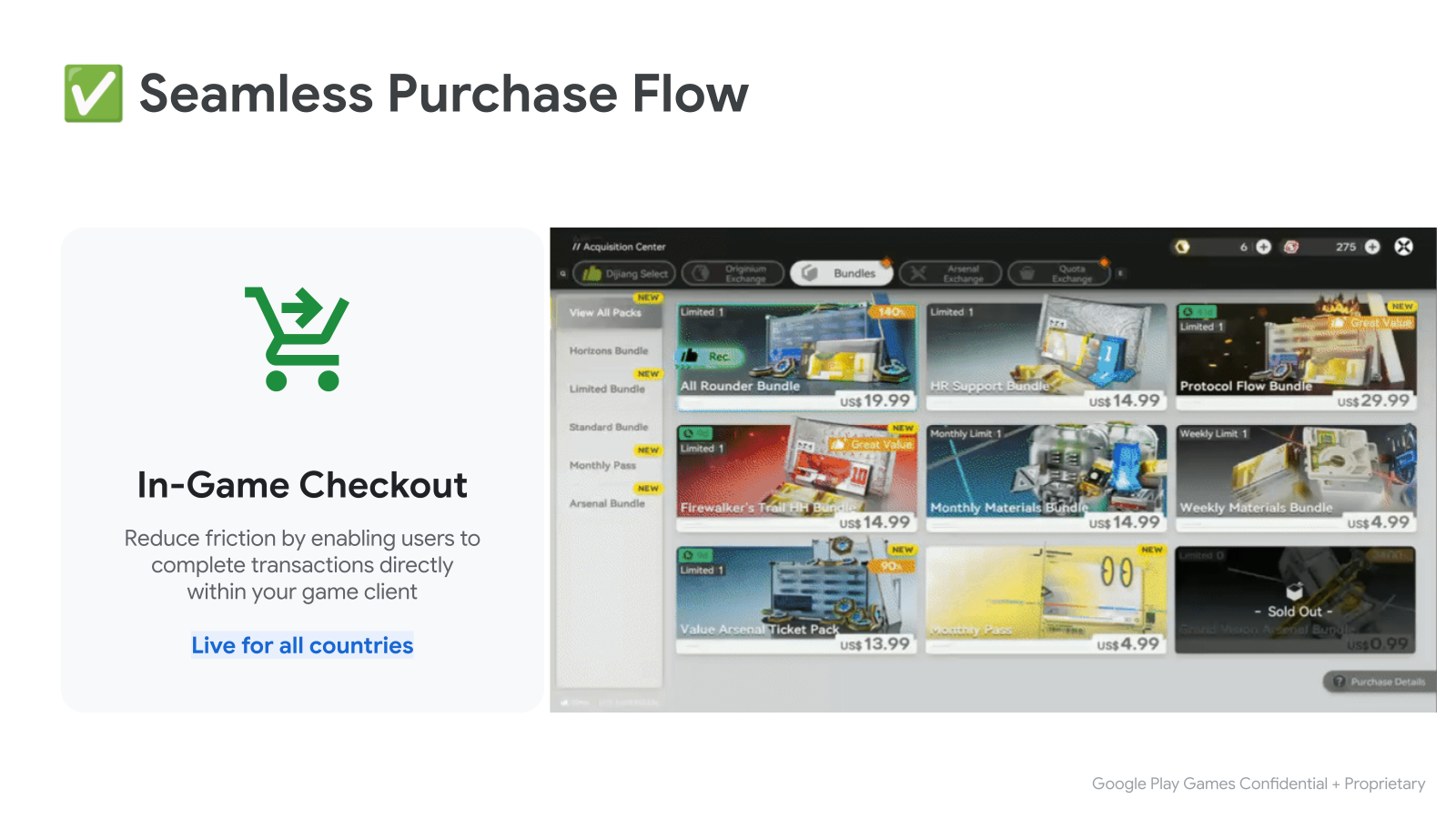
- เริ่มต้นด้วยการเรียก
BillingClient::LaunchPurchaseFlow(). ส่งoffer_tokenที่ได้รับเมื่อค้นหารายละเอียดผลิตภัณฑ์ - เมื่อการซื้อเสร็จสมบูรณ์ ระบบจะเรียกฟังก์ชันการดำเนินการต่อพร้อมผลลัพธ์
- หากสำเร็จ การดำเนินการต่อจะมี
ProductPurchaseDetailsดำเนินการต่อด้วย การประมวลผลการซื้อ.
LaunchPurchaseFlowParams params { product_offer.offer_token };

auto promise = std::make_shared<std::promise<LaunchPurchaseFlowResult>>();
billing_client.LaunchPurchaseFlow(params, [promise](LaunchPurchaseFlowResult result) {
   promise->set_value(std::move(result));
});
// The purchase flow has started and is now in progress.

auto launch_purchase_flow_result = promise->get_future().get();

// The purchase flow has now completed.
if (launch_purchase_flow_result.ok()) {
   auto purchase = launch_purchase_flow_result.value().product_purchase_details;
   // Process the purchase
} else if (launch_purchase_flow_result.code() == BillingError::kUserCanceled) {
   // Handle an error caused by the user canceling the purchase flow
} else {
   // Handle any other error codes
}
ขั้นตอนที่ 5: ประมวลผลการซื้อ
ประมวลผลด้วยเซิร์ฟเวอร์แบ็กเอนด์
สำหรับเกมที่มีเซิร์ฟเวอร์แบ็กเอนด์ ให้ประมวลผลให้เสร็จสมบูรณ์โดยส่ง
purchase_token ไปยังเซิร์ฟเวอร์แบ็กเอนด์ ประมวลผลส่วนที่เหลือให้เสร็จสมบูรณ์โดยใช้
Play Billing API ฝั่งเซิร์ฟเวอร์ การผสานรวมฝั่งเซิร์ฟเวอร์นี้จะเหมือนกับการผสานรวมที่ทำสำหรับเกม Android ที่ผสานรวมกับ Play Billing
void ProcessPurchasesWithServer(std::vector<ProductPurchaseDetails> purchases) {
   std::vector<std::string> purchase_tokens;
   for (const auto& purchase : purchases) {
      purchase_tokens.push_back(purchase.purchase_token);
   }

   // Send purchase tokens to backend server for processing
}
ประมวลผลโดยไม่ใช้เซิร์ฟเวอร์แบ็กเอนด์
ตรวจสอบว่าการชำระเงินของผู้ใช้ไม่ได้อยู่ในสถานะรอดำเนินการโดยดูว่า
ProductPurchaseDetails::purchase_stateเป็นPurchaseState::kPurchaseStatePurchasedหากสถานะการซื้ออยู่ในสถานะรอดำเนินการ ให้แจ้งให้ผู้ใช้ทราบว่าต้องทำตามขั้นตอนเพิ่มเติมก่อนจึงจะได้รับผลิตภัณฑ์ที่ซื้อให้สิทธิ์ผู้ใช้เข้าถึงผลิตภัณฑ์ที่ซื้อและอัปเดตพื้นที่เก็บข้อมูลการให้สิทธิ์ของเกม
สำหรับการซื้อไอเทมที่อยู่ตลอดไป (ผลิตภัณฑ์ที่ซื้อได้เพียงครั้งเดียว) ให้ตรวจสอบว่ามีการรับทราบการซื้อแล้วหรือยังโดยใช้
ProductPurchaseDetails::is_acknowledged- หากยังไม่มีการรับทราบการซื้อ ให้แจ้งให้ Google ทราบว่าคุณกำลังให้สิทธิ์ผู้ใช้เข้าถึงผลิตภัณฑ์โดยเรียก
BillingClient::AcknowledgePurchase
- หากยังไม่มีการรับทราบการซื้อ ให้แจ้งให้ Google ทราบว่าคุณกำลังให้สิทธิ์ผู้ใช้เข้าถึงผลิตภัณฑ์โดยเรียก
สำหรับการซื้อไอเทมที่ใช้แล้วหมดไป (ผลิตภัณฑ์ที่ซื้อได้มากกว่า 1 ครั้ง) ให้แจ้งให้ Google ทราบว่าคุณกำลังให้สิทธิ์ผู้ใช้เข้าถึงผลิตภัณฑ์โดย เรียก
BillingClient::ConsumePurchase
void ProcessPurchasesWithoutServer(std::vector<ProductPurchaseDetails> purchases) {
   std::vector<std::string> entitled_product_ids;
   for (const auto& purchase : purchases) {
      auto was_successful = ProcessPurchasePurchaseWithoutServer(purchase);
      if (was_successful) {
         entitled_product_ids.push_back(purchase.product_id);
      }
   }

   // Note that non-consumable products that were previously purchased may have
   // been refunded. These purchases will stop being returned by
   // `QueryPurchases()`. If your game has given a user access to one of these
   // products storage they should be revoked.
   //
   // ...
}

bool ProcessPurchasePurchaseWithoutServer(ProductPurchaseDetails purchase) {
   auto is_purchase_completed =
      purchase.purchase_state == PurchaseState::kPurchaseStatePurchased;
   if (!is_purchase_completed) {
      // Notify the user that they need to take additional steps to complete
      // this purchase.
      return false;
   }

   // Determine if the product ID is associated with a consumable product.
   auto is_consumable = IsConsumableProductId(purchase.product_id);
   if (is_consumable) {
      // Grant an entitlement to the product to the user.
      // ...
      // Then, notify Google by consuming the purchase.

      ConsumePurchaseParams params { purchase.purchase_token };
      auto promise = std::make_shared<std::promise<ConsumePurchaseResult>>();
      billing_client.ConsumePurchase(params, [promise](ConsumePurchaseResult result) {
         promise->set_value(std::move(result));
      });

      auto consume_purchase_result = promise->get_future().get();
      if (!consume_purchase_result.ok()) {
         // Examine the failure code & message for more details & notify user
         // of failure.
         // ...
         return false;
      }

      return true;
   }

   // Otherwise the product is assumed to be a non-consumable.

   // Grant an entitlement to the product to the user.
   // ...
   // Then, notify Google by acknowledging the purchase (if not already done).

   if (purchase.is_acknowledged) {
      return true;
   }

   AcknowledgePurchaseParams params { purchase.purchase_token };
   auto promise = std::make_shared<std::promise<AcknowledgePurchaseResult>>();
   billing_client.AcknowledgePurchase(params, [promise](AcknowledgePurchaseResult result) {
      promise->set_value(std::move(result));
   });

   auto acknowledge_purchase_result = promise->get_future().get();
   if (!acknowledge_purchase_result.ok()) {
      // Examine the failure code & message for more details & notify user
      // of failure.
      // ...
      return false;
   }

   return true;
}
การยืนยันการซื้อฝั่งไคลเอ็นต์
การยืนยันฝั่งไคลเอ็นต์จะเพิ่มระดับการรักษาความปลอดภัยอีกชั้นหนึ่งด้วยการยืนยันลายเซ็นการซื้อในไคลเอ็นต์เกมโดยตรง
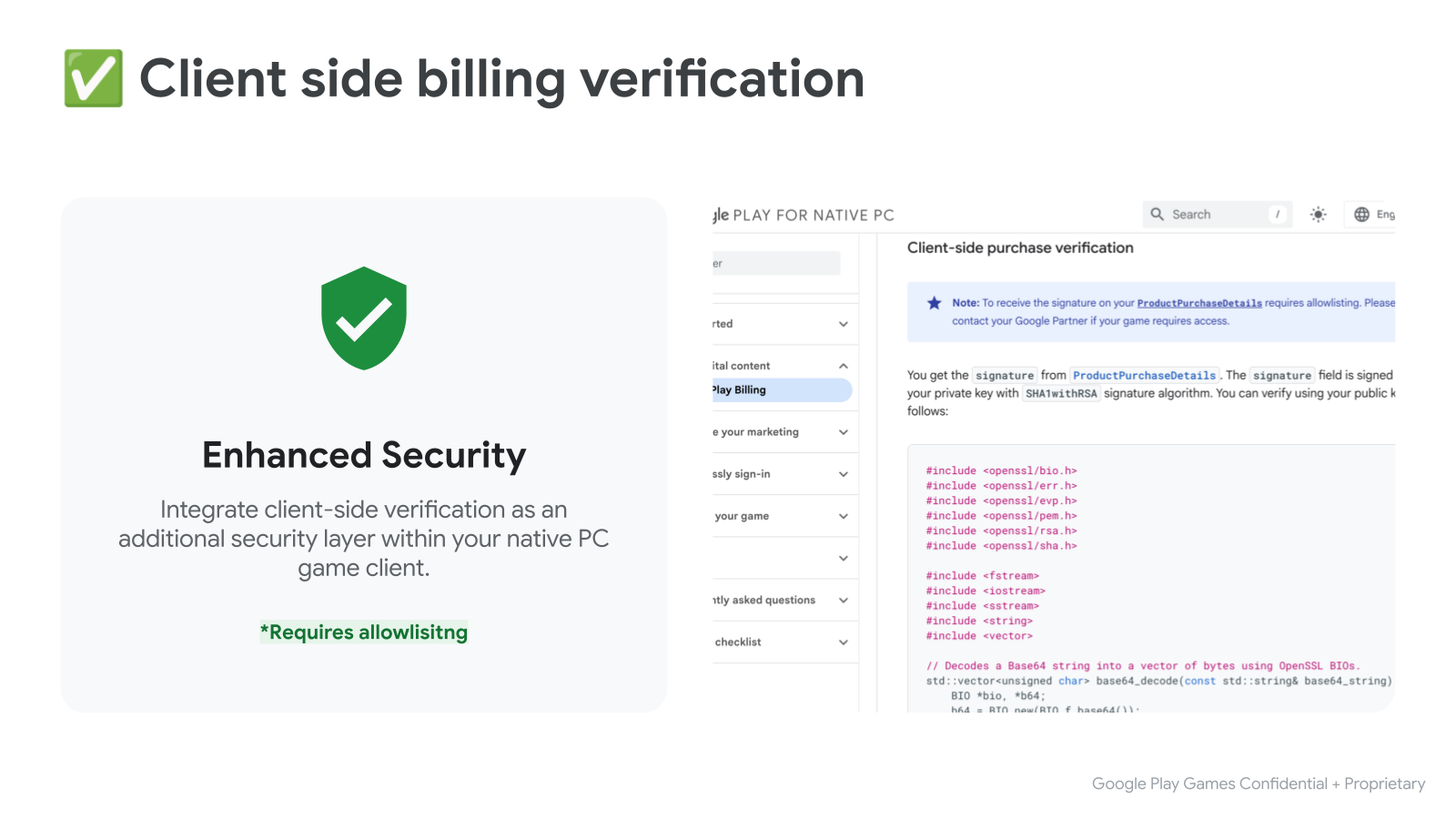
คุณจะได้รับ signature จาก
ProductPurchaseDetails ระบบจะลงชื่อฟิลด์ signature ด้วยคีย์ส่วนตัวของคุณโดยใช้อัลกอริทึมลายเซ็น SHA1withRSA คุณสามารถยืนยันโดยใช้คีย์สาธารณะได้ดังนี้
#include <openssl/bio.h>
#include <openssl/err.h>
#include <openssl/evp.h>
#include <openssl/pem.h>
#include <openssl/rsa.h>
#include <openssl/sha.h>

#include <fstream>
#include <iostream>
#include <sstream>
#include <string>
#include <vector>

// Decodes a Base64 string into a vector of bytes using OpenSSL BIOs.
std::vector<unsigned char> base64_decode(const std::string& base64_string) {
    BIO *bio, *b64;
    b64 = BIO_new(BIO_f_base64());
    BIO_set_flags(b64, BIO_FLAGS_BASE64_NO_NL);
    bio = BIO_new_mem_buf(base64_string.data(), base64_string.length());
    bio = BIO_push(b64, bio);

    std::vector<unsigned char> decoded_data;
    decoded_data.resize(base64_string.length());
    int length = BIO_read(bio, decoded_data.data(), decoded_data.size());
    if (length > 0) {
      decoded_data.resize(length);
    } else {
      decoded_data.clear();
    }
    BIO_free_all(bio);
    return decoded_data;
}

// Reads a PEM-encoded public key string and returns an EVP_PKEY object.
EVP_PKEY* createPublicKey(const std::string& publicKeyPem) {
  BIO* bio = BIO_new_mem_buf(publicKeyPem.data(), publicKeyPem.length());
  EVP_PKEY* pkey = PEM_read_bio_PUBKEY(bio, nullptr, nullptr, nullptr);
  BIO_free(bio);
  return pkey;
}

// Verifies the RSA-SHA1 signature of given data using a public key.
bool verifySignature(const std::string& publicKeyPem,
                     const std::string& originalData,
                     const std::string& signature_b64) {
  std::vector<unsigned char> signature = base64_decode(signature_b64);
  EVP_PKEY* pkey = createPublicKey(publicKeyPem);
  if (!pkey) {
    std::cerr << "Error loading public key." << std::endl;
    ERR_print_errors_fp(stderr);
    return false;
  }

  EVP_MD_CTX* mdctx = EVP_MD_CTX_new();
  if (!mdctx) {
    std::cerr << "EVP_MD_CTX_new failed." << std::endl;
    EVP_PKEY_free(pkey);
    return false;
  }

  if (EVP_DigestVerifyInit(mdctx, nullptr, EVP_sha1(), nullptr, pkey) <= 0 ||
      EVP_DigestVerifyUpdate(mdctx, originalData.c_str(),
                             originalData.length()) <= 0) {
    EVP_MD_CTX_free(mdctx);
    EVP_PKEY_free(pkey);
    std::cerr << "Error during EVP_DigestVerifyInit or EVP_DigestVerifyUpdate."
              << std::endl;
    return false;
  }

  int result = EVP_DigestVerifyFinal(
      mdctx, reinterpret_cast<const unsigned char*>(signature.data()),
      signature.size());

  EVP_MD_CTX_free(mdctx);
  EVP_PKEY_free(pkey);

  if (result == 0) {
    std::cerr << "Signature verification failed." << std::endl;
    return false;
  } else if (result != 1) {
    std::cerr << "Error during signature verification." << std::endl;
    ERR_print_errors_fp(stderr);
    return false;
  }

  return true;
}
ขั้นตอนที่ 6: ทดสอบการผสานรวม
ตอนนี้คุณพร้อมที่จะทดสอบการผสานรวมกับ Play Billing แล้ว เราขอแนะนำให้ใช้ผู้ทดสอบที่ได้รับอนุญาต เพื่อทดสอบในระหว่างขั้นตอนการพัฒนา ผู้ทดสอบที่ได้รับอนุญาตมีสิทธิ์เข้าถึงการชำระเงินทดสอบซึ่งจะไม่เรียกเก็บเงินจริงสำหรับการซื้อ
ดูวิธีการตั้งค่าผู้ทดสอบที่ได้รับอนุญาตและชุดการทดสอบด้วยตนเองที่เราแนะนำให้ดำเนินการได้ในเอกสารประกอบเกี่ยวกับวิธี ทดสอบการผสานรวม Google Play Billing Library