

يقدّم نظام التشغيل Android 16 ميزات وواجهات برمجة تطبيقات جديدة ورائعة للمطوّرين. توضّح الأقسام التالية هذه الميزات لمساعدتك على البدء في استخدام واجهات برمجة التطبيقات ذات الصلة.
للحصول على قائمة مفصّلة بواجهات برمجة التطبيقات الجديدة والمعدَّلة والمحذوفة، يُرجى الاطّلاع على تقرير الاختلافات في واجهات برمجة التطبيقات. للحصول على تفاصيل حول واجهات برمجة التطبيقات الجديدة، يُرجى الانتقال إلى مرجع واجهات برمجة تطبيقات Android، حيث يتم تمييز واجهات برمجة التطبيقات الجديدة لتسهيل العثور عليها.عليك أيضًا مراجعة الأقسام التي قد تؤثر فيها تغييرات النظام الأساسي في تطبيقاتك. لمزيد من المعلومات، يُرجى الاطّلاع على الصفحات التالية:
- التغييرات في السلوك التي تؤثّر في التطبيقات عند استهدافها الإصدار 16 من نظام التشغيل Android
- تغييرات في السلوك تؤثر في جميع التطبيقات بغض النظر عن
targetSdkVersion
الوظيفة الأساسية
يتضمّن Android واجهات برمجة تطبيقات جديدة توسّع الإمكانات الأساسية لنظام Android.
إصداران من واجهة برمجة التطبيقات لنظام التشغيل Android في عام 2025
- This preview is for the next major release of Android with a planned launch in Q2 of 2025. This release is similar to all of our API releases in the past, where we can have planned behavior changes that are often tied to a targetSdkVersion.
- We're planning the major release a quarter earlier (Q2 rather than Q3 in prior years) to better align with the schedule of device launches across our ecosystem, so more devices can get the major release of Android sooner. With the major release coming in Q2, you'll need to do your annual compatibility testing a few months earlier than in previous years to make sure your apps are ready.
- We plan to have another release in Q4 of 2025 which also will include new developer APIs. The Q2 major release will be the only release in 2025 to include planned behavior changes that could affect apps.
In addition to new developer APIs, the Q4 minor release will pick up feature updates, optimizations, and bug fixes; it will not include any app-impacting behavior changes.
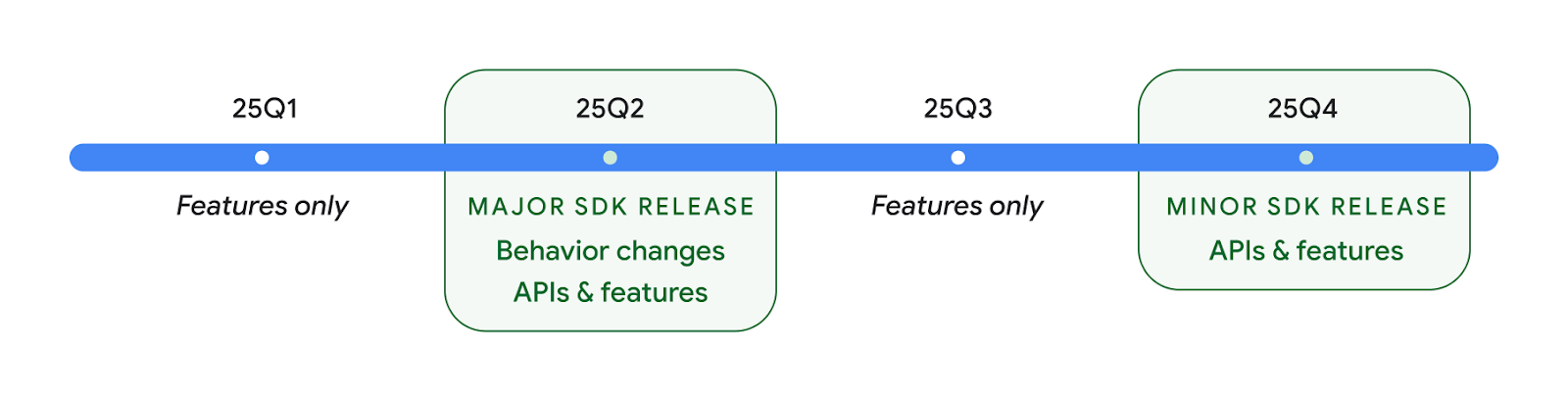
We'll continue to have quarterly Android releases. The Q1 and Q3 updates in-between the API releases will provide incremental updates to help ensure continuous quality. We're actively working with our device partners to bring the Q2 release to as many devices as possible.
Using new APIs with major and minor releases
Guarding a code block with a check for API level is done today using
the SDK_INT constant with
VERSION_CODES. This will continue
to be supported for major Android releases.
if (SDK_INT >= VERSION_CODES.BAKLAVA) {
  // Use APIs introduced in Android 16
}
The new SDK_INT_FULL
constant can be used for API checks against both major and minor versions with
the new VERSION_CODES_FULL
enumeration.
if (SDK_INT_FULL >= VERSION_CODES_FULL.[MAJOR or MINOR RELEASE]) {
  // Use APIs introduced in a major or minor release
}
You can also use the
Build.getMinorSdkVersion()
method to get just the minor SDK version.
val minorSdkVersion = Build.getMinorSdkVersion(VERSION_CODES_FULL.BAKLAVA)
These APIs have not yet been finalized and are subject to change, so please send us feedback if you have any concerns.
تجربة المستخدم وواجهة مستخدم النظام
يمنح نظام التشغيل Android 16 مطوّري التطبيقات والمستخدمين المزيد من التحكّم والمرونة في إعداد أجهزتهم بما يتناسب مع احتياجاتهم.
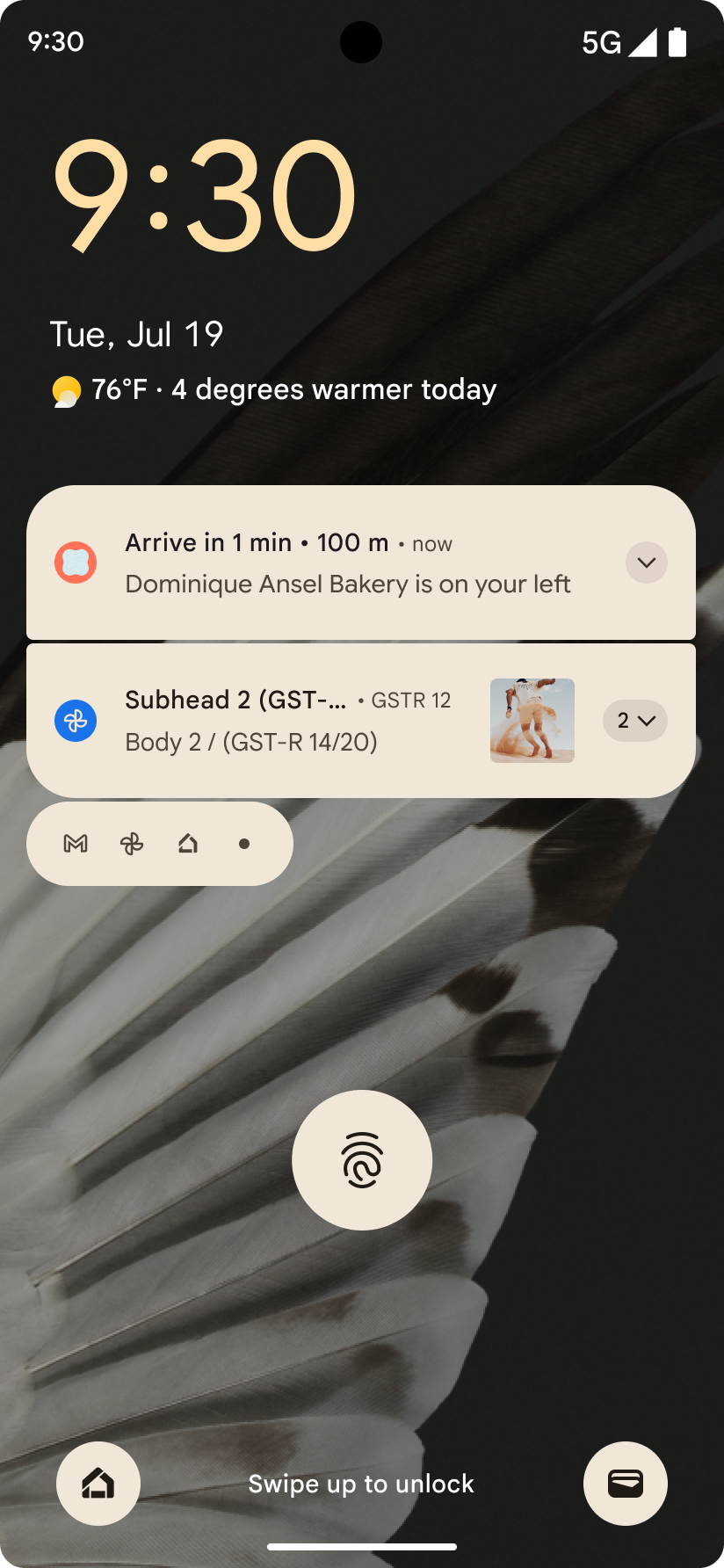
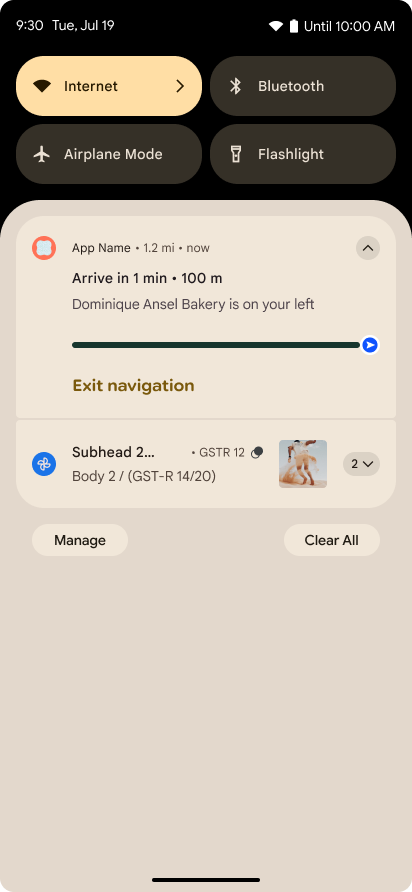
الإشعارات التي تركّز على مستوى التقدّم
يقدّم الإصدار 16 من نظام التشغيل Android إشعارات تركّز على مستوى التقدّم لمساعدة المستخدمين في تتبُّع الرحلات التي يبدأها المستخدمون من البداية إلى النهاية بسلاسة.
Notification.ProgressStyle هو أسلوب إشعار
جديد يتيح لك إنشاء إشعارات تركّز على مستوى التقدّم. تشمل حالات الاستخدام الرئيسية
خدمات النقل المشترك والتوصيل والملاحة. ضمن Notification.ProgressStyle
الفئة، يمكنك الإشارة إلى الحالات والمحطّات الرئيسية في رحلة المستخدِم باستخدام
النقاط والشريح.
To learn more, see the Progress-centric notifications documentation page.
تعديلات على إيماءة إظهار شاشة الرجوع
Android 16 adds new APIs to help you enable predictive back system animations in
gesture navigation such as the back-to-home animation. Registering the
onBackInvokedCallback with the new
PRIORITY_SYSTEM_NAVIGATION_OBSERVER allows your app to
receive the regular onBackInvoked call whenever the
system handles a back navigation without impacting the normal back navigation
flow.
Android 16 additionally adds the
finishAndRemoveTaskCallback() and
moveTaskToBackCallback. By registering these callbacks
with the OnBackInvokedDispatcher, the system can trigger
specific behaviors and play corresponding ahead-of-time animations when the back
gesture is invoked.
تجاوب حسّي أكثر ثراءً
منذ إطلاقه، وفّر نظام التشغيل Android إمكانية التحكّم في المحرّك اللمسي.
أضاف نظام التشغيل Android 11 ميزة التوافق مع التأثيرات اللمسية الأكثر تعقيدًا التي يمكن أن توفّرها ملفّات
التشغيل المتقدّمة من خلال
VibrationEffect.Compositions من العناصر الأساسية
الدلالية التي يحدّدها الجهاز.
يضيف نظام التشغيل Android 16 واجهات برمجة تطبيقات للتأثيرات الحسية تتيح للتطبيقات تحديد منحنيات amplitude وfrequency لتأثير حسي مع تجاهل اختلافات قدرات الجهاز.
إنتاجية المطوّرين وأدواتهم
مع أنّ معظم جهودنا لتحسين إنتاجيتك تركّز على أدوات مثل استوديو Android وJetpack Compose ومكتبات Android Jetpack، إلا أنّنا نبحث دائمًا عن طرق في النظام الأساسي لمساعدتك في تحقيق أهدافك.
التعامل مع المحتوى في الخلفيات المتحركة
في الإصدار 16 من Android، سيحصل إطار عمل الخلفيات المتحركة على واجهة برمجة تطبيقات جديدة للمحتوى بهدف
معالجة تحديات الخلفيات الديناميكية التي ينشئها المستخدمون. في الوقت الحالي، تتطلّب
خلفيات الشاشة النشطة التي تتضمّن محتوى يقدّمه المستخدم تنفيذًا معقدًا
خاصًا بالخدمة. يقدّم نظام التشغيل Android 16 رمزَي emoji
WallpaperDescription و
WallpaperInstance. يتيح لك WallpaperDescription معرفة
حالات مختلفة من خلفية متحركة من الخدمة نفسها. على سبيل المثال، قد تتضمّن الخلفية التي تظهر على كل من الشاشة الرئيسية وشاشة القفل محتوًى فريدًا في كلا المكانَين. يستخدم أداة اختيار الخلفية وWallpaperManager هذه البيانات الوصفية لعرض
الخلفيات بشكل أفضل للمستخدمين، ما يسهّل عليك إنشاء تجارب متنوعة
ومخصَّصة للخلفيات الحية.
الأداء والبطارية
يقدّم الإصدار 16 من نظام التشغيل Android واجهات برمجة تطبيقات تساعد في جمع إحصاءات حول تطبيقاتك.
تحديد المواصفات الشخصية لصاحب البيانات من خلال النظام
تم إضافةProfilingManager في Android 15، ما يتيح للتطبيقات طلب جمع بيانات الأداء باستخدام Perfetto على الأجهزة العامة في الميدان.
ومع ذلك، بما أنّه يجب بدء عملية وضع هذه الملفات الشخصية من التطبيق، سيكون من الصعب أو من المستحيل على التطبيقات تسجيل مسارات الأداء الحرجة، مثل عمليات بدء التشغيل أو أخطاء ANR.
للمساعدة في ذلك، يقدّم نظام التشغيل Android 16 ميزة "الملف الشخصي الذي يبدأه النظام" لتطبيق
ProfilingManager. يمكن للتطبيقات تسجيل اهتمامها بتلقّي عمليات تتبُّع لعوامل بدء محدّدة
مثل بدء التشغيل البارد reportFullyDrawn
أو أخطاء ANR، ثم يبدأ النظام عملية تتبُّع ويوقفها نيابةً عن التطبيق. بعد اكتمال التتبُّع، يتم إرسال النتائج إلى دليل بيانات التطبيق.
بدء المكوّن في ApplicationStartInfo
ApplicationStartInfo was added in Android
15, allowing an app to see reasons
for process start, start type, start times, throttling, and other useful
diagnostic data. Android 16 adds
getStartComponent()
to distinguish what component type triggered the start, which can be helpful for
optimizing the startup flow of your app.
فحص أفضل للوظائف
The JobScheduler#getPendingJobReason() API returns a reason why a job
might be pending. However, a job might be pending for multiple reasons.
In Android 16, we are introducing a new API
JobScheduler#getPendingJobReasons(int jobId), which returns multiple
reasons why a job is pending, due to both explicit constraints set by the
developer and implicit constraints set by the system.
We're also introducing
JobScheduler#getPendingJobReasonsHistory(int jobId), which returns a list
of the most recent constraint changes.
We recommend using the API to help you debug why your jobs may not be executing, especially if you're seeing reduced success rates of certain tasks or have bugs around latency of certain job completion. For example, updating widgets in the background failed to occur or prefetch job failed to be called prior to app start.
This can also better help you understand if certain jobs are not completing due to system defined constraints versus explicitly set constraints.
معدّل التحديث التكيّفي
Adaptive refresh rate (ARR), introduced in Android 15, enables the display refresh rate on supported hardware to adapt to the content frame rate using discrete VSync steps. This reduces power consumption while eliminating the need for potentially jank-inducing mode-switching.
Android 16 introduces hasArrSupport() and
getSuggestedFrameRate(int) while restoring
getSupportedRefreshRates() to make it easier for your apps to take
advantage of ARR. RecyclerView
1.4 internally supports ARR when it is settling from a fling or
smooth scroll, and we're continuing our work to add ARR
support into more Jetpack libraries. This frame rate article covers
many of the APIs you can use to set the frame rate so that your app can directly
use ARR.
واجهات برمجة التطبيقات الخاصة بمساحة العرض في ADPF
يقدّم SystemHealthManager واجهات برمجة التطبيقات
getCpuHeadroom و
getGpuHeadroom، وهي مصمّمة لتزويد الألعاب و
التطبيقات المستهلكة للموارد الكثيفة بتقديرات لموارد وحدة المعالجة المركزية ووحدة معالجة الرسومات المتاحة. توفّر هذه ال methods طريقة لك لقياس مدى قدرة تطبيقك أو لعبتك على تحسين حالة النظام على أفضل نحو، خاصةً عند استخدامها مع واجهات برمجة تطبيقات أخرى لإطار عمل Android Dynamic
Performance Framework (ADPF) التي ترصد التباطؤ المتعلّق بالحرارة.
باستخدام CpuHeadroomParams و
GpuHeadroomParams على الأجهزة المتوافقة، يمكنك
تخصيص النافذة الزمنية المستخدَمة لاحتساب الحد الأقصى للطاقة واختيار بين
متوسط أو الحد الأدنى لمستوى توفّر الموارد. ويمكن أن يساعدك ذلك في تقليل استخدام موارد وحدة المعالجة المركزية أو
وحدة معالجة الرسومات وفقًا لذلك، ما يؤدي إلى تحسين تجارب المستخدمين وتحسين
عمر البطارية.
تسهيل الاستخدام
يضيف نظام التشغيل Android 16 ميزات وواجهات برمجة تطبيقات جديدة لتسهيل الاستخدام يمكن أن تساعدك في توفير تطبيقك لجميع المستخدمين.
واجهات برمجة تطبيقات محسَّنة لتسهيل الاستخدام
يضيف نظام التشغيل Android 16 واجهات برمجة تطبيقات إضافية لتحسين دلالات واجهة المستخدم التي تساعد في تحسين الاتساق للمستخدمين الذين يعتمدون على خدمات تسهيل الاستخدام، مثل TalkBack.
النص المفرّغ لزيادة تباين النص إلى أقصى حد
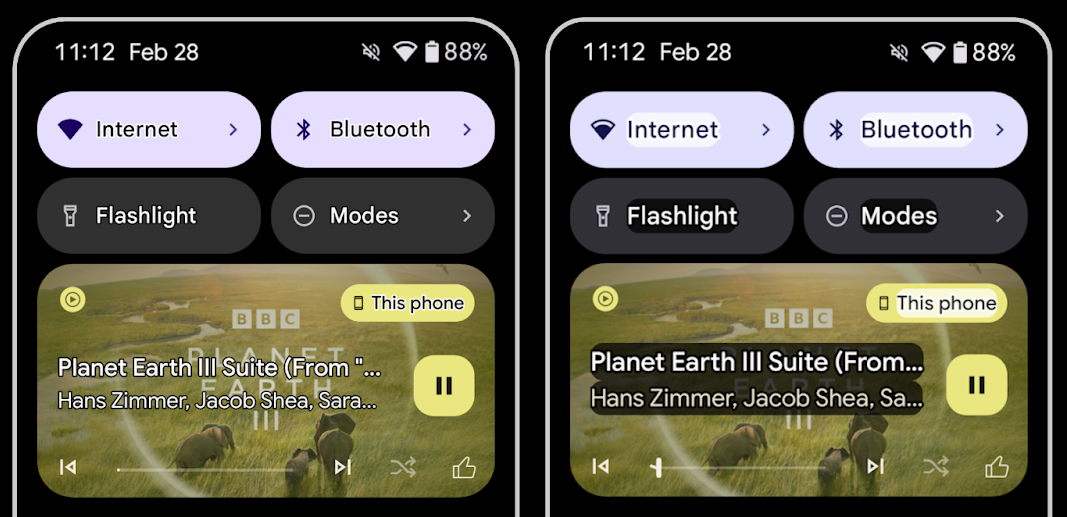
غالبًا ما يعاني المستخدمون الذين يعانون من ضعف في النظر من انخفاض في حساسية التباين، ما يجعل من الصعوبة بمكان تمييز الأجسام عن الخلفيات. لمساعدة هؤلاء المستخدمين، يقدّم الإصدار 16 من Android ميزة "النص المخطّط" الذي يحلّ محلّ ميزة "النص العالي التباين"، والذي يرسم منطقة أكبر ذات تباين أعلى حول النص لتحسين قراءته بشكل كبير.
يحتوي Android 16 على واجهات برمجة تطبيقات جديدة AccessibilityManager للسماح لتطبيقاتك بالتحقّق أو تسجيل مستمع لتحديد ما إذا كان هذا الوضع مفعّلاً. يُستخدم هذا الأسلوب بشكل أساسي في حِزم أدوات واجهة المستخدم، مثل Compose، لتوفير تجربة مرئية مشابهة. إذا كنت تحافظ على مكتبة UI Toolkit أو كان
تطبيقك يُجري عرضًا مخصّصًا للنص يتجاوز فئة
android.text.Layout، يمكنك استخدام هذا الإجراء لمعرفة
حالات تفعيل النص المخطّط.
تمت إضافة المدة إلى TtsSpan
يضيف الإصدار 16 من Android TtsSpan TYPE_DURATION،
المكوّن من ARG_HOURS وARG_MINUTES
وARG_SECONDS. يتيح لك ذلك إضافة تعليقات توضيحية مباشرةً إلى مدّة المحتوى، ما يضمن تحويلًا دقيقًا ومتسقًا للنص إلى كلام باستخدام خدمات مثل TalkBack.
إتاحة العناصر التي تحتوي على تصنيفات متعددة
يسمح Android حاليًا لعناصر واجهة المستخدم بالحصول على تصنيف تسهيل الاستخدام من عنصر آخر، كما يتيح الآن إمكانية ربط تصنيفات متعددة، وهو سيناريو شائع في محتوى الويب. من خلال تقديم واجهة برمجة تطبيقات مستندة إلى قائمة في
AccessibilityNodeInfo، يمكن لنظام التشغيل Android إتاحة
هذه العلاقات المتعدّدة التصنيفات مباشرةً. وكجزء من هذا التغيير، أوقفنا نهائيًا استخدام
AccessibilityNodeInfo#setLabeledBy و
#getLabeledBy واستبدلناهما برمزَي
#addLabeledBy و#removeLabeledBy و
#getLabeledByList.
تحسين التوافق مع العناصر القابلة للتوسيع
يضيف نظام التشغيل Android 16 واجهات برمجة تطبيقات تسهيل الاستخدام تتيح لك الإشارة إلى الحالة الموسّعة أو
المجمّعة للعناصر التفاعلية، مثل القوائم والقوائم القابلة للتوسيع. من خلال
ضبط الحالة الموسّعة باستخدام setExpandedState و
إرسال TYPE_WINDOW_CONTENT_CHANGED AccessibilityEvents
باستخدام نوع تغيير المحتوى CONTENT_CHANGE_TYPE_EXPANDED،
يمكنك التأكّد من أنّ برامج قراءة الشاشة، مثل TalkBack، تعلن عن
تغييرات الحالة، ما يقدّم تجربة مستخدم أكثر سهولة وشمولية.
أشرطة تقدّم غير محدّدة
يضيف نظام التشغيل Android 16 رمز RANGE_TYPE_INDETERMINATE، ما يتيح لك
عرض RangeInfo لكل من التطبيقات المصغّرةProgressBar المحددة وغير المحددة، ما يسمح لخدمات مثل
TalkBack بتقديم ملاحظات بشكل أكثر اتساقًا لمؤشرات التقدّم.
مربّع اختيار ثلاثي الحالات
تتيح الطريقتان الجديدتان AccessibilityNodeInfo
getChecked وsetChecked(int)
في Android 16 الآن حالة "تم وضع علامة جزئية" بالإضافة إلى
"تم وضع علامة" و "لم يتم وضع علامة". ويحلّ هذا النوع محلّ النوعَين المنطقيَين المتوقفَين نهائيًا
isChecked وsetChecked(boolean).
الأوصاف التكميلية
عندما تصف الخدمة المخصّصة لتسهيل الاستخدام عنصر ViewGroup، فإنّها
تضمّن تصنيفات المحتوى من عناصر العرض الثانوية. في حال تقديم contentDescription لعنصر ViewGroup، تفترض خدمات تسهيل الاستخدام أنّك تريد
أيضًا إلغاء وصف عناصر العرض الثانوية غير القابلة للتركيز. قد يتسبب ذلك في
مشاكل إذا أردت تصنيف عناصر مثل القائمة المنسدلة (على سبيل المثال، "عائلة
الخط") مع الحفاظ على الاختيار الحالي لتسهيل الاستخدام (على سبيل المثال،
"Roboto"). يضيف الإصدار 16 من Android setSupplementalDescription حتى تتمكّن من تقديم نص يقدّم معلومات عن ViewGroup بدون
إلغاء المعلومات الواردة من العناصر الفرعية.
حقول النموذج المطلوبة
يضيف نظام التشغيل Android 16 الرمز setFieldRequired إلى
AccessibilityNodeInfo حتى تتمكّن التطبيقات من إبلاغ خدمة تسهيل الاستخدام بأنّ إدخال البيانات في حقل النموذج مطلوب. هذا سيناريو مهم
للمستخدمين الذين يملؤون العديد من أنواع النماذج، حتى الأشياء البسيطة مثل مربّع الاختيار المطلوب
لأحكام وشروط الاستخدام، ما يساعد المستخدمين في التعرّف على الحقول المطلوبة باستمرار
والتنقّل بينها بسرعة.
استخدام الهاتف كميكروفون لإجراء المكالمات الصوتية باستخدام سماعات الأذن الطبية المزودة بتقنية LEA
Android 16 adds the capability for users of LE Audio hearing aids to switch between the built-in microphones on the hearing aids and the microphone on their phone for voice calls. This can be helpful in noisy environments or other situations where the hearing aid's microphones might not perform well.
عناصر التحكّم في مستوى الصوت المحيط لسماعات الأذن الطبية المتوافقة مع LEA
يتيح نظام التشغيل Android 16 لمستخدمي سمّاعات الأذن الطبية التي تتضمّن تقنية LE Audio إمكانية ضبط مستوى الصوت المحيط الذي تلتقطه ميكروفونات سمّاعة الأذن الطبية. يمكن أن يكون هذا الإجراء مفيداً في الحالات التي تكون فيها الضوضاء في الخلفية صاخبة جدًا أو منخفضة جدًا.
الكاميرا
يحسِّن نظام التشغيل Android 16 إمكانية استخدام الكاميرات الاحترافية، ما يتيح التعريض التلقائي المختلط إلى جانب إجراء تعديلات دقيقة على درجة حرارة الألوان ودرجة اللون. يساعد مؤشر وضع التصوير الليلي الجديد تطبيقك في معرفة الوقت المناسب للتبديل إلى جلسة تصوير في وضع التصوير الليلي أو إيقافها. تسهّل الإجراءات الجديدة Intent التقاط صور متحركة،
ونواصل تحسين صور UltraHDR من خلال توفير توافق مع ترميز HEIC
ومَعلمات جديدة من مسودة معيار ISO 21496-1.
التعرّض التلقائي المختلط للضوء
Android 16 adds new hybrid auto-exposure modes to Camera2, allowing you to manually control specific aspects of exposure while letting the auto-exposure (AE) algorithm handle the rest. You can control ISO + AE, and exposure time + AE, providing greater flexibility compared to the current approach where you either have full manual control or rely entirely on auto-exposure.
fun setISOPriority() {
    // ... (Your existing code before the snippet) ...

    val availablePriorityModes = mStaticInfo.characteristics.get(
        CameraCharacteristics.CONTROL_AE_AVAILABLE_PRIORITY_MODES
    )

    // ... (Your existing code between the snippets) ...

    // Turn on AE mode to set priority mode
    reqBuilder.set(
        CaptureRequest.CONTROL_AE_MODE,
        CameraMetadata.CONTROL_AE_MODE_ON
    )
    reqBuilder.set(
        CaptureRequest.CONTROL_AE_PRIORITY_MODE,
        CameraMetadata.CONTROL_AE_PRIORITY_MODE_SENSOR_SENSITIVITY_PRIORITY
    )
    reqBuilder.set(
        CaptureRequest.SENSOR_SENSITIVITY,
        TEST_SENSITIVITY_VALUE
    )
    val request: CaptureRequest = reqBuilder.build()

    // ... (Your existing code after the snippet) ...
}
تعديلات دقيقة على درجة حرارة الألوان ودرجة اللون
Android 16 adds camera support for fine color temperature and tint adjustments
to better support professional video recording applications. In previous Android
versions, you could control white balance settings through
CONTROL_AWB_MODE, which contains options limited to a
preset list, such as Incandescent,
Cloudy, and Twilight. The
COLOR_CORRECTION_MODE_CCT enables the use of
COLOR_CORRECTION_COLOR_TEMPERATURE and
COLOR_CORRECTION_COLOR_TINT for precise adjustments of
white balance based on the correlated color temperature.
fun setCCT() {
    // ... (Your existing code before this point) ...

    val colorTemperatureRange: Range<Int> =
        mStaticInfo.characteristics[CameraCharacteristics.COLOR_CORRECTION_COLOR_TEMPERATURE_RANGE]

    // Set to manual mode to enable CCT mode
    reqBuilder[CaptureRequest.CONTROL_AWB_MODE] = CameraMetadata.CONTROL_AWB_MODE_OFF
    reqBuilder[CaptureRequest.COLOR_CORRECTION_MODE] = CameraMetadata.COLOR_CORRECTION_MODE_CCT
    reqBuilder[CaptureRequest.COLOR_CORRECTION_COLOR_TEMPERATURE] = 5000
    reqBuilder[CaptureRequest.COLOR_CORRECTION_COLOR_TINT] = 30

    val request: CaptureRequest = reqBuilder.build()

    // ... (Your existing code after this point) ...
}
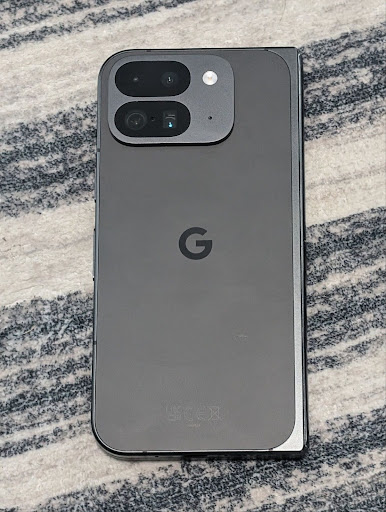
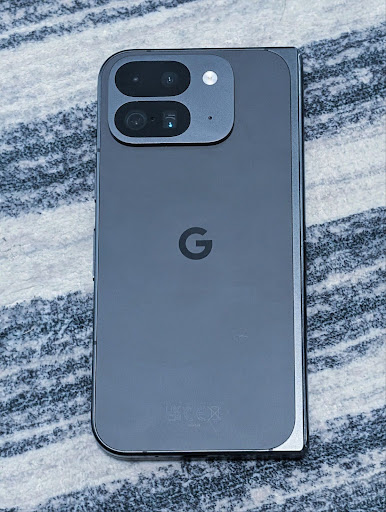
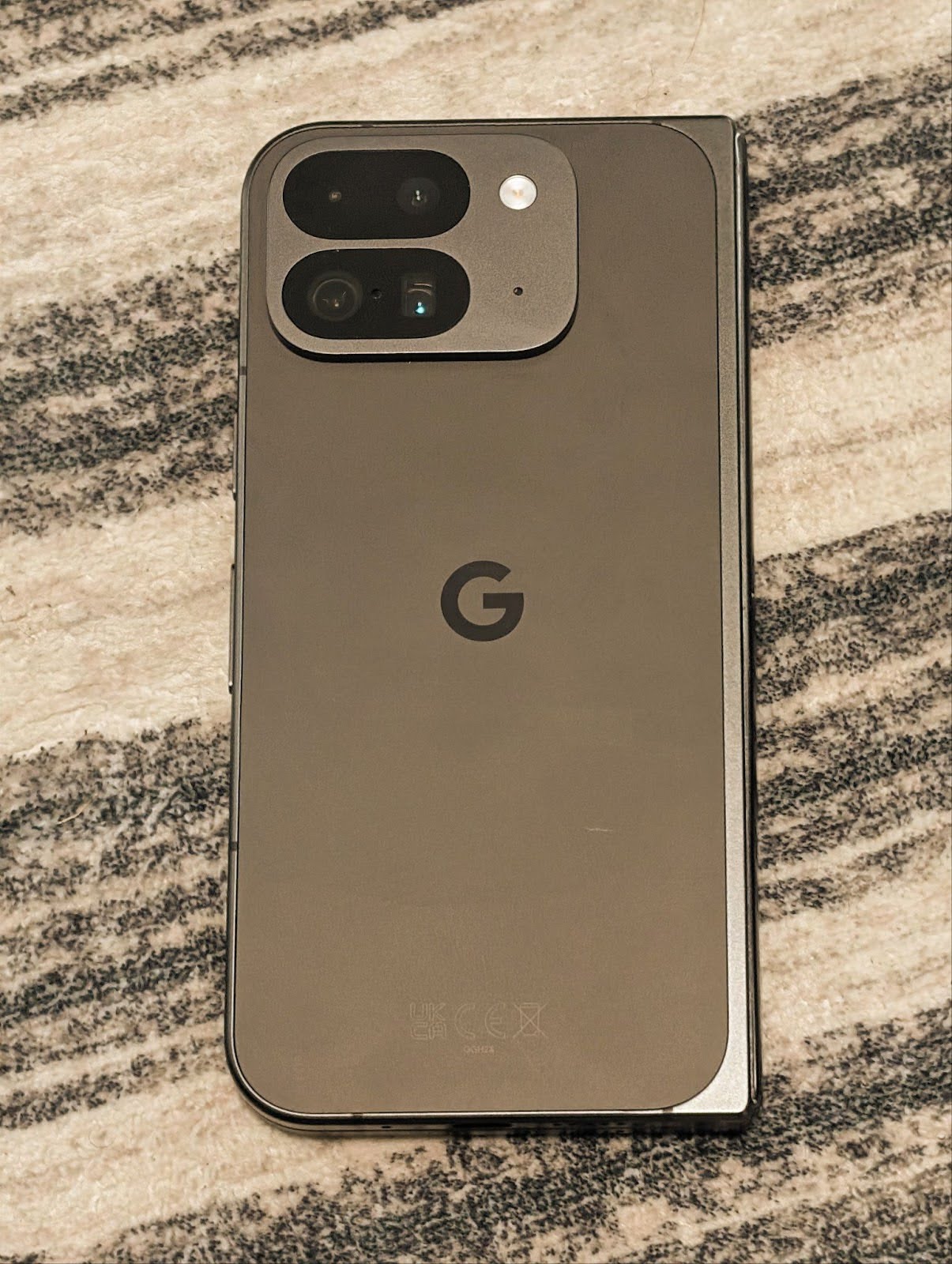
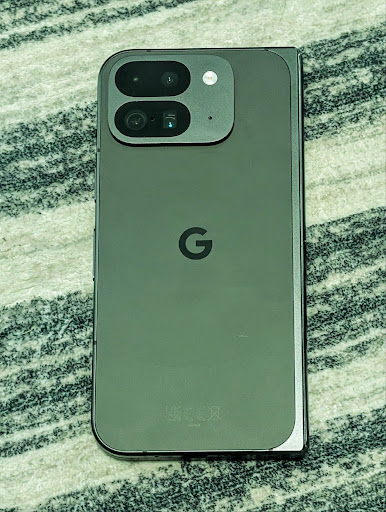
The following examples show how a photo would look after applying different color temperature and tint adjustments:
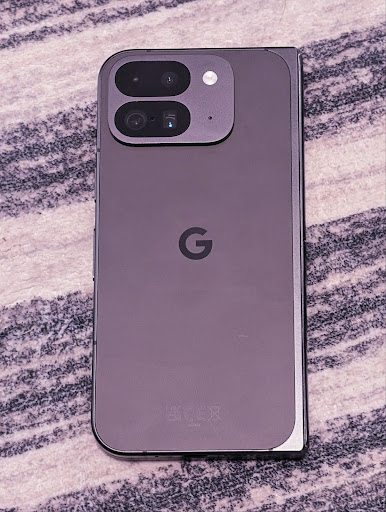
رصد المشاهد في "الوضع الليلي" للكاميرا
To help your app know when to switch to and from a night mode camera session,
Android 16 adds EXTENSION_NIGHT_MODE_INDICATOR. If
supported, it's available in the CaptureResult within
Camera2.
This is the API we briefly mentioned as coming soon in the How Instagram enabled users to take stunning low light photos blog post. That post is a practical guide on how to implement night mode together with a case study that links higher-quality in-app night mode photos with an increase in the number of photos shared from the in-app camera.
إجراءات intent لالتقاط صور حيّة
يضيف نظام التشغيل Android 16 إجراءات Intent عادية، وهي
ACTION_MOTION_PHOTO_CAPTURE و
ACTION_MOTION_PHOTO_CAPTURE_SECURE، تطلب من
تطبيق الكاميرا التقاط صورة متحركة وإعادتها.
يجب إدخال EXTRA_OUTPUT إضافي للتحكّم في
مكان كتابة الصورة، أو Uri من خلال
Intent.setClipData(ClipData). إذا لم تضبط
ClipData، سيتم نسخها إليك عند الاتصال بالرقم
Context.startActivity(Intent).
تحسينات على صور UltraHDR
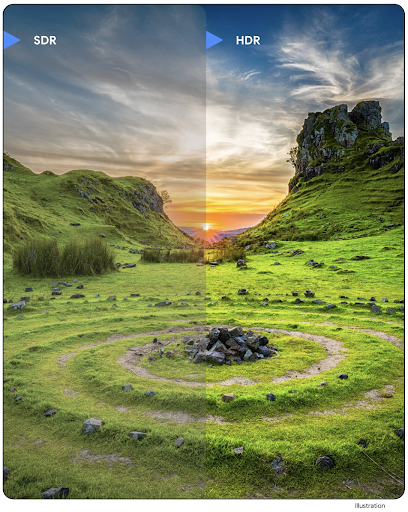
Android 16 continues our work to deliver dazzling image quality with UltraHDR
images. It adds support for UltraHDR images in the HEIC file
format. These images will get ImageFormat type
HEIC_ULTRAHDR and will contain an embedded gainmap similar
to the existing UltraHDR JPEG format. We're working on AVIF support for UltraHDR
as well, so stay tuned.
In addition, Android 16 implements additional parameters in UltraHDR from the ISO 21496-1 draft standard, including the ability to get and set the colorspace that gainmap math should be applied in, as well as support for HDR encoded base images with SDR gainmaps.
الرسومات
يتضمّن Android 16 أحدث التحسينات على الرسومات، مثل التأثيرات المخصّصة للرسومات باستخدام AGSL.
تأثيرات رسومية مخصّصة باستخدام AGSL
Android 16 adds RuntimeColorFilter and
RuntimeXfermode, allowing you to author complex effects like
Threshold, Sepia, and Hue Saturation and apply them to draw calls. Since Android
13, you've been able to use AGSL to create custom
RuntimeShaders that extend Shader. The new API
mirrors this, adding an AGSL-powered RuntimeColorFilter that
extends ColorFilter, and a Xfermode effect that
lets you implement AGSL-based custom compositing and blending between source and
destination pixels.
private val thresholdEffectString = """
    uniform half threshold;

    half4 main(half4 c) {
        half luminosity = dot(c.rgb, half3(0.2126, 0.7152, 0.0722));
        half bw = step(threshold, luminosity);
        return bw.xxx1 * c.a;
    }"""

fun setCustomColorFilter(paint: Paint) {
   val filter = RuntimeColorFilter(thresholdEffectString)
   filter.setFloatUniform(0.5);
   paint.colorFilter = filter
}
إمكانية الاتصال
يعدّل Android 16 النظام الأساسي لمنح تطبيقك إمكانية الوصول إلى أحدث التطورات في تكنولوجيات الاتصال والشبكات اللاسلكية.
تحديد المدى مع مستوى أمان محسّن
يضيف Android 16 ميزات أمان فعّالة في تحديد الموقع الجغرافي من خلال Wi-Fi على الأجهزة المتوافقة مع 802.11az لبروتوكول Wi-Fi 6، ما يتيح للتطبيقات الجمع بين الدقة العالية وقابلية التوسّع الأكبر والجدول الزمني الديناميكي للبروتوكول مع تحسينات الأمان، بما في ذلك التشفير المستنِد إلى AES-256 والحماية من هجمات MITM. يتيح ذلك استخدامه بأمان أكبر في حالات استخدام ميزة "الاقتران عن قرب"، مثل فتح قفل كمبيوتر محمول أو باب سيارة. تم دمج 802.11az مع معيار Wi-Fi 6، ما يستفيد من بنيته الأساسية و إمكاناته لاعتماده على نطاق أوسع ونشره بسهولة أكبر.
واجهات برمجة التطبيقات العامة لتحديد المدى
يتضمّن نظام Android 16 RangingManager الجديد الذي يوفّر
طُرقًا لتحديد المسافة والزاوية على الأجهزة المتوافقة بين
الجهاز المحلي
والجهاز البعيد. يتيح RangingManager استخدام مجموعة متنوعة من تكنولوجيات تحديد المسافة، مثل قياس طاقة قناة BLE وتحديد المسافة بالاستناد إلى مؤشر RSSI في BLE وUltrawideband ووقت الرحلة ذهابًا وإيابًا عبر شبكة Wi-Fi.
توفّر الجهاز المصاحب في "مدير الجهاز المصاحب"
في Android 16، يتمّ طرح واجهات برمجة تطبيقات جديدة لربط
خدمة التطبيق المصاحب. سيتم ربط الخدمة عندما تكون تقنية BLE ضمن النطاق ويكون البلوتوث متصلاً،
وسيتم إلغاء ربط الخدمة عندما تكون تقنية BLE خارج النطاق أو عندما يتم
إيقاف البلوتوث. سيتلقّى التطبيق مكالمة مرتجعة جديدة لرمز دالة onDevicePresenceEvent() استنادًا إلى قيم مختلفة لحالة DevicePresenceEvent.
يمكنك الاطّلاع على مزيد من التفاصيل في
'startObservingDevicePresence(ObservingDevicePresenceRequest)'.
الوسائط
يتضمّن Android 16 مجموعة متنوعة من الميزات التي تحسّن تجربة استخدام الوسائط.
تحسينات على أداة اختيار الصور
The photo picker provides a safe, built-in way for users to grant your app access to selected images and videos from both local and cloud storage, instead of their entire media library. Using a combination of Modular System Components through Google System Updates and Google Play services, it's supported back to Android 4.4 (API level 19). Integration requires just a few lines of code with the associated Android Jetpack library.
Android 16 includes the following improvements to the photo picker:
- Embedded photo picker: New APIs that enable apps to embed the photo picker into their view hierarchy. This allows it to feel like a more integrated part of the app while still leveraging the process isolation that allows users to select media without the app needing overly broad permissions. To maximize compatibility across platform versions and simplify your integration, you'll want to use the forthcoming Android Jetpack library if you want to integrate the embedded photo picker.
- Cloud search in photo picker: New APIs that enable searching from the cloud media provider for the Android photo picker. Search functionality in the photo picker is coming soon.
فيديو احترافي متقدّم
Android 16 introduces support for the Advanced Professional Video (APV) codec which is designed to be used for professional level high quality video recording and post production.
The APV codec standard has the following features:
- Perceptually lossless video quality (close to raw video quality)
- Low complexity and high throughput intra-frame-only coding (without pixel domain prediction) to better support editing workflows
- Support for high bit-rate range up to a few Gbps for 2K, 4K and 8K resolution content, enabled by a lightweight entropy coding scheme
- Frame tiling for immersive content and for enabling parallel encoding and decoding
- Support for various chroma sampling formats and bit-depths
- Support for multiple decoding and re-encoding without severe visual quality degradation
- Support multi-view video and auxiliary video like depth, alpha, and preview
- Support for HDR10/10+ and user-defined metadata
A reference implementation of APV is provided through the OpenAPV project. Android 16 will implement support for the APV 422-10 Profile that provides YUV 422 color sampling along with 10-bit encoding and for target bitrates of up to 2Gbps.
الخصوصية
يتضمّن Android 16 مجموعة متنوّعة من الميزات التي تساعد مطوّري التطبيقات في حماية خصوصية المستخدمين.
تحديثات Health Connect
يضيف Health Connect ACTIVITY_INTENSITY، وهو نوع بيانات محدّد وفقًا لإرشادات منظمة
الصحة العالمية حول النشاط المعتدل والقوي. يتطلّب كل تسجيل معرفة وقت البدء والانتهاء وما إذا كانت شدة النشاط معتدلة أو قوية.
يحتوي Health Connect أيضًا على واجهات برمجة تطبيقات معدَّلة تتيح استخدام السجلّات الطبية. يتيح ذلك للتطبيقات قراءة السجلات الطبية وكتابتها بتنسيق FHIR بعد الحصول على موافقة صريحة من المستخدم.
"مبادرة حماية الخصوصية" على Android
Android 16 incorporates the latest version of the Privacy Sandbox on Android, part of our ongoing work to develop technologies where users know their privacy is protected. Our website has more about the Privacy Sandbox on Android developer beta program to help you get started. Check out the SDK Runtime which allows SDKs to run in a dedicated runtime environment separate from the app they are serving, providing stronger safeguards around user data collection and sharing.
الأمان
يتضمّن Android 16 ميزات تساعدك في تعزيز أمان تطبيقك وحماية بياناته.
Key sharing API
يضيف نظام التشغيل Android 16 واجهات برمجة تطبيقات تتيح مشاركة إمكانية الوصول إلى مفاتيح
متجر مفاتيح Android مع التطبيقات الأخرى. تتيح فئة
KeyStoreManager الجديدة
منح وإبطال إذن الوصول إلى المفاتيح
حسب uid للتطبيق، وتتضمّن واجهة برمجة تطبيقات للتطبيقات للوصول إلى مفاتيح
المشترَكة.
أشكال الأجهزة
يوفّر Android 16 لتطبيقاتك إمكانية الاستفادة إلى أقصى حد من أشكال أجهزة Android.
إطار عمل موحّد لجودة الصورة والصوت في أجهزة التلفزيون
The new MediaQuality
package in Android 16 exposes
a set of standardized APIs for access to audio and picture profiles and
hardware-related settings. This allows streaming apps to query profiles and
apply them to media dynamically:
- Movies mastered with a wider dynamic range require greater color accuracy to see subtle details in shadows and adjust to ambient light, so a profile that prefers color accuracy over brightness may be appropriate.
- Live sporting events are often mastered with a narrow dynamic range, but are often watched in daylight, so a profile that preferences brightness over color accuracy can give better results.
- Fully interactive content wants minimal processing to reduce latency, and wants higher frame rates, which is why many TV's ship with a game profile.
The API allows apps to switch between profiles and users to enjoy tuning supported TVs to best suit their content.
التوافق مع أسواق عالمية
يضيف نظام التشغيل Android 16 ميزات وإمكانات تكمل تجربة المستخدم عند استخدام الجهاز بلغات مختلفة.
نص عمودي
يضيف نظام Android 16 دعمًا من المستوى الأدنى لعرض النص وقياسه عموديًا بهدف
توفير دعم أساسي للكتابة العمودية لمطوّري المكتبات. ويفيد ذلك
بشكل خاص في اللغات التي تستخدم عادةً أنظمة كتابة عمودية، مثل اليابانية. تمت إضافة علامة جديدة،
VERTICAL_TEXT_FLAG،
إلى فئة Paint. عند ضبط
هذا الإعداد باستخدام
Paint.setFlags، ستحدّد واجهات برمجة التطبيقات
لقياس النصوص في Paint التقدّم في الرسم بالاتجاه العمودي بدلاً من التقدّم في الرسم بالاتجاه الأفقي، وسيرسم Canvas النص
بالاتجاه العمودي.
val text = "「春は、曙。」"
Box(
    Modifier.padding(innerPadding).background(Color.White).fillMaxSize().drawWithContent {
        drawIntoCanvas { canvas ->
            val paint = Paint().apply { textSize = 64.sp.toPx() }
            // Draw text vertically
            paint.flags = paint.flags or VERTICAL_TEXT_FLAG
            val height = paint.measureText(text)
            canvas.nativeCanvas.drawText(
                text,
                0,
                text.length,
                size.width / 2,
                (size.height - height) / 2,
                paint
            )
        }
    }
) {}
تخصيص نظام القياس
Users can now customize their measurement system in regional preferences within
Settings. The user preference is included as part of the locale code, so you can
register a BroadcastReceiver on
ACTION_LOCALE_CHANGED to handle locale configuration changes when
regional preferences change.
Using formatters can help match the local experience. For example, "0.5 in" in English (United States), is "12,7 mm" for a user who has set their phone to English (Denmark) or who uses their phone in English (United States) with the metric system as the measurement system preference.
To find these settings, open the Settings app and navigate to System > Languages & region.