

We’re excited to announce that Material 3 Adaptive 1.2.0 is now stable!
This release continues to build on the foundations of previous versions, expanding support to more breakpoints for window size classes and new strategies to place display panes automatically.
What’s new in Material 3 Adaptive 1.2.0
This stable release is built on top of WindowManager 1.5.0 support for large and extra large breakpoints, and introduces the new reflow and levitate strategies for ListDetailPaneScaffold and SupportingPaneScaffold.
New window size classes: Large and Extra-large
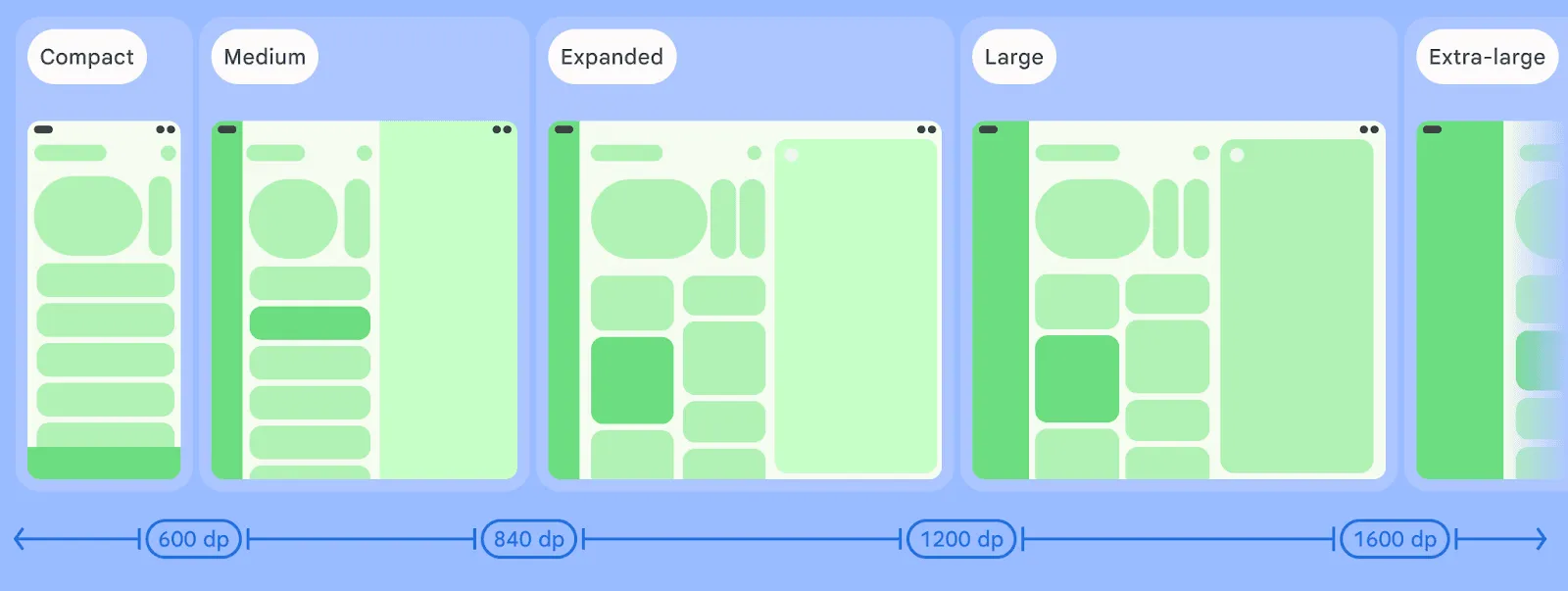
WindowManager 1.5.0 introduced two new breakpoints for width window size class to support even bigger windows than the Expanded window size class. The Large (L) and Extra-large (XL) breakpoints can be enabled by adding the following parameter to the currentWindowAdaptiveInfo() call in your codebase:
currentWindowAdaptiveInfo(supportLargeAndXLargeWidth = true)
This flag enables the library to also return L and XL breakpoints whenever they’re needed.
New adaptive strategies: reflow and levitate
Arranging content and display panes in a window is a complex task that needs to take into account many factors, starting with window size. With the new Material 3 Adaptive library, two new technologies can help you achieve an adaptive layout with minimal effort.
With reflow, panes are rearranged when window size or aspect ratio changes, placing a second pane to the side of the first one when the window is wide enough, or reflow the second pane underneath the first pane whenever the window is taller. This technique applies also when the window becomes smaller: content reflows to the bottom.
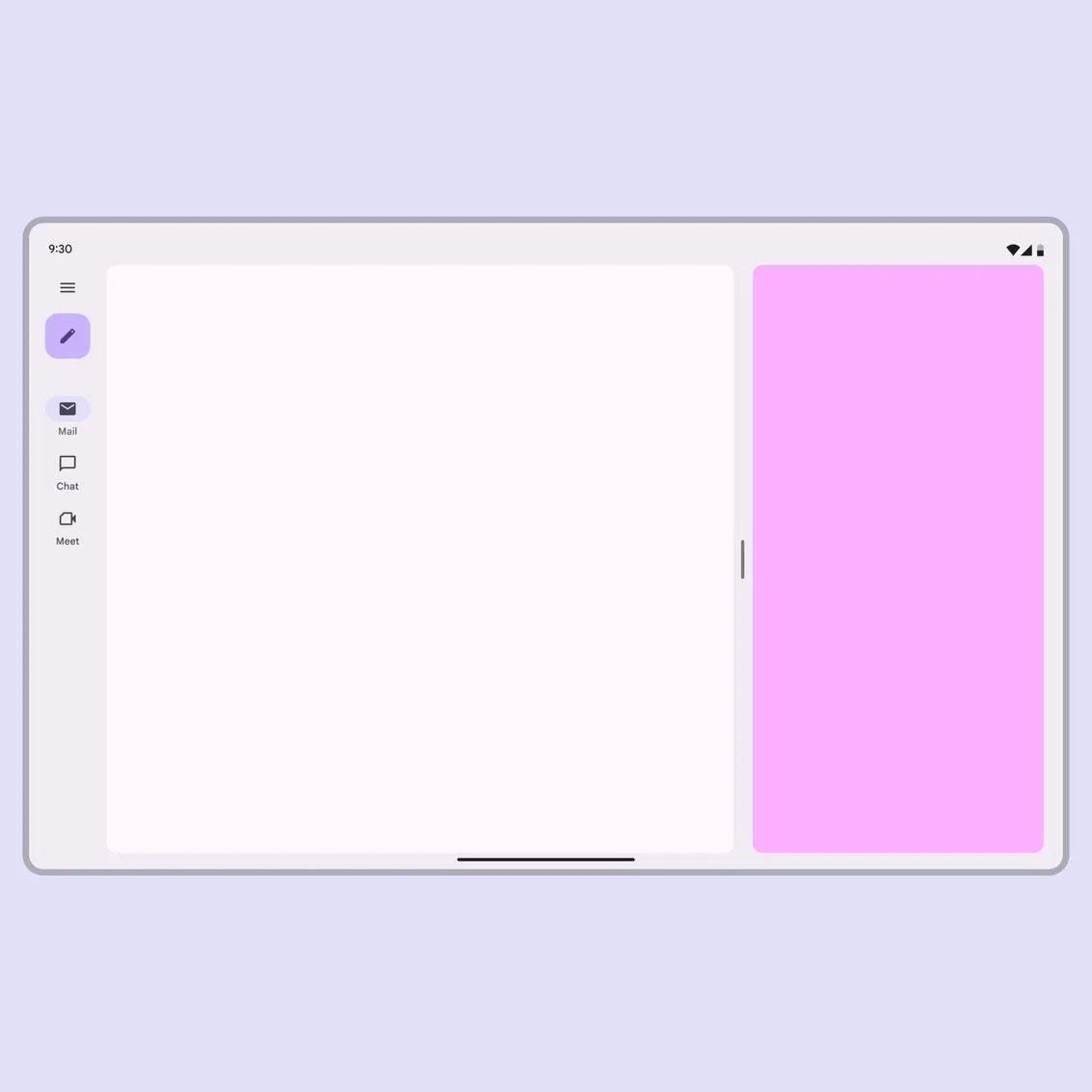
Reflowing a pane based on the window size
While reflowing is an incredible option in many cases, there might be situations in which the content might need to be either docked to a side of the window or levitated on top of it. The levitate strategy not only docks the content, but also allows you to customize features like draggability, resizability, and even the background scrim.

Levitating a pane from the side to the center based on the aspect ratio
Both the flow and levitate strategies can be declared inside the Navigator constructor using the adaptStrategies parameter, and both strategies can be applied to list-detail and supporting pane scaffolds:
val navigator = rememberListDetailPaneScaffoldNavigator<Nothing>(
        adaptStrategies = ListDetailPaneScaffoldDefaults.adaptStrategies(
            detailPaneAdaptStrategy = AdaptStrategy.Reflow(
                reflowUnder = ListDetailPaneScaffoldRole.List
            ),
            extraPaneAdaptStrategy = AdaptStrategy.Levitate(
                alignment = Alignment.Center
            )
        )
    )
To learn more about how to leverage these new adaptive strategies, see the Material website and the complete sample code on GitHub.
-
 Product News
Today, we're thrilled to announce the stable release of the AndroidX Security State version 1.1.0 and Security State Provider version 1.0.0 libraries.
Maunik Shah, Alec Garcia, Joseph Yong • 4 min read -

 Product News
Today we’re releasing the first set of long-horizon tasks (LHT), which are tasks of great complexity that take an engineer multiple days or even a week to complete. We are also introducing agentic evaluation, starting with agents from corresponding model providers.
Matthew McCullough • 3 min read -
 Product News
Wireless debugging on Android is now faster, more reliable, and easier to set up than ever. With ADB Wi-Fi 2.0, we’ve introduced a new server stack and smarter network handling to directly address developer feedback around usability gaps.
Get the latest Android development insights delivered to your inbox weekly.