

We’re excited to announce that Material 3 Adaptive 1.2.0 is now stable!
This release continues to build on the foundations of previous versions, expanding support to more breakpoints for window size classes and new strategies to place display panes automatically.
What’s new in Material 3 Adaptive 1.2.0
This stable release is built on top of WindowManager 1.5.0 support for large and extra large breakpoints, and introduces the new reflow and levitate strategies for ListDetailPaneScaffold and SupportingPaneScaffold.
New window size classes: Large and Extra-large
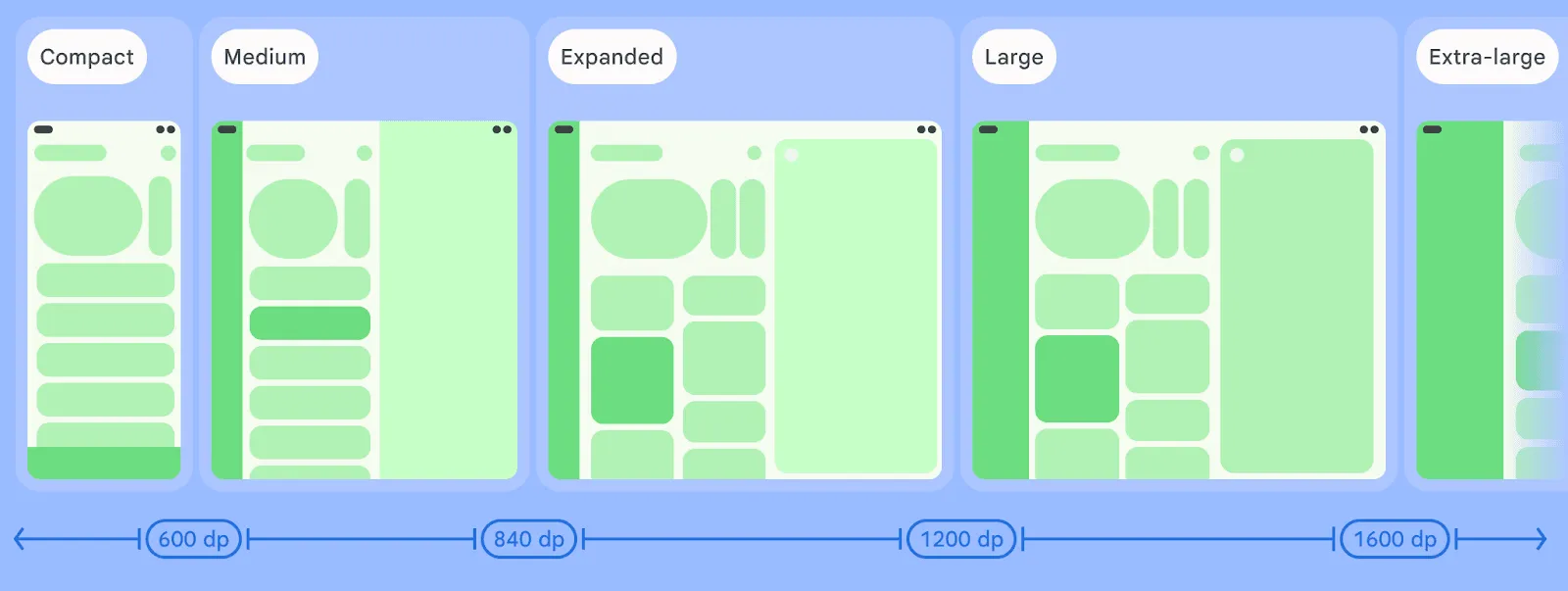
WindowManager 1.5.0 introduced two new breakpoints for width window size class to support even bigger windows than the Expanded window size class. The Large (L) and Extra-large (XL) breakpoints can be enabled by adding the following parameter to the currentWindowAdaptiveInfo() call in your codebase:
currentWindowAdaptiveInfo(supportLargeAndXLargeWidth = true)
This flag enables the library to also return L and XL breakpoints whenever they’re needed.
New adaptive strategies: reflow and levitate
Arranging content and display panes in a window is a complex task that needs to take into account many factors, starting with window size. With the new Material 3 Adaptive library, two new technologies can help you achieve an adaptive layout with minimal effort.
With reflow, panes are rearranged when window size or aspect ratio changes, placing a second pane to the side of the first one when the window is wide enough, or reflow the second pane underneath the first pane whenever the window is taller. This technique applies also when the window becomes smaller: content reflows to the bottom.
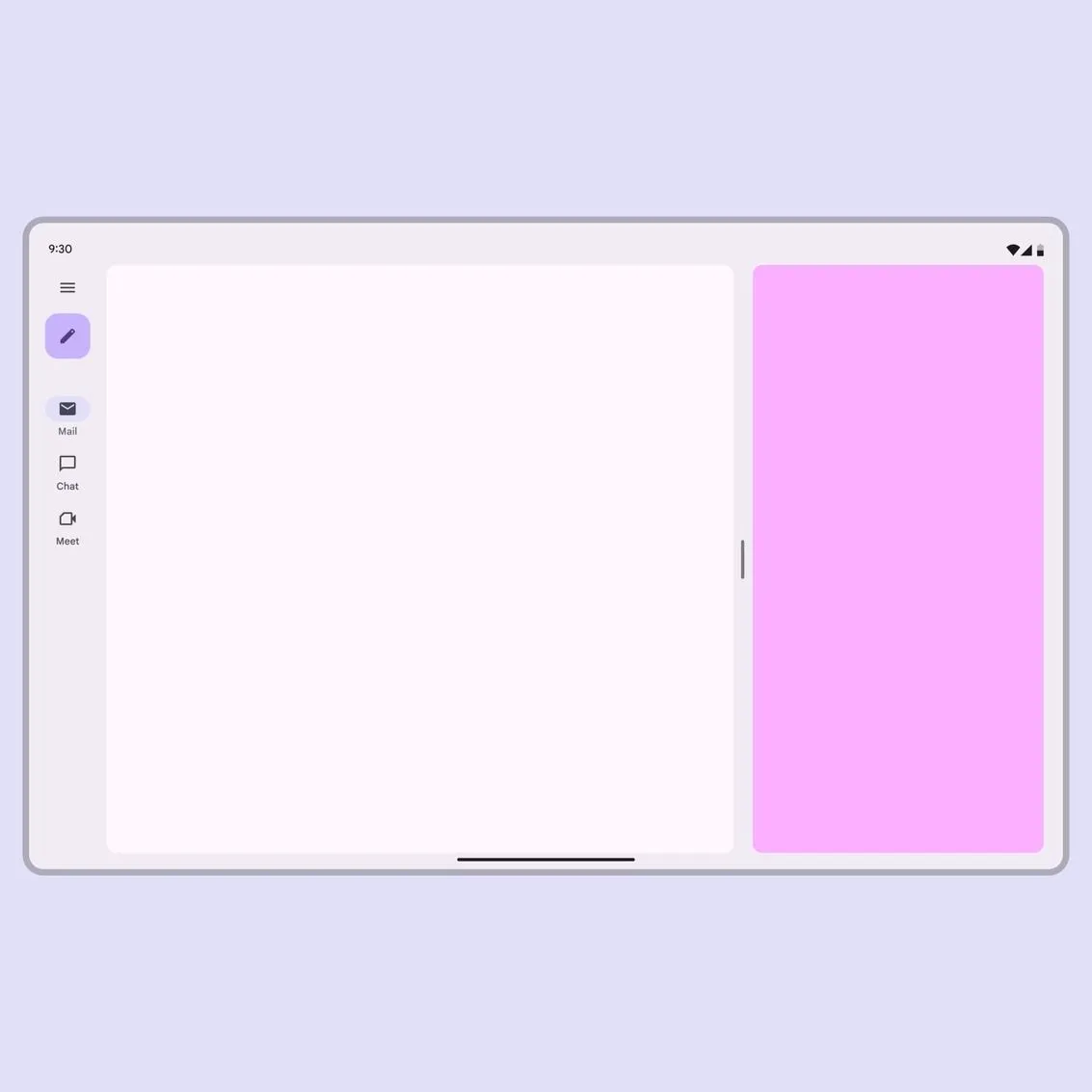
Reflowing a pane based on the window size
While reflowing is an incredible option in many cases, there might be situations in which the content might need to be either docked to a side of the window or levitated on top of it. The levitate strategy not only docks the content, but also allows you to customize features like draggability, resizability, and even the background scrim.

Levitating a pane from the side to the center based on the aspect ratio
Both the flow and levitate strategies can be declared inside the Navigator constructor using the adaptStrategies parameter, and both strategies can be applied to list-detail and supporting pane scaffolds:
val navigator = rememberListDetailPaneScaffoldNavigator<Nothing>(
        adaptStrategies = ListDetailPaneScaffoldDefaults.adaptStrategies(
            detailPaneAdaptStrategy = AdaptStrategy.Reflow(
                reflowUnder = ListDetailPaneScaffoldRole.List
            ),
            extraPaneAdaptStrategy = AdaptStrategy.Levitate(
                alignment = Alignment.Center
            )
        )
    )
To learn more about how to leverage these new adaptive strategies, see the Material website and the complete sample code on GitHub.
-

 Product News
Apps that target the upcoming Android release will no longer be able to directly write to contacts with the WRITE_CONTACTS permission.
Roxanna Aliabadi Walker • 6 min read -

 Product News
As agentic development accelerates, Android engineering is reaching an exciting new frontier: moving from assistive code completion to agents executing end-to-end under your direction. You have total choice and flexibility in the models and agents you use.
Jason Buchel • 3 min read -

 Product News
Today, we shared how we’re taking our “more than a store” vision into its next chapter. From You tab, now the personal home base for over 250M monthly active users, to our unified gaming platform connecting over 700M gamer profiles, Google Play is meeting users wherever they are.
Paul Feng • 3 min read
Get the latest Android development insights delivered to your inbox weekly.