
Continue On is a new feature available in Android 17 (API level 37) that you can implement to provide cross-device continuity for your users.
Continue On enables users to start an Android app on one Android device and then transition to another device in their Android ecosystem, continuing the user journey they started.
Concepts
Before we dive into details about the new feature, let's define some foundational concepts grounded in the context of Continue On:
- sending device (or sender): The Android device an activity originates from.
- receiving device (or receiver): The Android device that requests a supported app from available sending devices and eventually receives the transition. The user continues their journey on the receiving device.
- handoff: The action of transitioning an app and relevant data from the sending device to the receiving device with the Continue On feature.
Feature overview
The Continue On feature is designed to work bidirectionally, meaning that any supported Android device can both send and receive app activities. At launch, Continue On will first support mobile-to-tablet device transitions. In the tablet taskbar, the user sees a suggestion for the most recently opened app from their mobile device. This provides a one-tap affordance for the user to launch that app, pick up where they left off, and continue to stay productive.
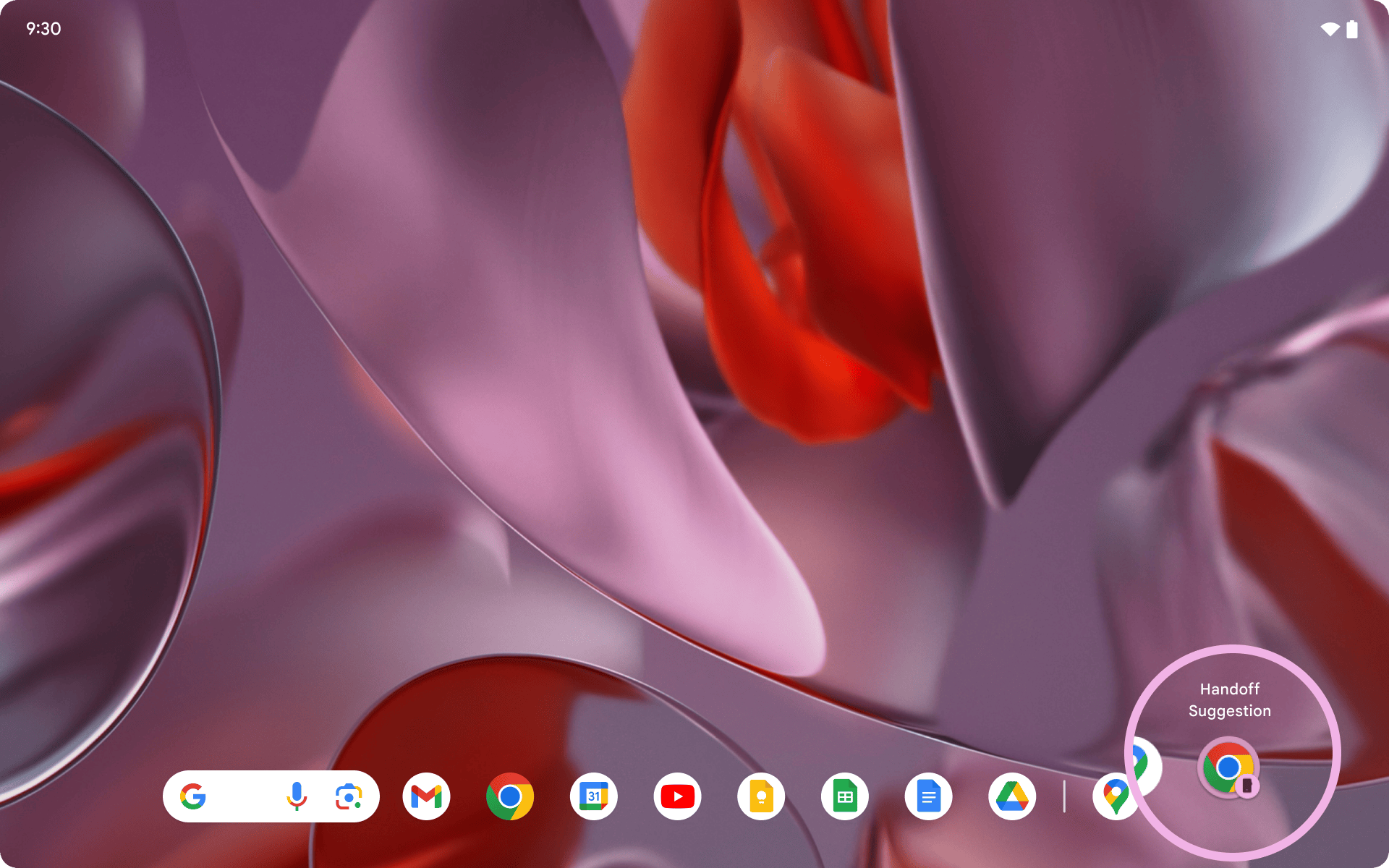
Cross-device journeys with Continue On
While Continue On handles the background processes to listen for and surface apps to hand off, it is up to you to ensure you're recreating the appropriate app experience for users to smoothly resume their journey on the receiving device.
Continue On supports the developer's preference by providing different handoff options. This lets you offer a differentiated experience based on the receiving device form factor or even redirect users to an optimized web experience instead. You may choose to do an exact recreation of the activity, or, alternatively, customize and choose the experience that best allows your user to resume their journey in your app ecosystem.
Activity deeplink handoff
Apps can designate to launch the same native Android app if it is installed and available on the receiving device. This is the app-to-app handoff flow. Upon successful handoff, the user is then deep-linked to the designated activity.
In the following video, the Continue On feature hands off the Android Google Docs app from a phone to a tablet and launches the app to the same tab in the open document.
Web handoff options
Alternatively, app to web handoff can be offered as a fallback option or directly implemented with URL handoff. Web handoff is a powerful alternative that can help users complete more high-touch activities on large screen productivity devices such as a tablet or laptop.
In the following video, the Continue On feature hands off the Android Gmail app from a phone to the Gmail web experience on a tablet. It opens the same email thread.
Web fallback
If app-to-app handoff is the preferred experience, but the receiving app is not installed on the receiving device, apps can specify a fallback URL that's launched in the user's default browser. This is the app-to-app handoff with web fallback flow.
Direct to web handoff
If the preferred experience for users is the web app, a URL can be designated for web handoff to be the main experience. This is the direct-to-web handoff flow.