

Android TV 提供設定,讓使用者集中設定字幕偏好設定,在媒體應用程式中獲得一致的體驗。
使用者可透過這些設定啟用字幕、選取偏好的語言,以及根據需求定義自訂字幕樣式。使用者也可以指定是否要使用簡單的字幕,也就是「簡易閱讀」模式,這類字幕的閱讀難度約為三年級程度。
本指南說明如何取得及套用系統提供的字幕設定,為應用程式中的字幕設定樣式。
在「設定」>「無障礙設定」>「字幕」下方,找到字幕選項,包括所選字幕樣式的預覽畫面:
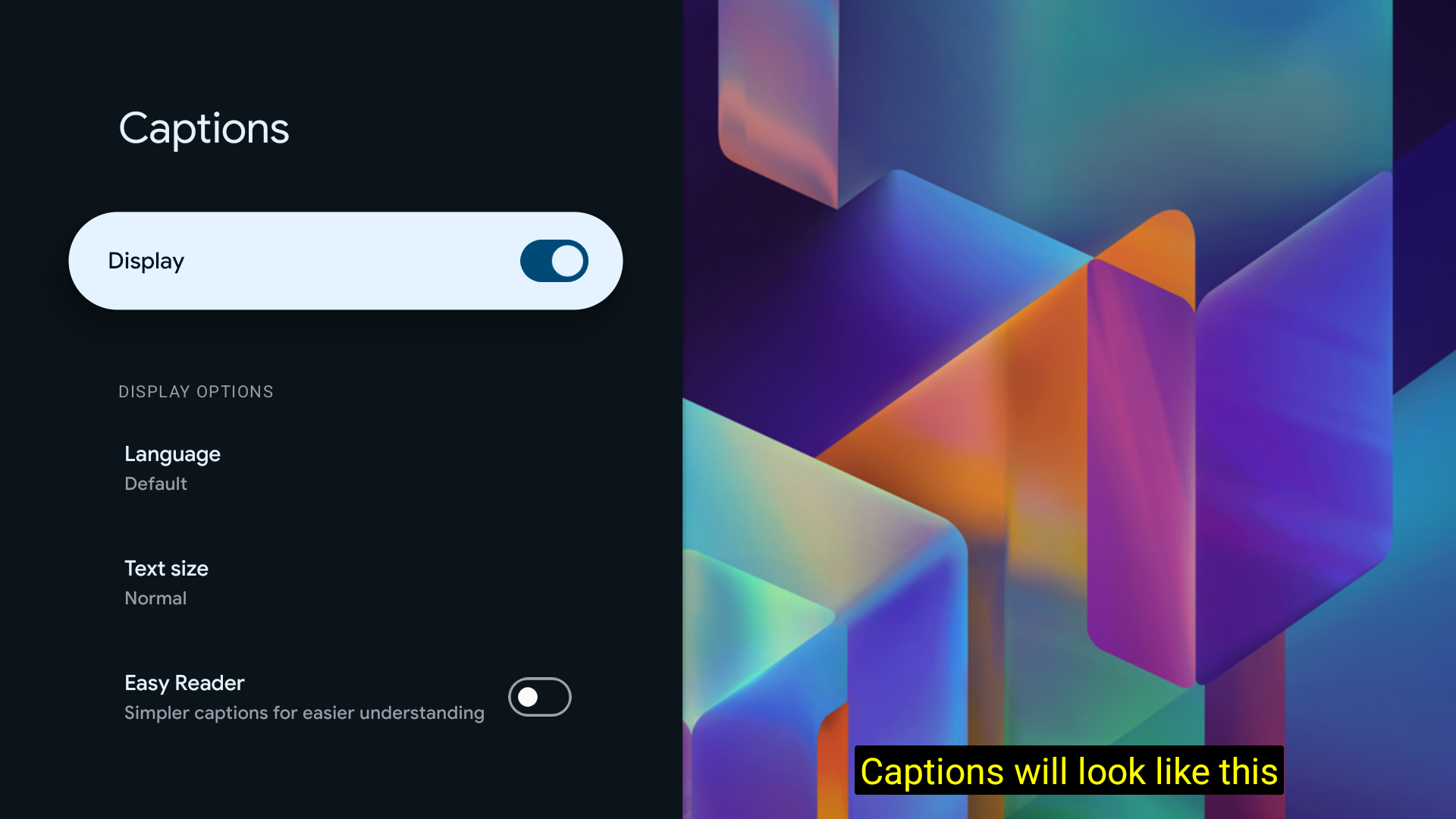
取得 CaptioningManager
從活動中,從 Context 取得 CaptioningManager 服務:
CaptioningManager captioningManager = (CaptioningManager) context.getSystemService(Context.CAPTIONING_SERVICE);
處理字幕設定變更
實作 CaptioningChangeListener 類別,處理字幕設定變更:
if (captioningManager != null) {
  // Define a class to store the CaptionStyle details.
  CurrentCaptionStyle currentCaptionStyle = new CurrentCaptionStyle();
  // Define the listeners.
  captioningManager.addCaptioningChangeListener(new CaptioningChangeListener() {

    @Override
    public void onEnabledChanged(boolean enabled) {
      super.onEnabledChanged(enabled);
      Log.d(TAG, "onEnabledChanged");
      currentCaptionStyle.isEnabled = enabled;
    }

    @Override
    public void onLocaleChanged(@Nullable Locale locale) {
      super.onLocaleChanged(locale);
      Log.d(TAG, "onLocaleChanged");
      currentCaptionStyle.locale = locale;
      if (locale == null) {
        currentCaptionStyle.isEasyReaderEnabled = false;
      } else {
        currentCaptionStyle.isEasyReaderEnabled = locale.getVariant().contains("simple");
      }
    }

    @Override
    public void onFontScaleChanged(float fontScale) {
      super.onFontScaleChanged(fontScale);
      Log.d(TAG, "onFontScaleChanged");
      currentCaptionStyle.fontScale = fontScale;
    }

    @Override
    public void onUserStyleChanged(@NonNull CaptionStyle userStyle) {
      super.onUserStyleChanged(userStyle);
      Log.d(TAG, "onUserStyleChanged");
      currentCaptionStyle.hasBackgroundColor = userStyle.hasBackgroundColor();
      currentCaptionStyle.backgroundColor = userStyle.backgroundColor;
      currentCaptionStyle.backgroundOpacity = userStyle.backgroundColor >>> 24;
      currentCaptionStyle.hasForegroundColor = userStyle.hasForegroundColor();
      currentCaptionStyle.foregroundColor = userStyle.foregroundColor;
      currentCaptionStyle.foregroundOpacity = userStyle.foregroundColor >>> 24;
      currentCaptionStyle.hasWindowColor = userStyle.hasWindowColor();
      currentCaptionStyle.windowColor = userStyle.windowColor;
      currentCaptionStyle.windowOpacity = userStyle.windowColor >>> 24;
      currentCaptionStyle.hasEdgeColor = userStyle.hasEdgeColor();
      currentCaptionStyle.edgeColor = userStyle.edgeColor;
      currentCaptionStyle.hasEdgeType = userStyle.hasEdgeType();
      currentCaptionStyle.edgeType = userStyle.edgeType;
      currentCaptionStyle.typeFace = userStyle.getTypeface();
    }

  });
}
或者,直接呼叫 getUserStyle 方法:
CaptionStyle systemCaptionStyle = captioningManager.getUserStyle();