

Welcome to Now in Android, your ongoing guide to what’s new and notable in the world of Android development.
Read on for coverage of Android 16 QPR2 beta 1, the Android Studio Narwhal feature drop, Jetpack Compose 1.9, Media 3 1.8, Shape Morphing and Autofill in Compose, and much more.
You can watch a video summary:
And we also have a podcast.
But this post has the most in-depth information, so read on!
Android 16 QPR2 Beta 1 is here ✨
The first beta of Android 16 QPR2 is now available, the inaugural Android release with an Android minor SDK version. Minor SDK versions can include new APIs that extend platform features but cannot introduce targetSdkVersion gated behavior changes, minimizing the amount you need to test your apps against it.
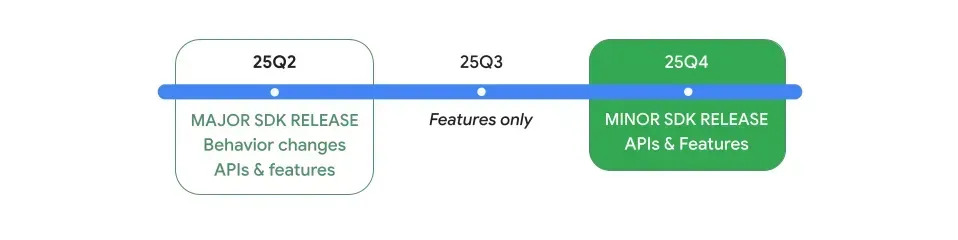
You can call new APIs by checking SDK_INT_FULL against the VERSION_CODES_FULL enumeration:
if (Build.VERSION.SDK_INT_FULL >= Build.VERSION_CODES_FULL.BAKLAVA_1) {
  // Call new APIs from the Android 16 QPR2 release
}
VERSION_CODES_FULL cannot be used in uses-sdk manifest attributes.
Here are some key updates from QPR2 Beta 1.
UI, System Experience, and Accessibility:
- An expanded dark theme option intelligently inverts light apps for users preferring a dark appearance.
- Auto-themed app icons can be generated by the system if your app doesn’t provide a monochrome layer.
- Interactive chooser sessions keep your app UI active while the sharesheet is open, using
ChooserManagerandChooserSession. - A new Data Transfer API enables more reliable and secure data migration between Android and iOS, requiring updates to your app’s data extraction rules XML and
BackupAgentimplementation. - The
android.graphics.pdfpackage has expanded to support annotating and editing PDF documents viaPdfRenderer.Page. ViewConfigurationvalues are now tailored to individual virtual devices; migrate toViewConfiguration.get(context)for multi-display scenarios.- You gain more granular haptic feedback control by specifying
VibrationAttributeswithView.performHapticFeedback(HapticFeedbackRequest) - Quick Settings tiles can now be assigned to predefined categories in the
AndroidManifest.xmlfile.
Media and Audio:
- Software decoding for Immersive Audio Model and Formats (IAMF), an open spatial audio format.
- Personal Audio Sharing for Bluetooth LE Audio devices is integrated directly into the system’s Output Switcher.
- Users can control the brightness of HDR using an HDR/SDR brightness slider
- Photo Picker extras can highlight specific albums or search queries.
Connectivity:
- Companion Device Management (CDM) enhancements allow you to provide custom device icons, listen for
EVENT_ASSOCIATION_REMOVEDcallback, and enable cross-app verification using DeviceId. - Bluetooth updates include passive scanning support for
BluetoothLeScanner(ScanSettings.SCAN_TYPE_PASSIVE), bond loss reasons (BluetoothDevice.EXTRA_BOND_LOSS_REASON), and direct retrieval of service UUIDs (BluetoothDevice.EXTRA_UUID_LE). - Wi-Fi RTT Ranging updates (
RttStationRangingParams) support ranging against stations. - A new
PhoneNumberManageris available for parsing and validating phone numbers from IMS P-Associated-URI headers. - MediaRouter Network Privacy improvements allow casting over new mediums like Bluetooth and UWB; you should use the system Output Switcher or request
NEARBY_DEVICESpermissions for custom in-app pickers.
Privacy and Security:
- A new system-level security state, Secure Lock Device, locks devices and requires primary authentication to unlock.
- A user-facing toggle is added for Phone Theft Protection to enable/disable “Failed Authentication Lock.”
Developer Productivity:
- New
AppWidgetManagerAPIs allow you to query for widget engagement metrics. - Debuggable apps installed via ADB will now receive early warnings for 16KB page size compatibility.
ProfilingManageradds support for new system-initiated profiling triggers andrequestRunningSystemTraceto capture background traces.- A “Verbose print logging” toggle in Developer Options provides additional debug information for the Android Print Framework.
- More robust testing for desktop and multi-display experiences is enabled with new
UiAutomationAPIs for screenshots on non-default displays and publicAccessibilityWindowInfo.refresh. - API support is added for the new
androidx.core:core-backported-fixeslibrary. - GUI apps are now supported in the Linux Terminal
WindowInspector.addGlobalWindowViewsListenersupports real-time root view change notifications.
You can enroll any supported Pixel device to receive Beta updates over-the-air or use 64-bit system images with the Android Emulator in Android Studio. Platform Stability is targeted for October 2025.
Android Studio Narwhal Feature Drop is stable — start using Agent Mode 🐳

Android Studio Narwhal Feature Drop is now stable, new features and enhancements include:
- Gemini in Android Studio: Agent Mode is available for multi-stage coding tasks
- Prompt Library Rules customize Gemini’s AI output for your project’s needs.
- Transform UI with Gemini uses natural language UI to iterate on Compose UI.
- Immersive development support with the embedded XR Android Emulator, a new XR template, and embedded Layout Inspector for XR
- Expanded device access via Android Partner Device Labs in Android Device Streaming.
- Better Compose previews with Improved code navigation and the New Compose preview picker
- K2 Kotlin compiler enabled by default for faster build performance
- 16kb page size tooling with lint warnings, analysis, and an emulator to help you prepare for upcoming 16kb page-size devices.
Android Device Streaming, powered by Firebase
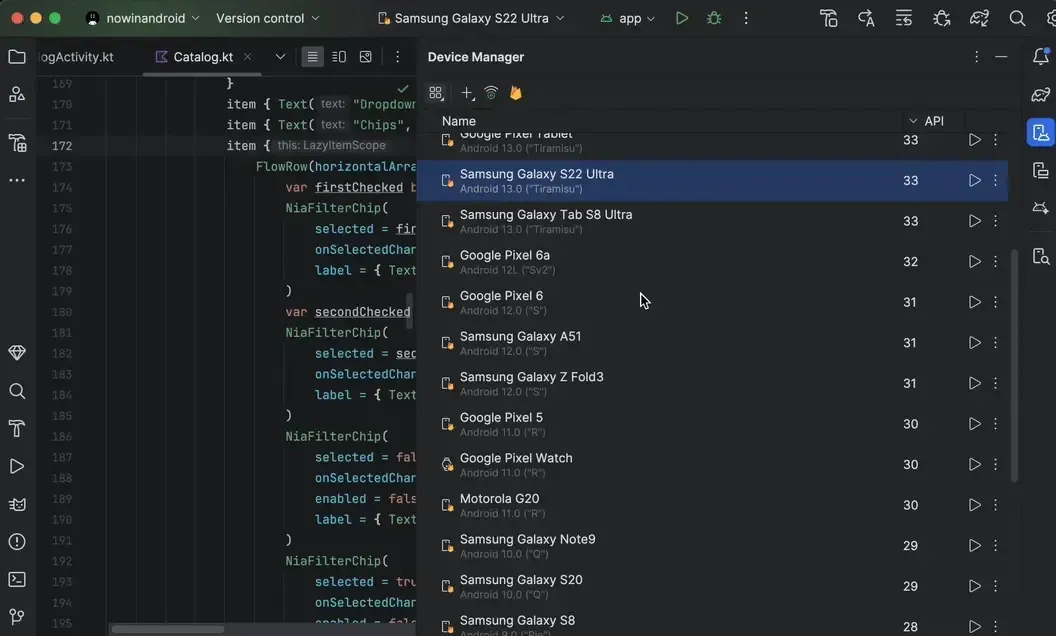
Android Device Streaming, powered by Firebase, has introduced stable support for Android Partner Device Labs, allowing you to remotely connect to physical Android devices hosted by OEM partners, including Samsung, Xiaomi, OPPO, OnePlus, and vivo.
Accelerating development with monthly releases for Android Studio — releasing 2X more often than before

Android Studio is transitioning to a monthly stable release cadence to speed up getting you new features and critical bug fixes. While the Android Studio IDE will update monthly, new IntelliJ platform versions will be introduced every few months, with Feature Drops filling the interim stable releases. The Android Emulator and Android Gradle Plugin will continue to update separately every two months. This accelerated release schedule is supported by long-term investments in testing infrastructure.
What’s new in the Jetpack Compose August ’25 release 🚀

The Jetpack Compose August ’25 release (version 1.9) is now stable. This release introduces Modifier.dropShadow and Modifier.innerShadow for rendering box-shadow effects. New onVisibilityChanged and onFirstVisible modifiers let you track element visibility for UI updates or impression logging. You can apply rich styling within OutputTransformation using TextFieldBuffer.addStyle for text transformations.
The LazyLayout building blocks are now stable, and you can define a LazyLayoutCacheWindow for improved Lazy List and Grid performance with enhanced prefetching. Scrollable2D enables two-dimensional scrolling, including flinging and nested scrolling, with various improvements for scroll and nested scroll interop with Views. An opt-in API (Composer.setDiagnosticStackTraceEnabled) provides richer crash location details in stack traces, recommended for debug builds only. New @RememberInComposition and @FrequentlyChangingValue annotations, along with associated Lint checks, are available in a new runtime-annotation library. Context menus can be customized using Modifier.appendTextContextMenuComponents and Modifier.filterTextContextMenuComponents. Android Gradle Plugin (AGP) / Lint version 8.8.2 or higher is now required.
Media3 1.8.0 — What’s new? 🚀

Media3 1.8.0 is now available, introducing several new features and improvements. ExoPlayer gains a scrubbing mode for frequent, user-driven seeks, which you can enable via ExoPlayer.setScrubbingModeEnabled. HlsInterstitialsAdsLoader now supports live streams for server-guided ad insertion.
The MetadataRetriever has been updated to allow you to retrieve media item durations without playback. For Transformer, the release introduces faster trim operations using MP4 edit lists with experimentalSetMp4EditListTrimEnabled and chipset-specific encoder optimizations via CodecDbLite, enabled by calling setEnableCodecDbLite on DefaultEncoderFactory.Builder.
Additional updates include partial download support in Downloader with PreCacheHelper, automatic XR audio routing in ExoPlayer, and more efficient MediaCodec interactions. The MediaSession module now keeps notifications visible longer by default, and the media session demo app showcases playback resumption functionality. A new Composition demo app, built with Kotlin and Compose, demonstrates advanced multi-asset video editing.
Articles 📚
#WeArePlay: Meet the people coding a more sustainable world
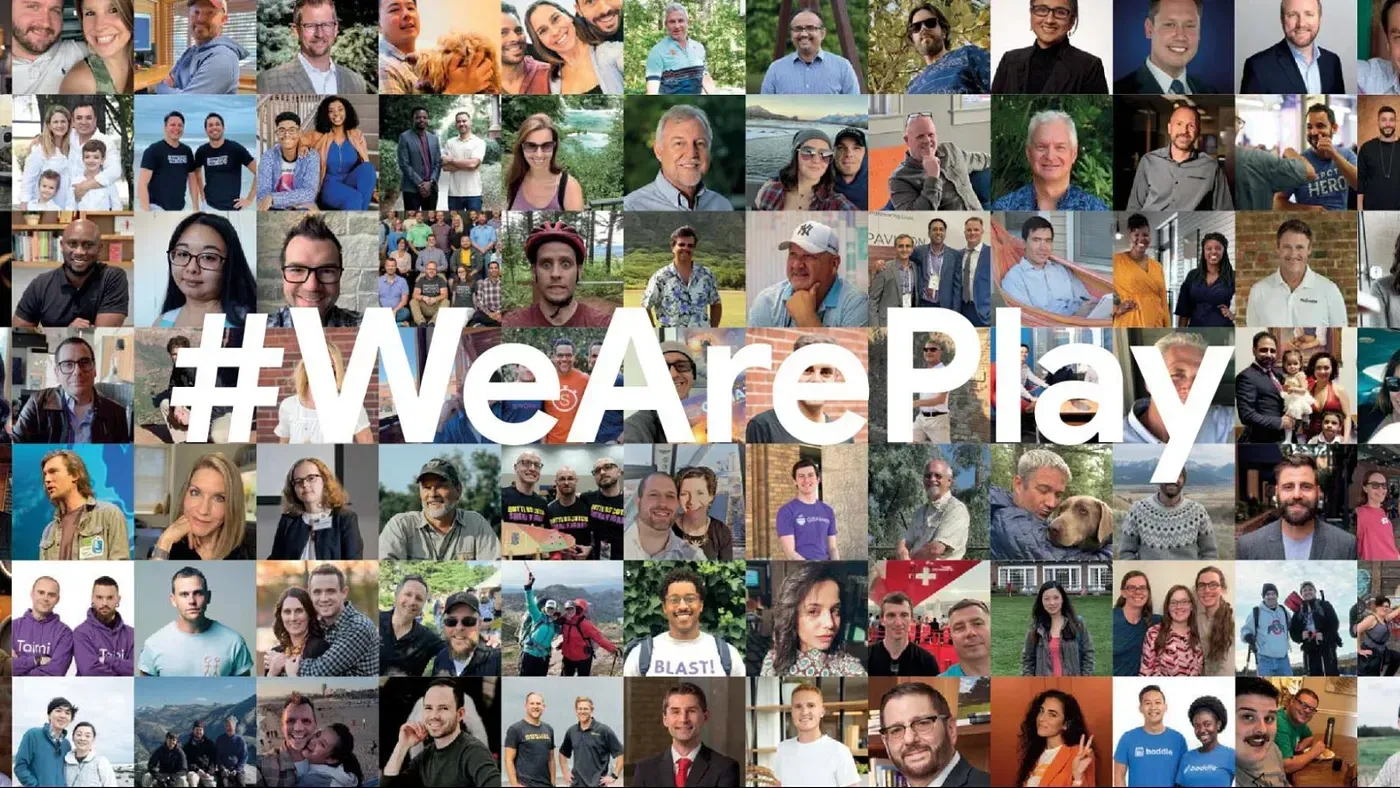
The #WeArePlay initiative highlights Android apps and games that address environmental challenges. The game BoRa — Iguaçu National Park, developed by Mayla, Flávia, Andréia, and Ariane, provides gamified and accessible interactive experiences for nature education during park visits. Louis and Justin’s app, CyberTracker, allows non-literate indigenous trackers to record biodiversity data through an icon-based interface, supporting conservation efforts. Lastly, Earth5R, co-founded by Bharati and Saurabh, offers environmental education and connects users with internships and projects to develop skills for the green economy.
What is HDR? 🌟
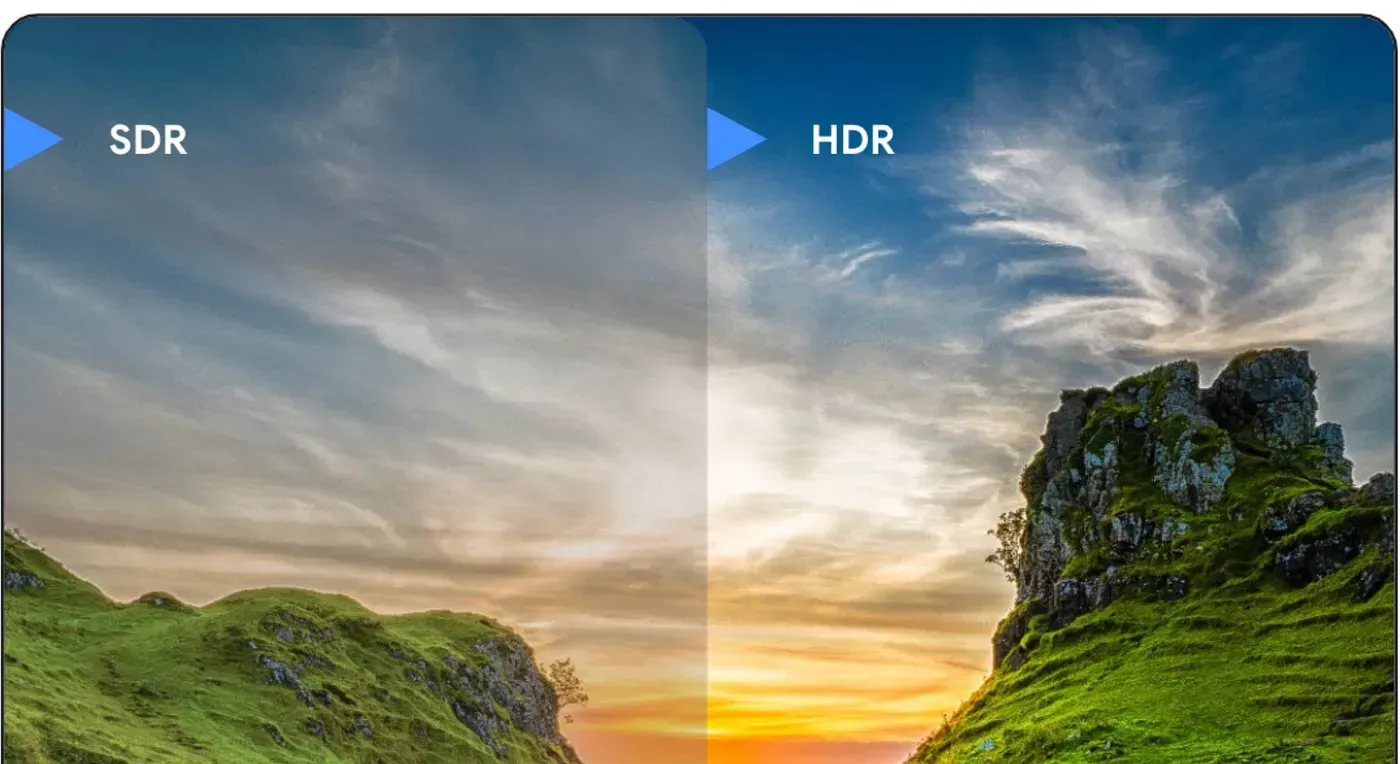
High Dynamic Range (HDR) enables increased peak brightness beyond Standard Dynamic Range (SDR) for Android developers, offering enhanced visual fidelity. Android supports HDR for video and images, including technologies like UltraHDR for backward compatibility.
Understanding color involves three components:
- Bit depth: Defines the precision of color representation, with higher depth offering smoother transitions.
- Transfer function: Maps numerical pixel values to displayed luminance or color, adjusting for non-linear human visual response. Examples include sRGB, HLG, and PQ.
- Color gamut: Represents the range of colors a device can reproduce.
Common misconceptions about HDR:
- Vibrant colors: Wider color gamuts like Display P3 and Adobe RGB were available before HDR, and most displays still clip to P3, even with BT.2020 content.
- More contrast/better black detail: HDR does not inherently offer darker blacks than SDR on the same display. OLED displays provide infinite contrast for both. While PQ allocates more bits to dark regions, it is not a universal HDR feature.
- Higher bit depth: While some HDR video profiles (e.g., HDR10) use 10- or 12-bit streams, this is specific to those profiles and not inherent to HDR itself; higher bit depths are also common in other imaging formats.
HDR primarily signifies higher peak brightness. This “HDR headroom” is defined as a floating region relative to SDR. While traditional HDR video often encodes fixed headroom, modern displays use dynamic headroom, which can lead to quality differences. Technologies such as Ultra HDR and gainmaps offer alternatives with efficient bit usage. Android’s UI toolkit utilizes the extendedRangeBrightness API to deliver HDR experiences, even with RGBA_8888.
Videos 📹
Advanced shared elements with shape morphing | Jetpack Compose Tips
Jetpack Compose now enables advanced shared element transitions, sophisticated shape morphing, and reveal animations. Developers can configure SharedTransitionLayout at the app’s top level and use Modifier.sharedBounds to link elements.
Shape morphing is a key new feature, achieved by leveraging Material 3’s AndroidX graphics shape library. This involves creating a Morph object with defined start/end shapes, driving its progress with animateFloat (from AnimatedVisibilityScope), and applying it as a clip via a custom OverlayClip. Reveal effects use skipToLookaheadSize and skipToLookaheadPosition. All these advanced animations are also compatible with predictive back gestures.
Multimodal Gemini in Android Studio: AI-powered UI development
Gemini AI in Android Studio assists UI development by generating code from designs (including image-to-code), creating Compose Previews with synthetic data, and refining existing UI via direct commands.
Consume a Runtime-Enabled SDK
Android 14 introduces SDK Runtime, a new technology isolating third-party SDKs in a secure, separate process sandbox to enhance privacy and security.
For developers:
- Runtime-enabled (RE) SDKs execute in this separate process.
- Runtime-aware (RA) SDKs serve as intermediaries within your app.
- Load RE SDKs using
SdkSandboxManagerCompat, observing constraints (e.g., foreground, single-load). - Shim tooling simplifies low-level inter-process communication.
- Render UI from RE SDKs using
SandboxedSdkViewandSandboxedUiAdapter. - Launch activities from the SDK Runtime using
SdkActivityLauncher.
WearOS Material 3 shape morphing | Jetpack Compose Tips
Wear OS Material 3 for Compose now simplifies shape morphing. Developers can easily add animated shape changes to round buttons with IconButtonDefaults.animatedShapes, create button groups that animate width changes using the ButtonGroup component and Modifier.animateWidth(), and build vertically scrolling lists (TransformingLazyColumn) where items scale and morph using TransformationSpec as they approach the screen edges.
AndroidX Releases 🚀
Here’s a summary of the AndroidX changes, prioritizing those most relevant to Android app developers:
Overall Impacting Change for Compose Libraries:
- Default
minSdkRaised to API 23: Forandroidx.composeanimation,foundation,material,runtime, andui, the default minimum SDK version has been moved from API 21 to API 23. This means that if you’re using the latest alpha versions of these Compose libraries, your app will implicitly require Android 6.0 (Marshmallow) or higher.
Key Changes for Compose Developers:
- New retain API (Compose Runtime): Introduces a retain API similar to
rememberSaveable, but for values that leave the composition hierarchy without being serialized. It has a shorter lifespan than saved values and behaves similarly to aViewModel, providing a new way to manage state for composables that might go in and out of composition. - Enhanced Shared Element Transitions (Compose Animation & UI): New APIs to dynamically enable/disable shared elements, account for ongoing transitions, and set alternative target bounds when a shared element is disposed. A new
Modifier.skipToLookaheadPositionis also available for anchoring layouts. - Improved Pager Prefetching (Compose Foundation): Pager’s prefetch strategy now uses a “Cache Window” (1 viewport size) instead of a single item, and initial prefetching is enabled by default. Items are also kept around longer for smoother scrolling.
- Refined Focus Handling for Mouse/Touchpad (Compose Foundation & UI):
ComposeViewswill now automatically clear focus when a pointer down event (from mouse or touchpad) occurs outside the focused node. This can be opted out of. - Customizable Focus Rectangles (Compose Foundation):
FocusPropertiesnow allows you to define a custom focus area instead of defaulting to the bounding box, improving focus traversal and “keep in view” logic in scrollable containers. - LifecycleOwner Composable (Lifecycle): A new composable allows creating scoped
LifecycleOwnerinstances directly within the UI tree. This is particularly useful for managing component lifecycles independently, and for libraries like Navigation. - Support for Nullable Types in
SavedStateHandle(Lifecycle&SavedState): Simplified saving and restoring of nullable properties with native support inSavedStateHandleandSavedStateRegistryOwner. - New
LineHeightStyle.Mode.Tight(Compose Foundation & UI): A new Tight mode helps enforce smaller line heights, even if it means potentially cutting taller glyphs, offering more precise text layout control. - Double-tap to Select Word (Compose Foundation): Added support for double-tap to select words in
SelectionContainerandBasicTextField. - WindowInsets Behavior Changes (Compose UI & Foundation):
◦ A newWindowInsets.cutoutPathAPI to get the path for the display cutout.
◦ TheisWindowInsetsDefaultPassThroughEnabledflag has been removed, defaultingWindowInsetsto not consume by default, allowing child Views to receive them. AndroidViewrequestRectangleOnScreenFix (Compose Foundation): Requests made by AndroidViews (e.g.,EditTexttrying to stay on screen) now properly propagate to Compose.- Improved 2D Mouse Wheel Scrolling (Compose Foundation & UI): Better support for 2D mouse wheel scroll events, with new test APIs and a flag to control behavior.
New Libraries & Utilities:
androidx.core:core-backported-fixes(New Library): This new library allows developers to check if critical bug fixes (e.g., platform-level issues like specific camera bugs) have been applied to a device. This enables offering different user experiences depending on whether a known bug is resolved or not.
Other Notable Changes:
- Games Activity & Input: Added default support for 16KB page sizes and mouse support for
GameActivity. - Material3 Tooltip Positioning: More position providers for tooltips, allowing placement above, below, left, or right of the anchor.
- Material3
DatePickerFixes: Ensures DatePicker respects its own locale for number formatting and fixes RTL display issues. - TWA display_override Support (Browser): Added support for the
display_overrideTWA manifest property, providing more control over TWA display. - Launch Initial URL in External App (Browser): Added an Intent to allow launching the initial URL of a TWA in an external browser.
Android Developers Backstage
Android Developers Backstage is back with another episode.
Autofill in Compose
Jetpack Compose 1.8 introduces significantly improved Autofill capabilities, leveraging Compose’s semantics system. Developers can now easily integrate system-level Autofill by simply tagging text fields with relevant content type semantics (e.g., username, password), eliminating the need for manual Autofill tree management and improving performance.
Now then… 👋
That’s it for this edition, with coverage of Android 16 QPR2 beta 1, the Android Studio Narwhal feature drop, Jetpack Compose 1.9, Media 3 1.8, Shape Morphing and Autofill in Compose, and much more.
Check back soon for your next update from the Android developer universe!
-

 Community
Android recently announced developer verification, an extra layer of security that deters bad actors and makes it harder for them to spread harm.
Matthew Forsythe • 2 min read -

 Community
We released the official Android Skills in April. This blog post covers the feedback we received and explains the philosophy and methodology behind the project.
Jose Alcérreca • 4 min read -

 Community
Google Play is launching the first Indie Games Fund in Africa, investing $1 million to empower 10 indie game studios across Sub-Saharan Africa.
Steph Pio • 1 min read
Get the latest Android development insights delivered to your inbox weekly.