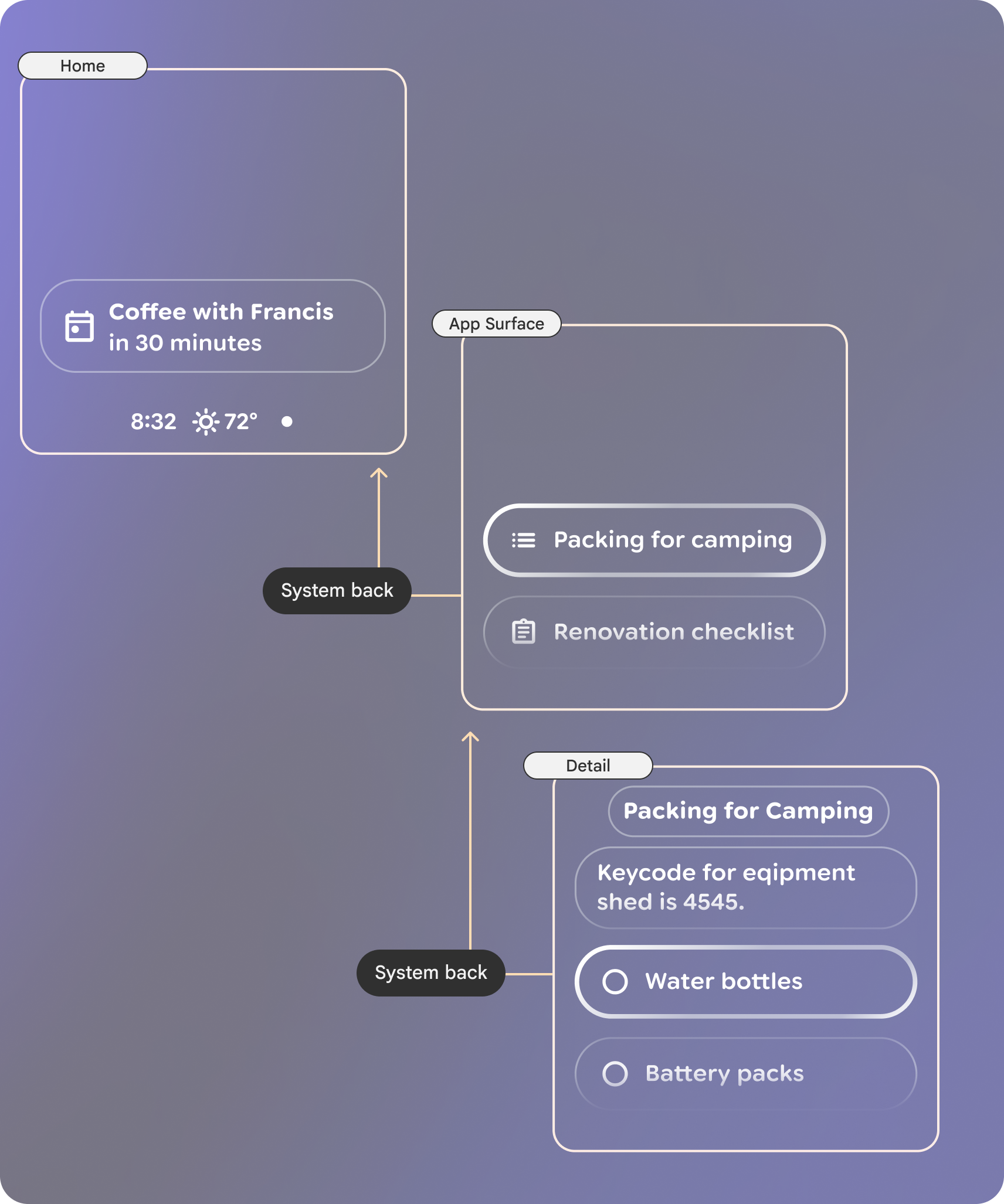
Navigating on glasses should feel just as familiar as with other Android form factors. Your app can use many of the same navigation patterns, like swipe to navigate media content and back stack.
Due to the simplicity of Glasses apps, navigation should remain shallow.
Swipes to navigate content
This model aligns swipe as a way for the user to navigate lateral through all types of content. On Audio glasses, media is content. On Display glasses, visual UI is content.
In-App Back
The system back gesture lets users move back a step in the app layer stack. Once on the top-most app surface, the system back will navigate to Home. Keep the levels minimal to reduce cognitive load and allow the user to navigate home quickly.
Back is handled by the system on displayless glasses, but can be customized for display. On display glasses, swiping down on the touchpad will perform a system back.