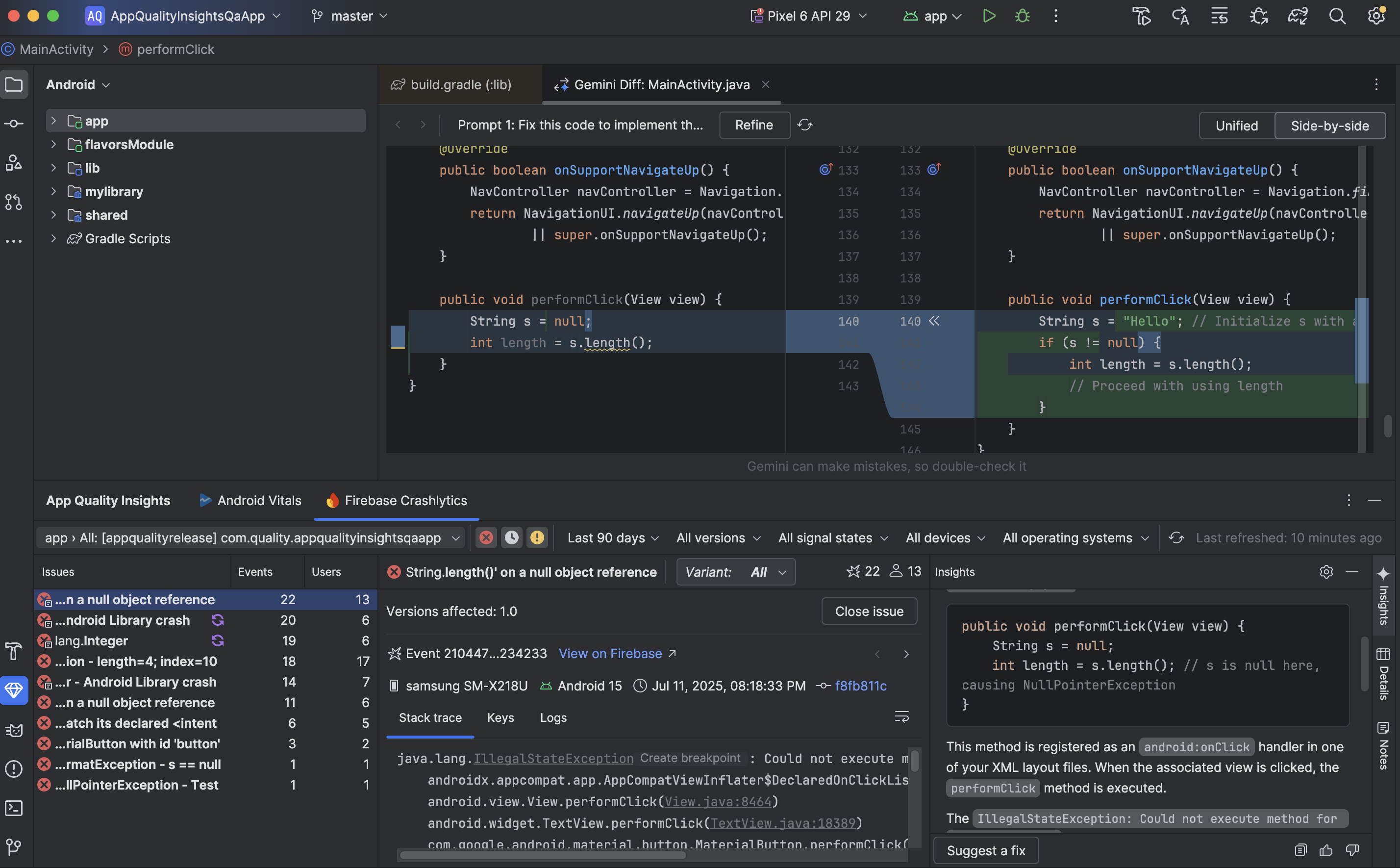
Use AI in Android Studio to analyze your App Quality Insights crash reports, generate insights, provide a crash summary, and (when possible) recommend next steps, including sample code and links to relevant documentation.
Generate all of this information by clicking Insights in the App Quality Insights tool window in Android Studio after you enable the agent.
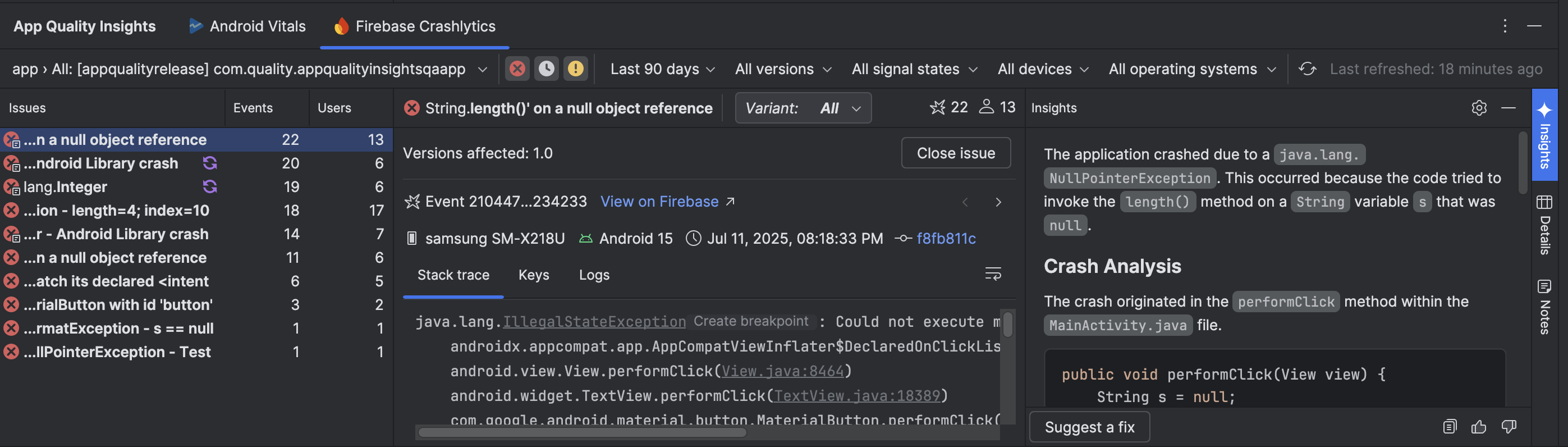
For example, when we click Insights in the App Quality Insights tool
window for the depicted sample app and click the most common type of error, the
agent tells us that the app crashed due to a java.lang NullPointerException.
It locates the file where the crash originated, shows the relevant code snippet,
and walks through why the crash occurred step by step.
To fix the code that is causing the crash, click Suggest a fix and a code diff opens with the agent's proposed code changes. You can further refine the prompt that produced the suggested code changes or edit the code yourself before accepting the changes.