
You can use the agent to transform UI code within the Compose preview environment using natural language directly in the preview.
To transform UI with AI, follow these steps:
In the Compose preview panel, right-click a preview and select AI Actions > Edit Component.
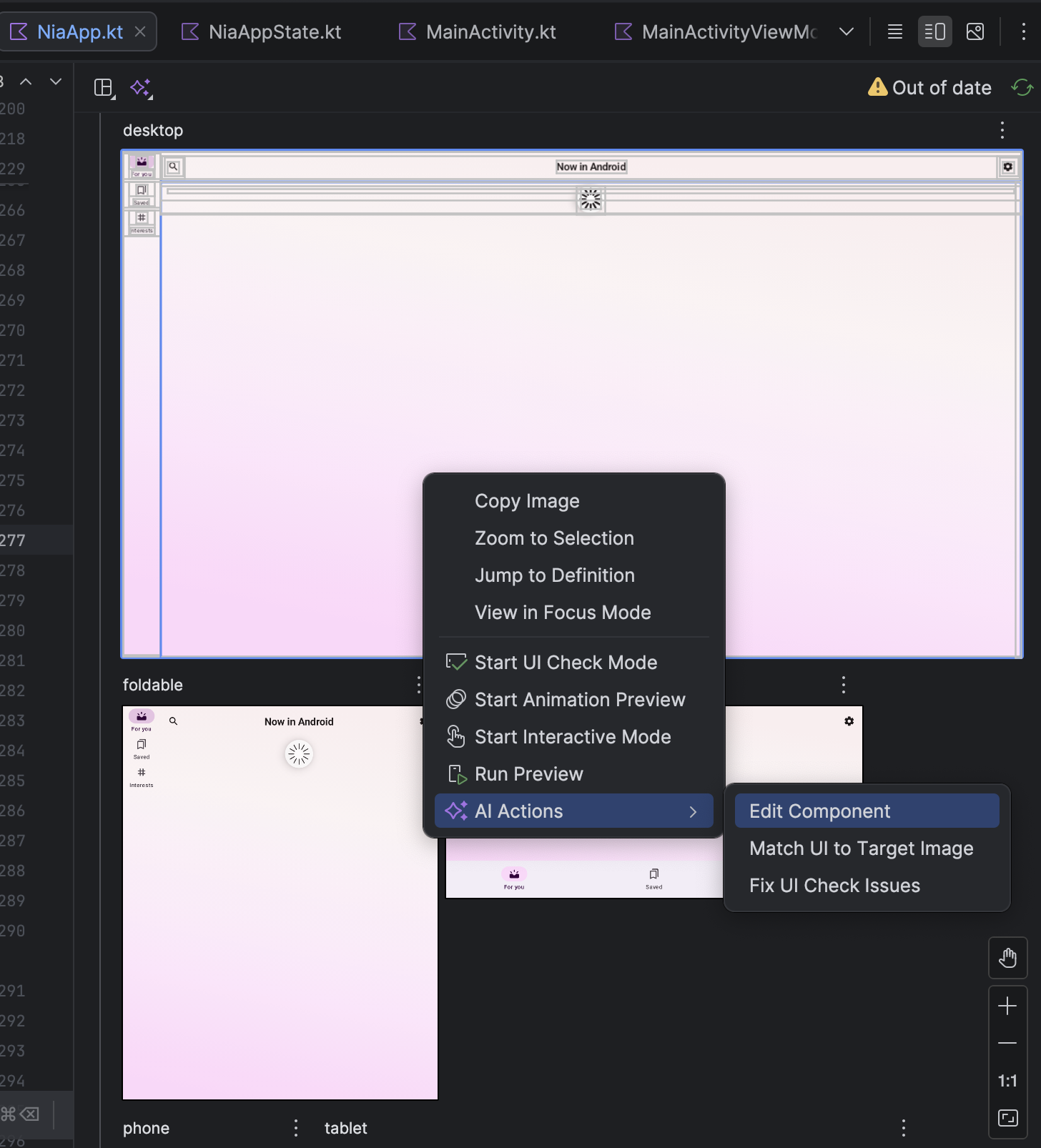
Accessing 'Edit Component' menu Enter your natural language request, such as "Center align these buttons," to guide the agent in adjusting your layout or styling, or select specific UI elements in the preview for better context.

Applying a natural language transformation to a Compose preview The agent produces a diff with suggested code edits. You can review and further refine the updates if needed before approving the changes.
Try prompts like the following:
- "Add more spacing between the text"
- "Make the icons 10% larger"
- "Change the background color to <color>"