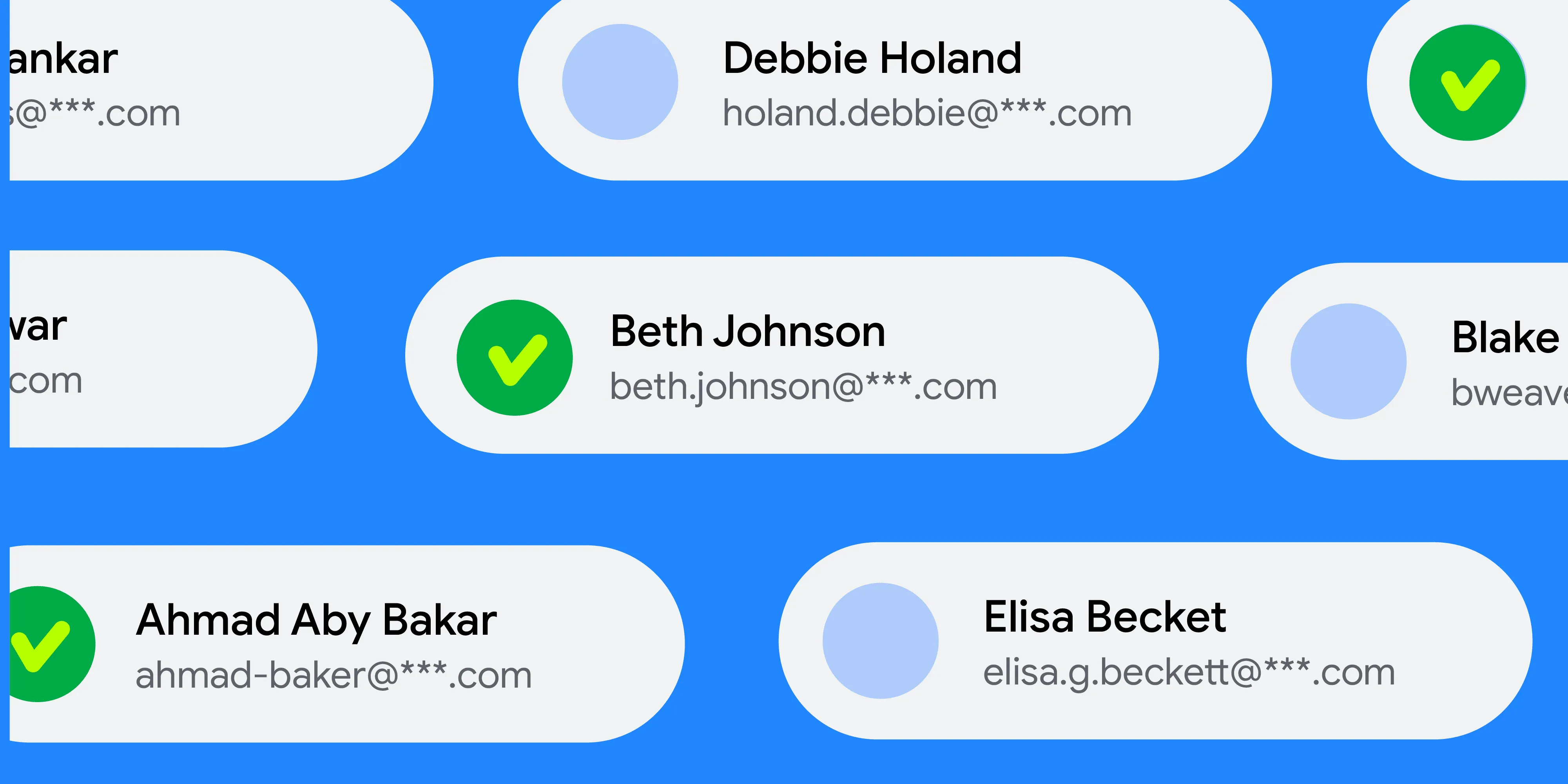
Privacy and user control remain at the heart of the Android experience. Just as the photo picker made media sharing secure and easy to implement, we are now bringing that same level of privacy, simplicity, and great user experience to contact selection.
A New Standard for Contact Privacy
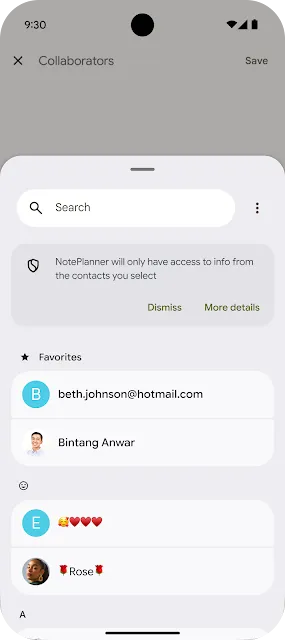
Historically, applications requiring access to a specific user's contacts relied on the broad READ_CONTACTS permission. While functional, this approach often granted apps more data than necessary. The new Android Contact Picker, introduced in Android 17, changes this dynamic by providing a standardized, secure, and searchable interface for contact selection.
This feature allows users to grant apps access only to the specific contacts they choose, aligning with Android's commitment to data transparency and minimized permission footprints.
How It Works
Developers can integrate the Contact Picker using the Intent.ACTION_PICK_CONTACTS intent. This updated API offers several powerful capabilities:
- Granular Data Requests: Apps can specify exactly which fields they need, such as phone numbers or email addresses, rather than receiving the entire contact record.
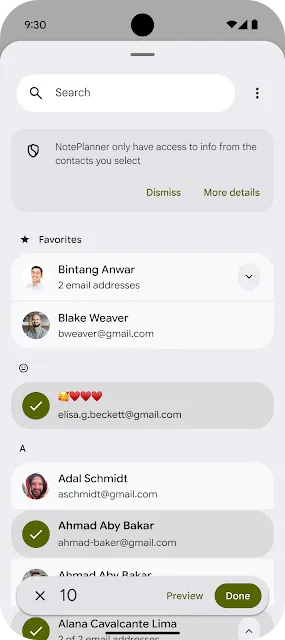
- Multi-Selection Support: The picker supports both single and multiple contact selections, giving developers more flexibility for features like group invitations.
- Selection Limits: Developers can set custom limits on the number of contacts a user can select at one time.
- Temporary Access: Upon selection, the system returns a Session URI that provides temporary read access to the requested data, ensuring that access does not persist longer than necessary.
- Access to other profiles: When using this new intent, the interface will allow users to select contents from other user profiles such as a work profile, cloned profile or a private space.
- Optimized Performance: The Contact Picker returns a single Uri that allows for collective result querying, eliminating the need to query individual contact Uri separately as required by
ACTION_PICK. This efficiency further reduces system overhead by utilizing a singleBindertransaction.
Backward Compatibility and Implementation
For devices running Android 17 or higher, the system automatically upgrades legacy ACTION_PICK intents that specify contact data types to the new, more secure interface. However, to take full advantage of advanced features like multi-selection, developers are encouraged to update their implementation code and utilize the ContentResolver to query the returned Session URI.
Integrate the contact pickerTo integrate the Contact Picker, developers use the ACTION_PICK_CONTACTS intent. Below is a code example demonstrating how to launch the picker and request specific data fields, such as email and phone numbers.
// State to hold the list of selected contacts
var contacts by remember { mutableStateOf<List>(emptyList()) }
// Launcher for the Contact Picker intent
val pickContact = rememberLauncherForActivityResult(StartActivityForResult()) {
if (it.resultCode == Activity.RESULT_OK) {
val resultUri = it.data?.data ?: return@rememberLauncherForActivityResult
    // Process the result URI in a background thread
    coroutine.launch {
        contacts = processContactPickerResultUri(resultUri, context)
    }
}
}
// Define the specific contact data fields you need
val requestedFields = arrayListOf(
Email.CONTENT_ITEM_TYPE,
Phone.CONTENT_ITEM_TYPE,
)
// Set up the intent for the Contact Picker
val pickContactIntent = Intent(ACTION_PICK_CONTACTS).apply {
putExtra(EXTRA_PICK_CONTACTS_SELECTION_LIMIT, 5)
putStringArrayListExtra(
EXTRA_PICK_CONTACTS_REQUESTED_DATA_FIELDS,
requestedFields
)
putExtra(EXTRA_PICK_CONTACTS_MATCH_ALL_DATA_FIELDS, false)
}
// Launch the picker
pickContact.launch(pickContactIntent)
After the user makes a selection, the app processes the result by querying the returned Session URI to extract the requested contact information.
// Data class representing a parsed Contact with selected details
data class Contact(val id: String, val name: String, val email: String?, val phone: String?)

// Helper function to query the content resolver with the URI returned by the Contact Picker.
// Parses the cursor to extract contact details such as name, email, and phone number
private suspend fun processContactPickerResultUri(
    sessionUri: Uri,
    context: Context
): List<Contact> = withContext(Dispatchers.IO) {
    // Define the columns we want to retrieve from the ContactPicker ContentProvider
    val projection = arrayOf(
        ContactsContract.Contacts._ID,
        ContactsContract.Contacts.DISPLAY_NAME_PRIMARY,
        ContactsContract.Data.MIMETYPE, // Type of data (e.g., email or phone)
        ContactsContract.Data.DATA1, // The actual data (Phone number / Email string)
    )

    val results = mutableListOf<Contact>()

    // Note: The Contact Picker Session Uri doesn't support custom selection & selectionArgs.
    context.contentResolver.query(sessionUri, projection, null, null, null)?.use { cursor ->
        // Get the column indices for our requested projection
        val contactIdIdx = cursor.getColumnIndex(ContactsContract.Contacts._ID)
        val mimeTypeIdx = cursor.getColumnIndex(ContactsContract.Data.MIMETYPE)
        val nameIdx = cursor.getColumnIndex(ContactsContract.Contacts.DISPLAY_NAME_PRIMARY)
        val data1Idx = cursor.getColumnIndex(ContactsContract.Data.DATA1)

        while (cursor.moveToNext()) {
            val contactId = cursor.getString(contactIdIdx)
            val mimeType = cursor.getString(mimeTypeIdx)
            val name = cursor.getString(nameIdx) ?: ""
            val data1 = cursor.getString(data1Idx) ?: ""

            // Determine if the current row represents an email or a phone number
            val email = if (mimeType == Email.CONTENT_ITEM_TYPE) data1 else null
            val phone = if (mimeType == Phone.CONTENT_ITEM_TYPE) data1 else null

            // Add the parsed contact to our results list
            results.add(Contact(contactId, name, email, phone))
        }
    }

    return@withContext results
}
Check out the full documentation here.
Best Practices for Developers
To provide the best user experience and maintain high security standards, we recommend the following:
- Data Minimization: Only request the specific data fields (e.g., email) your app needs.
- Immediate Persistence: Persist selected data immediately, as the Session URI access is temporary.
-


 Product News
The Embedded Photo Picker: A more seamless way to privately request photos and videos in your app.
Roxanna Aliabadi Walker, Yacine Rezgui • 8 min read -
 Product News
As Android developers, you have many choices when it comes to the agents, LLMs, tools, and command-line interfaces (CLI) you use for app development. Our goal is to help you build beautiful, high-quality Android apps, no matter how you choose to build.
Simona Milanovic • 4 min read -

 Product News
On Google Play, we are continuously expanding our subscription platform to help you drive growth, adapt to new business models, and meet your users exactly where they are.
Sheenam Mittal • 4 min read
Get the latest Android development insights delivered to your inbox weekly.