


The Jetpack XR SDK includes all the tools and libraries you need to build immersive and augmented experiences for Android XR devices.
Build fully-immersive experiences
Target dedicated, high-fidelity devices such as XR headsets and wired XR glasses. Use modern Android development tools like Kotlin and Compose, as well as previous generation tools such as Java and Views. You can spatialize your UI, load and render 3D models and semantically understand the real world.
If you already have a mobile or large screen app on Android, the Jetpack XR SDK brings your app into a new dimension by spatializing existing layouts and enhancing your experiences with 3D models and immersive environments. See our quality guidelines for our recommendations on spatializing your existing Android app.
Build augmented and helpful experiences
Target lightweight and stylish audio glasses and display glasses. Use modern Android development tools like Kotlin and Jetpack Compose Glimmer. Use APIs that facilitate projected app experiences from a phone to the glasses.

Use Jetpack libraries
The Jetpack XR SDK libraries provide a comprehensive toolkit for building rich, immersive experiences, lightweight, augmented experiences and everything in between. The following libraries are part of the Jetpack XR SDK:
- Jetpack Compose for XR: Declaratively build spatial UI layouts that take advantage of Android XR's spatial capabilities.
- Material Design for XR: Build with Material components and layouts that adapt for XR.
- Jetpack SceneCore: Build and manipulate the Android XR scene graph with 3D content.
- ARCore for Jetpack XR: Bring digital content into the real world with perception capabilities.
- Jetpack Compose Glimmer: A UI toolkit for building augmented Android XR experiences, optimized for display glasses.
- Jetpack Projected: APIs that facilitate projected app experiences from a phone to audio glasses or display glasses.
API development during Developer Preview
Jetpack XR SDK libraries are part of the Android XR Developer Preview, and these APIs are still under development. See the library release notes for known issues:
- Jetpack Compose for XR Release Notes
- ARCore for Jetpack XR Release Notes
- Jetpack SceneCore Release Notes
- XR Runtime Release Notes
- Jetpack Compose Glimmer Release Notes
- Jetpack Projected Release Notes
If you run into an issue that isn't on one of theses lists, please report a bug or submit feedback.
Jetpack Compose for XR
Applicable XR devices: XR headsets, wired XR glasses
With Jetpack Compose for XR, you can use familiar Compose concepts such as rows and columns to create spatial UI layouts in XR, whether you're porting an existing 2D app to XR or creating a new XR app from scratch.
This library provides subspace composeables, such as spatial panels and orbiters, which let you place your existing 2D Compose or Views-based UI in a spatial layout.
See Develop UI with Jetpack Compose for XR for detailed guidance.
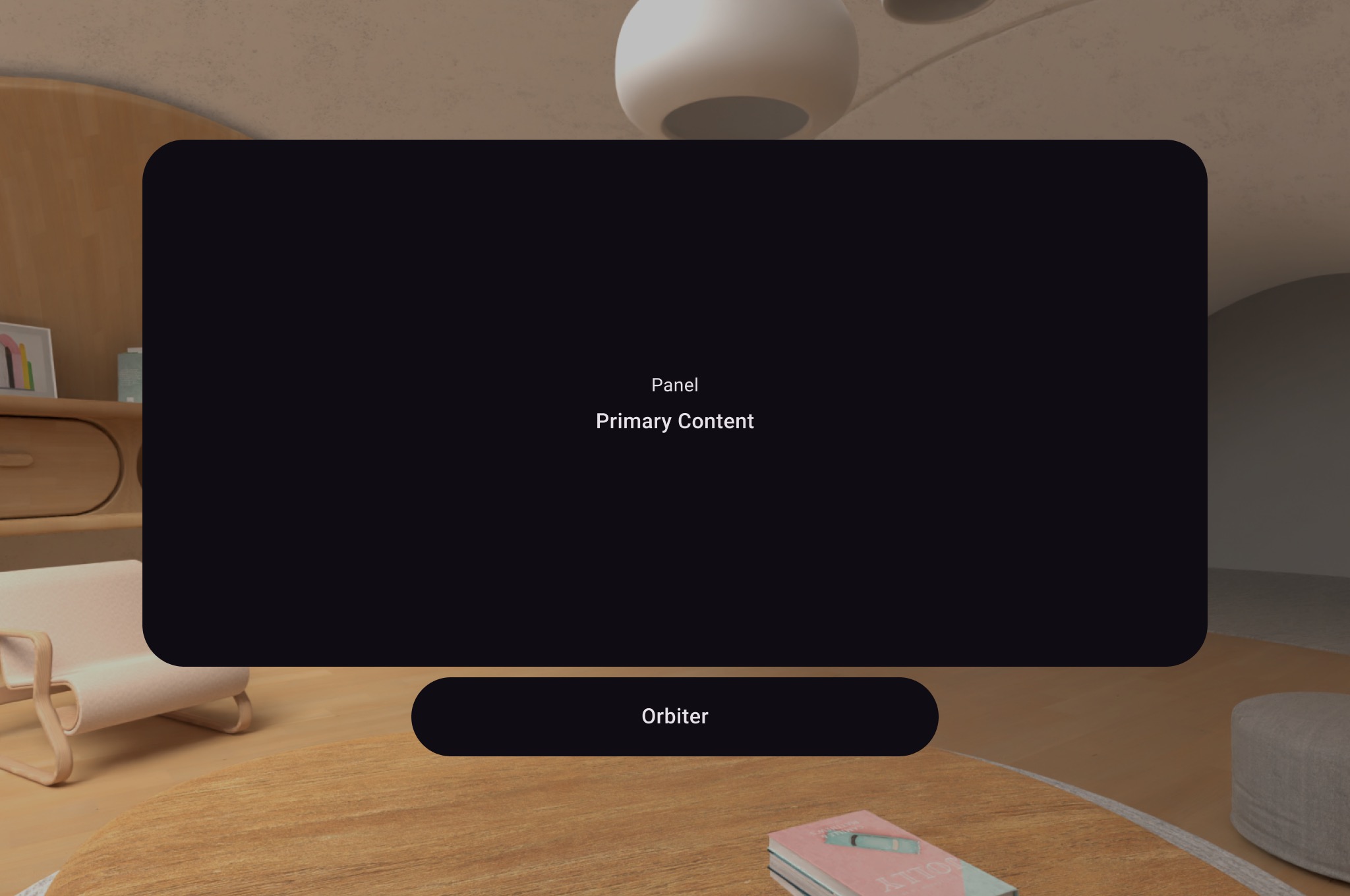
Compose for XR introduces the SceneCoreEntity subspace composable, which
lets you place entities, such as 3D models, relative to your UI.
Learn how to spatialize your existing Android app or view the API reference for more detailed information.
Material Design for XR
Applicable XR devices: XR headsets, wired XR glasses
Material Design provides components and layouts that adapt for XR. If you're building with adaptive layouts. Learn more about implementing Material Design for XR.
Jetpack SceneCore
Applicable XR devices: XR headsets, wired XR glasses
The Jetpack SceneCore library lets you place and arrange 3D content, defined by entities, relative to each other and your environment. With SceneCore, you can:
- Set spatial environments
- Create instances of a
PanelEntity - Place and animate 3D models
- Specify spatial audio sources
- Add Components to entities that make them movable, resizable, and can be anchored to the real world
The Jetpack SceneCore library also provides support for spatializing applications built using Views. See our guide to working with views for more details.
View the API reference for more detailed information.
ARCore for Jetpack XR
Applicable XR devices: XR headsets, wired XR glasses, audio glasses, display glasses
Inspired by the existing ARCore library, the ARCore for Jetpack XR library provides capabilities for blending digital content with the real world. This library includes motion tracking, persistent anchors, hit testing, and plane identification with semantic labeling (for example, floor, walls, and tabletops). This library leverages the underlying perception stack powered by OpenXR, which ensures compatibility with a wide range of devices and helping to future-proof apps.
View Work with ARCore for Jetpack XR for more detailed information.
Jetpack Compose Glimmer
Applicable XR devices: Display glasses
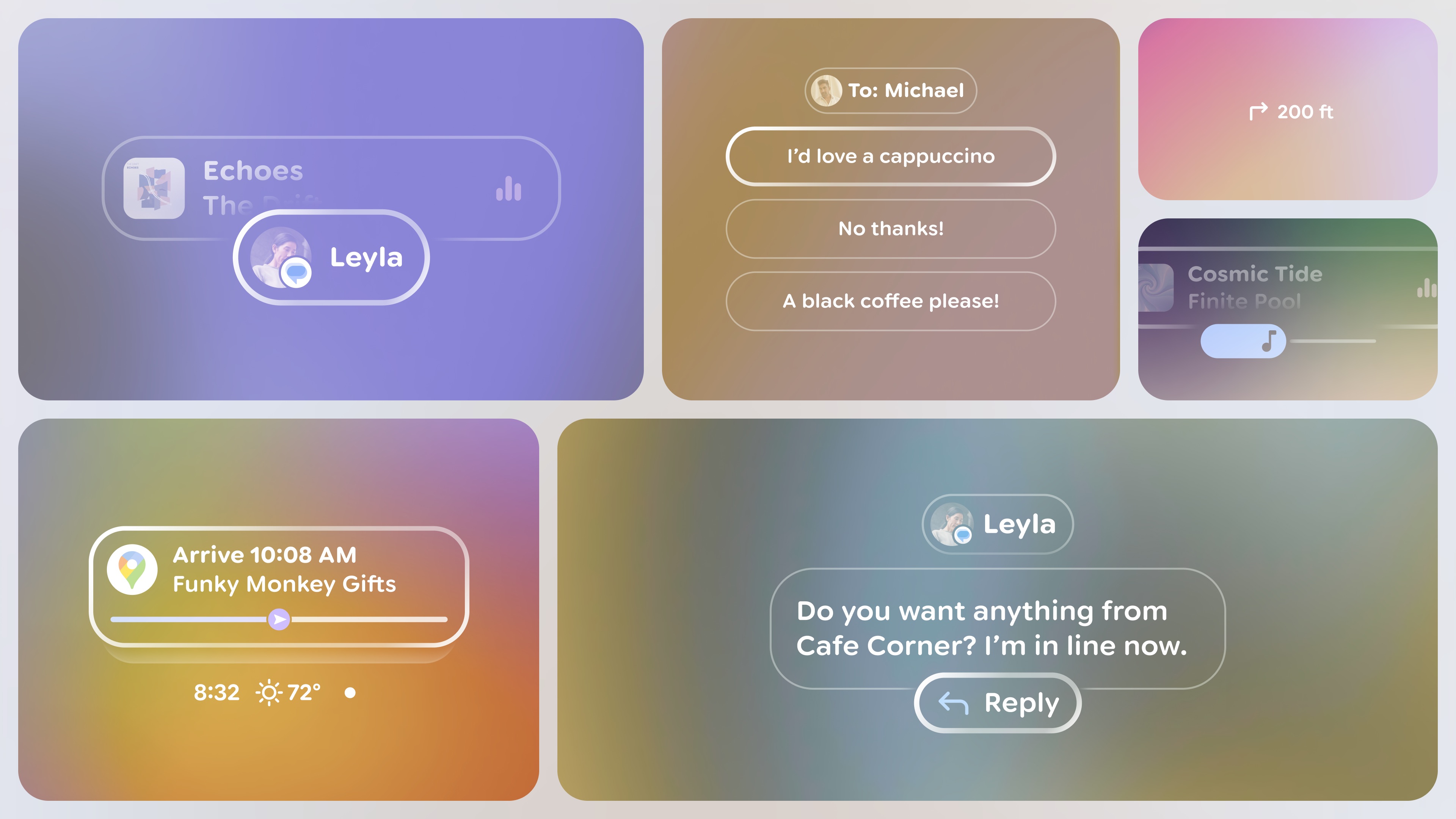
Jetpack Compose Glimmer is a UI toolkit for building augmented Android XR experiences, optimized for display glasses. Build beautiful, minimal, and comfortable UI for devices that are worn all day.
- Built for glanceability and legibility: Unlike phones, the primary canvas is an optical see-through display—it's transparent. Jetpack Compose Glimmer provides glasses-specific theming, simplified color palettes, and typography to make your content readable, fast to process, and never distracting.
- Optimized for wearable-specific interactions: We've optimized interaction models for how people use glasses. Jetpack Compose Glimmer components feature clear focus states, like optimized outlines instead of distracting ripple effects, and are built to handle common physical inputs like taps, swipes on the frame, and of course, voice.
- Use familiar declarative UI patterns: Because Jetpack Compose Glimmer is built entirely on Jetpack Compose, you can use everything you already know about declarative UI building in Android. We provide a full set of core, prebuilt Composable functions—things like Text, Icon, Button, and specialized components like TitleChip—all optimized for the glasses environment.
Jetpack Projected
Applicable XR devices: Audio glasses, display glasses
When you build for audio glasses and display glasses, your app runs on a companion host device, such as an Android phone, that projects your app's XR experiences. Jetpack Projected lets these Android host devices communicate with audio or display glasses if the host devices have XR projected capabilities.
- Access projected device hardware: A device context tied to the projected device (audio glasses or display glasses). This projected context provides access to projected device hardware, such as the camera. Dedicated activities created specifically to display on audio or display glasses already function as a projected context. If another part of your app (such as a phone activity or a service) needs to access the glasses' hardware, it can obtain a projected context.
- Simplify permission requests: Audio glasses and display glasses follow the standard Android permission model, with glasses-specific permissions that must be requested at runtime before your app can access device hardware, such as the camera. Permission helper streamlines these permission request mechanisms across both the phone and glasses interfaces to provide a consistent request experience.
- Check device and display capabilities: Check if the projected device has a display and the state of the display to present visuals. Adapt your app based on capabilities of the device. For example, you might want to provide more audio context if the device has no display or the display is off.
- Access app camera actions: Your app can access user camera actions, for example to turn the camera on or off in a video streaming app.
OpenXR™ and the OpenXR logo are trademarks owned by The Khronos Group Inc. and are registered as a trademark in China, the European Union, Japan and the United Kingdom.