

O Android TV oferece configurações que permitem ao usuário definir preferências de legenda de forma centralizada para criar uma experiência coesa em apps de mídia.
Com essas configurações, os usuários podem ativar legendas, selecionar um idioma preferido e definir um estilo personalizado de acordo com as necessidades. Também é possível especificar se preferem legendas simplificadas em um nível de leitura da terceira série, conhecido como "Easy Reader".
Este guia mostra como receber e aplicar configurações de legenda fornecidas pelo sistema às legendas no seu app.
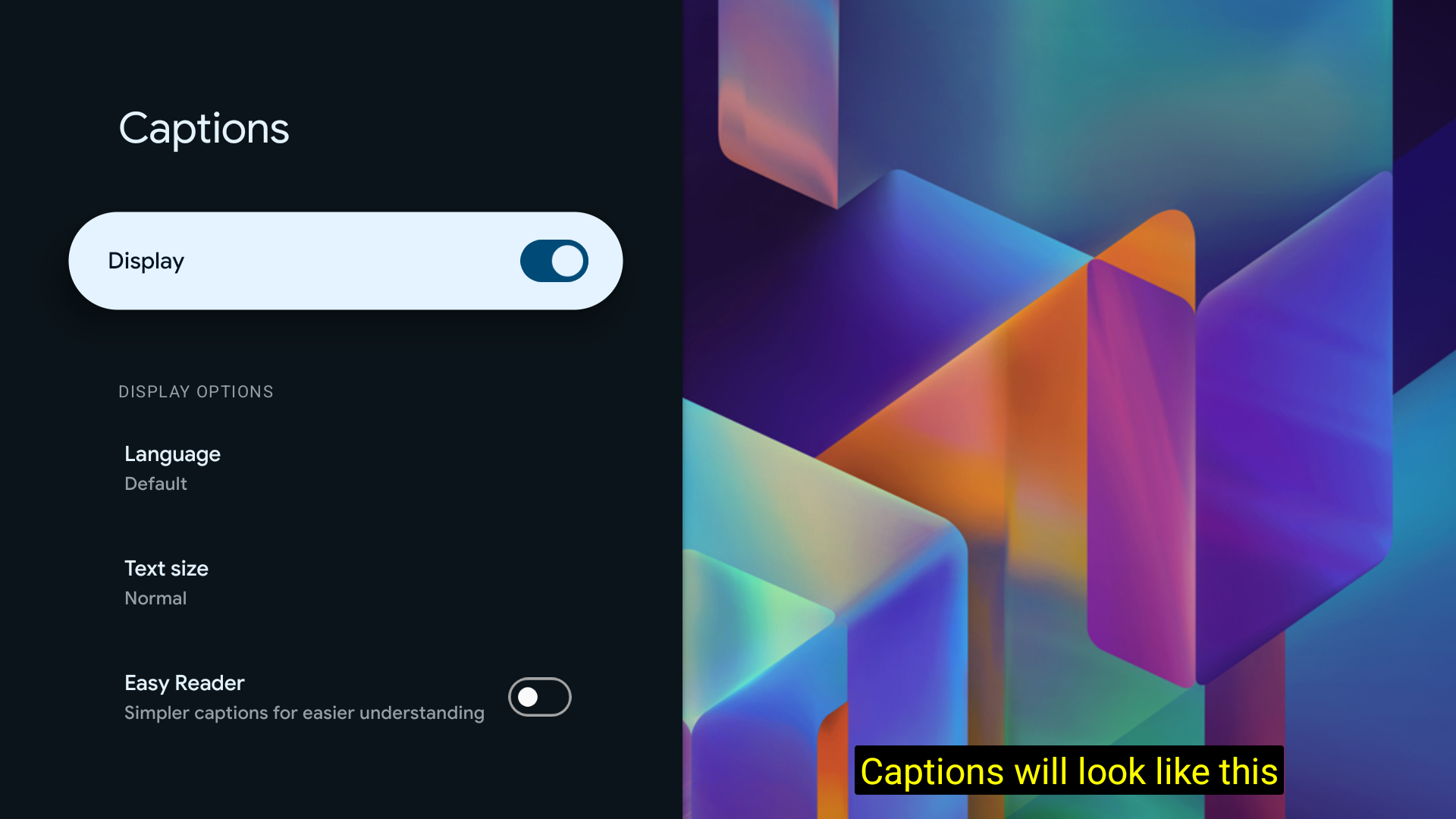
Encontre as opções de legenda, incluindo uma prévia do estilo selecionado, em Configurações > Acessibilidade > Legendas:
Receber o CaptioningManager
Em uma atividade, receba o serviço CaptioningManager do Context:
CaptioningManager captioningManager = (CaptioningManager) context.getSystemService(Context.CAPTIONING_SERVICE);
Processar mudanças nas configurações de legenda
Implemente a classe CaptioningChangeListener para processar mudanças nas configurações de legenda:
if (captioningManager != null) {
  // Define a class to store the CaptionStyle details.
  CurrentCaptionStyle currentCaptionStyle = new CurrentCaptionStyle();
  // Define the listeners.
  captioningManager.addCaptioningChangeListener(new CaptioningChangeListener() {

    @Override
    public void onEnabledChanged(boolean enabled) {
      super.onEnabledChanged(enabled);
      Log.d(TAG, "onEnabledChanged");
      currentCaptionStyle.isEnabled = enabled;
    }

    @Override
    public void onLocaleChanged(@Nullable Locale locale) {
      super.onLocaleChanged(locale);
      Log.d(TAG, "onLocaleChanged");
      currentCaptionStyle.locale = locale;
      if (locale == null) {
        currentCaptionStyle.isEasyReaderEnabled = false;
      } else {
        currentCaptionStyle.isEasyReaderEnabled = locale.getVariant().contains("simple");
      }
    }

    @Override
    public void onFontScaleChanged(float fontScale) {
      super.onFontScaleChanged(fontScale);
      Log.d(TAG, "onFontScaleChanged");
      currentCaptionStyle.fontScale = fontScale;
    }

    @Override
    public void onUserStyleChanged(@NonNull CaptionStyle userStyle) {
      super.onUserStyleChanged(userStyle);
      Log.d(TAG, "onUserStyleChanged");
      currentCaptionStyle.hasBackgroundColor = userStyle.hasBackgroundColor();
      currentCaptionStyle.backgroundColor = userStyle.backgroundColor;
      currentCaptionStyle.backgroundOpacity = userStyle.backgroundColor >>> 24;
      currentCaptionStyle.hasForegroundColor = userStyle.hasForegroundColor();
      currentCaptionStyle.foregroundColor = userStyle.foregroundColor;
      currentCaptionStyle.foregroundOpacity = userStyle.foregroundColor >>> 24;
      currentCaptionStyle.hasWindowColor = userStyle.hasWindowColor();
      currentCaptionStyle.windowColor = userStyle.windowColor;
      currentCaptionStyle.windowOpacity = userStyle.windowColor >>> 24;
      currentCaptionStyle.hasEdgeColor = userStyle.hasEdgeColor();
      currentCaptionStyle.edgeColor = userStyle.edgeColor;
      currentCaptionStyle.hasEdgeType = userStyle.hasEdgeType();
      currentCaptionStyle.edgeType = userStyle.edgeType;
      currentCaptionStyle.typeFace = userStyle.getTypeface();
    }

  });
}
Como alternativa, chame o método getUserStyle diretamente:
CaptionStyle systemCaptionStyle = captioningManager.getUserStyle();