

Sui dispositivi con Android 8.0 (livello API 26) e versioni successive, i launcher che consentono agli utenti di creare scorciatoie bloccate consentono anche di bloccare i widget nella schermata Home. Analogamente alle scorciatoie bloccate, questi widget bloccati consentono agli utenti di accedere a attività specifiche nella tua app e possono essere aggiunti alla schermata Home direttamente dall'app, come mostrato nel seguente video.
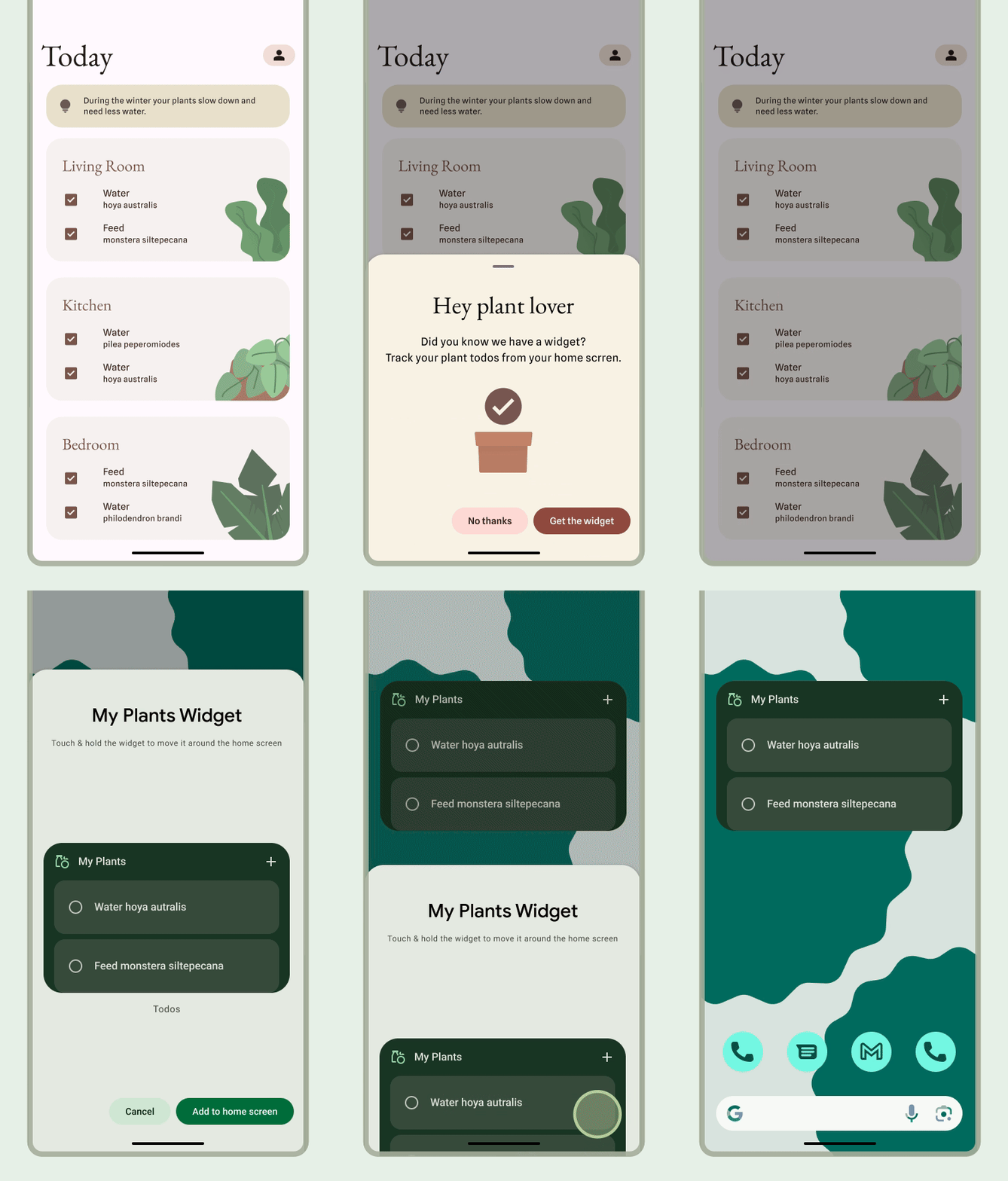
Consentire agli utenti di bloccare un widget
Nella tua app, puoi creare una richiesta al sistema per bloccare un widget in un launcher supportato completando i seguenti passaggi:
Assicurati di dichiarare un widget nel file manifest dell'app.
Chiama il metodo
requestPinAppWidget()come mostrato nello snippet di codice seguente:
val appWidgetManager = AppWidgetManager.getInstance(context) val myProvider = ComponentName(context, ExampleAppWidgetProvider::class.java) if (appWidgetManager.isRequestPinAppWidgetSupported) { // Create the PendingIntent object only if your app needs to be notified // when the user chooses to pin the widget. Note that if the pinning // operation fails, your app isn't notified. This callback receives the ID // of the newly pinned widget (EXTRA_APPWIDGET_ID). val successCallback = PendingIntent.getBroadcast( /* context = */ context, /* requestCode = */ 0, /* intent = */ Intent( // ... ), /* flags = */ PendingIntent.FLAG_UPDATE_CURRENT or PendingIntent.FLAG_IMMUTABLE ) appWidgetManager.requestPinAppWidget(myProvider, null, successCallback) }
Indicazioni di progettazione correlate
Gli utenti scoprono e aggiungono il tuo widget tramite il selettore di widget o all'interno della tua app quando la funzionalità del widget è più pertinente. Per saperne di più, consulta Visibilità e promozione.