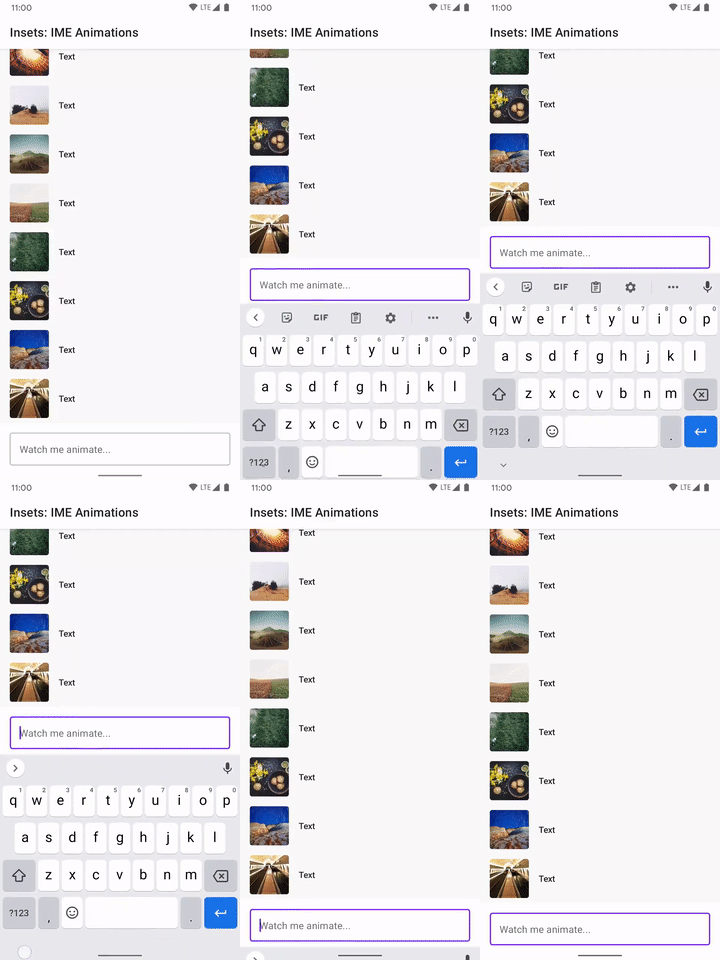
استفاده از پویانماییهای IME صفحهکلید
با مجموعهها، منظم بمانید
ذخیره و طبقهبندی محتوا براساس اولویتهای شما.
میتوانید Modifier.imeNestedScroll() را به یک محفظه پیمایشی اعمال کنید تا وقتی به پایین محفظه پیمایش میکنید، «ویرایشگر روش ورودی» بهطور خودکار باز و بسته شود.
classWindowInsetsExampleActivity:AppCompatActivity(){overridefunonCreate(savedInstanceState:Bundle?){super.onCreate(savedInstanceState)WindowCompat.setDecorFitsSystemWindows(window,false)setContent{MaterialTheme{MyScreen()}}}}@OptIn(ExperimentalLayoutApi::class)@ComposablefunMyScreen(){Box{LazyColumn(modifier=Modifier.fillMaxSize()// fill the entire window.imePadding()// padding for the bottom for the IME.imeNestedScroll(),// scroll IME at the bottomcontent={})FloatingActionButton(modifier=Modifier.align(Alignment.BottomEnd).padding(16.dp)// normal 16dp of padding for FABs.navigationBarsPadding()// padding for navigation bar.imePadding(),// padding for when IME appearsonClick={}){Icon(imageVector=Icons.Filled.Add,contentDescription="Add")}}}
محتوا و نمونه کدها در این صفحه مشمول پروانههای توصیفشده در پروانه محتوا هستند. جاوا و OpenJDK علامتهای تجاری یا علامتهای تجاری ثبتشده Oracle و/یا وابستههای آن هستند.
تاریخ آخرین بهروزرسانی 2026-10-09 بهوقت ساعت هماهنگ جهانی.
[[["درک آسان","easyToUnderstand","thumb-up"],["مشکلم را برطرف کرد","solvedMyProblem","thumb-up"],["غیره","otherUp","thumb-up"]],[["اطلاعاتی که نیاز دارم وجود ندارد","missingTheInformationINeed","thumb-down"],["بیشازحد پیچیده/ مراحل بسیار زیاد","tooComplicatedTooManySteps","thumb-down"],["قدیمی","outOfDate","thumb-down"],["مشکل ترجمه","translationIssue","thumb-down"],["مشکل کد / نمونهها","samplesCodeIssue","thumb-down"],["غیره","otherDown","thumb-down"]],["تاریخ آخرین بهروزرسانی 2026-10-09 بهوقت ساعت هماهنگ جهانی."],[],[]]