แถบนำทางช่วยให้เข้าถึงปลายทางในแอปที่ทำงานบนอุปกรณ์ที่มีหน้าจอขนาดใหญ่ได้ คุณควรใช้แถบนำทางสำหรับสิ่งต่อไปนี้
- ปลายทางระดับบนสุดที่ต้องเข้าถึงได้จากทุกที่ในแอป
- จุดหมายหลัก 3-7 แห่ง
- เลย์เอาต์แท็บเล็ตหรือเดสก์ท็อป

หน้านี้แสดงวิธีแสดงแถบในแอปพร้อมหน้าจอที่เกี่ยวข้องและการนําทางพื้นฐาน
แพลตฟอร์ม API
ใช้ Composable NavigationRail กับ NavigationRailItem เพื่อใช้แถบในแอปพลิเคชัน NavigationRailItem แสดงถึงรายการรางเดียวในคอลัมน์ราง
NavigationRailItem มีพารามิเตอร์หลักต่อไปนี้
selected: ระบุว่าจะไฮไลต์รายการแถบปัจจุบันให้เห็นชัดเจนหรือไม่onClick(): ฟังก์ชัน Lambda ที่จำเป็นซึ่งกำหนดการดำเนินการที่จะทำเมื่อผู้ใช้คลิกรายการในแถบนำทาง โดยปกติแล้ว คุณจะจัดการเหตุการณ์การนำทาง อัปเดตสถานะรายการที่เลือกในแถบ หรือโหลดเนื้อหาที่เกี่ยวข้องที่นี่label: แสดงข้อความภายในรายการแถบเลื่อน ไม่บังคับicon: แสดงไอคอนภายในรายการแถบเลื่อน ไม่บังคับ
ตัวอย่าง: การนำทางแบบแถบด้านข้าง
ข้อมูลโค้ดต่อไปนี้จะใช้แถบการนำทางเพื่อให้ผู้ใช้ไปยังหน้าจอต่างๆ ในแอปได้
@Composable fun NavigationRailExample(modifier: Modifier = Modifier) { val navController = rememberNavController() val startDestination = Destination.SONGS var selectedDestination by rememberSaveable { mutableIntStateOf(startDestination.ordinal) } Scaffold(modifier = modifier) { contentPadding -> NavigationRail(modifier = Modifier.padding(contentPadding)) { Destination.entries.forEachIndexed { index, destination -> NavigationRailItem( selected = selectedDestination == index, onClick = { navController.navigate(route = destination.route) selectedDestination = index }, icon = { Icon( destination.icon, contentDescription = destination.contentDescription ) }, label = { Text(destination.label) } ) } } AppNavHost(navController, startDestination) } }
ข้อมูลสำคัญ
NavigationRailแสดงคอลัมน์แนวตั้งของรายการแถบ โดยแต่ละรายการจะสอดคล้องกับDestinationval navController = rememberNavController()สร้างและจดจำอินสแตนซ์ของNavHostControllerซึ่งจัดการการนำทางภายในNavHostvar selectedDestination by rememberSaveable { mutableIntStateOf(startDestination.ordinal) }จัดการสถานะของรายการที่เลือกในแถบด้านข้างstartDestination.ordinalรับดัชนีตัวเลข (ตำแหน่ง) ของรายการ enumDestination.SONGS
- เมื่อคลิกรายการในแถบ ระบบจะเรียกใช้
navController.navigate(route =
destination.route)
เพื่อไปยังหน้าจอที่เกี่ยวข้อง - Lambda
onClickของNavigationRailItemจะอัปเดตสถานะselectedDestinationเพื่อไฮไลต์รายการที่คลิกในแถบด้วยภาพ - โดยจะเรียกใช้ Composable
AppNavHostโดยส่งnavControllerและstartDestinationเพื่อแสดงเนื้อหาจริงของหน้าจอที่เลือก
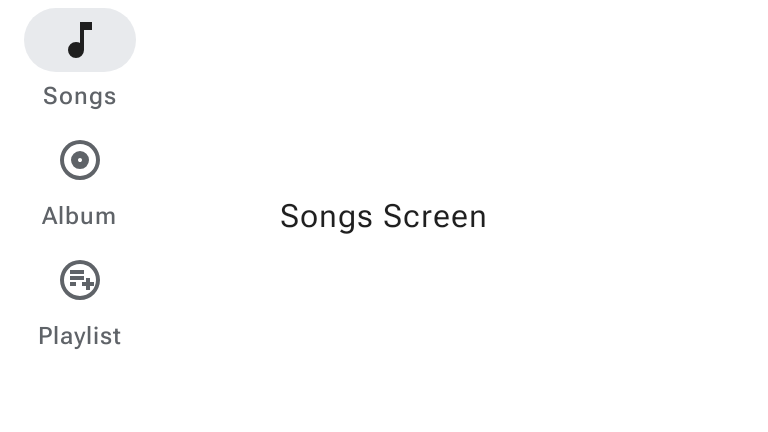
ผลลัพธ์
รูปภาพต่อไปนี้แสดงผลลัพธ์ของข้อมูลโค้ดก่อนหน้า
การอัปเดต M3 Expressive
Material 3 Expressive เปิดตัว WideNavigationRail และ ModalWideNavigationRail ซึ่งรองรับสถานะยุบและขยายเป็นตัวเลือกเพิ่มเติมควบคู่ไปกับ NavigationRail มาตรฐาน
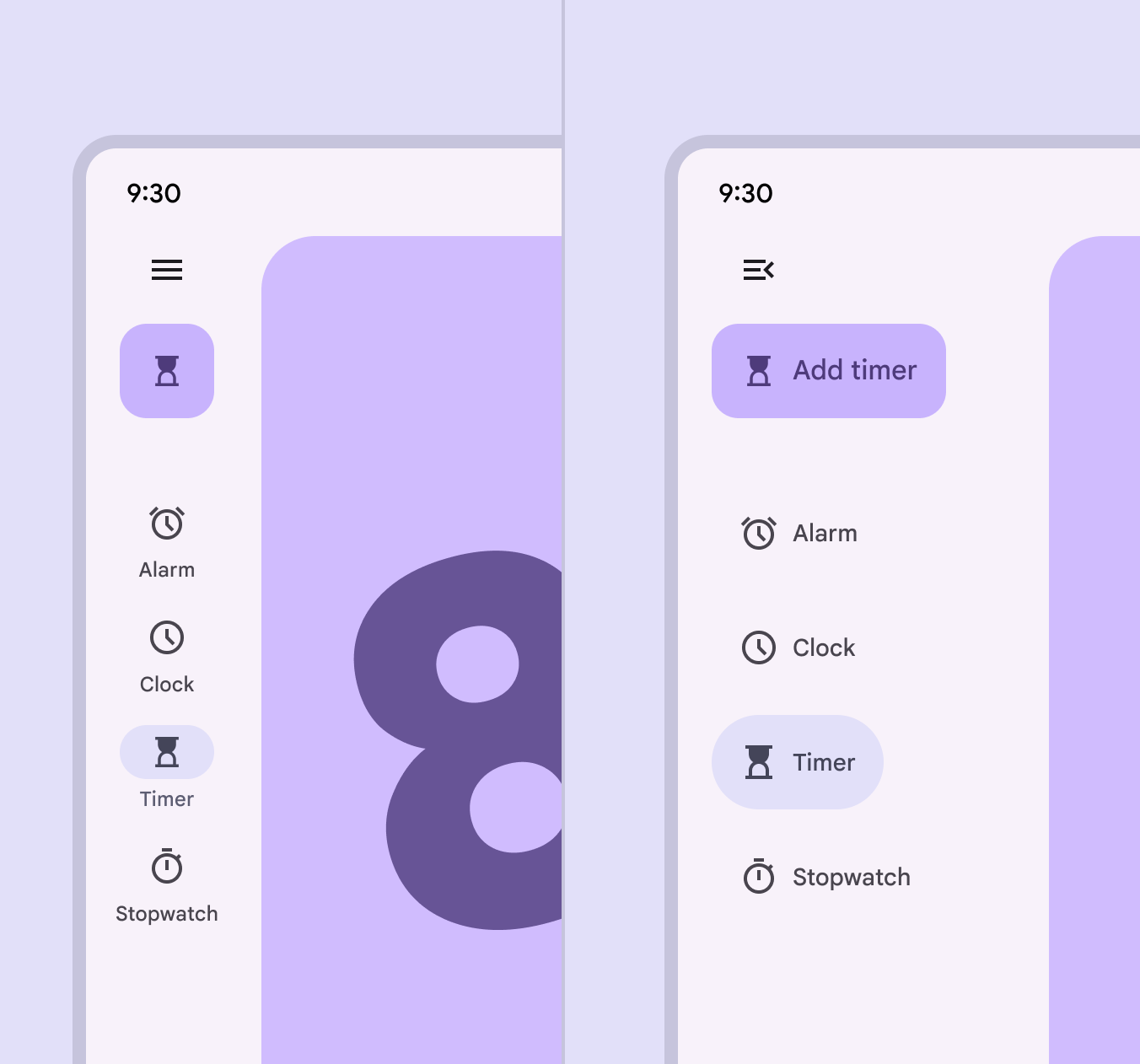
ดูข้อมูลเพิ่มเติมเกี่ยวกับการอัปเดต M3 Expressive สำหรับแถบนำทางได้ที่หลักเกณฑ์แถบนำทางของ Material Design 3
แถบนำทางด้านข้างแบบกว้างที่ยุบและขยาย
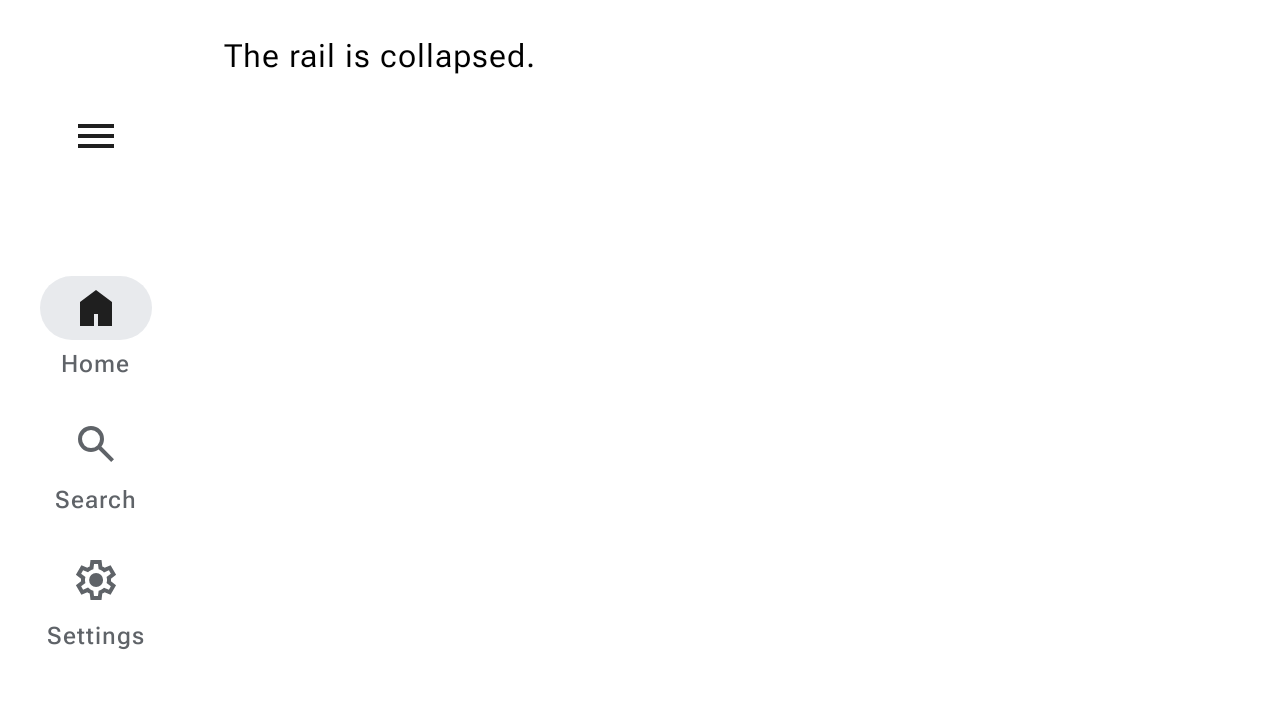
แถบนำทางแบบกว้างมี 2 สถานะ ได้แก่ ยุบและขยาย ซึ่งสามารถเปลี่ยนรูปแบบเป็นอีกสถานะหนึ่งได้เมื่อผู้ใช้เลือกปุ่มเมนู ข้อมูลโค้ดต่อไปนี้แสดงวิธีใช้ WideNavigationRail ที่เคลื่อนไหวระหว่างสถานะยุบและขยาย
@Composable fun WideNavigationRailResponsiveSample() { var selectedItem by remember { mutableIntStateOf(0) } val items = listOf("Home", "Search", "Settings") val selectedIcons = listOf(AppIcons.HomeFilled, AppIcons.Search, AppIcons.SettingsFilled) val unselectedIcons = listOf(AppIcons.Home, AppIcons.Search, AppIcons.Settings) val state = rememberWideNavigationRailState() val scope = rememberCoroutineScope() Row(Modifier.fillMaxWidth()) { WideNavigationRail( state = state, header = { IconButton( modifier = Modifier .padding(start = 24.dp) .semantics { // The button must announce the expanded or collapsed state of the rail // for accessibility. stateDescription = if (state.currentValue == WideNavigationRailValue.Expanded) "Expanded" else "Collapsed" }, onClick = { scope.launch { if (state.targetValue == WideNavigationRailValue.Expanded) state.collapse() else state.expand() } }, ) { if (state.targetValue == WideNavigationRailValue.Expanded) { Icon(painter = rememberVectorPainter(AppIcons.MenuOpen), "Collapse rail") } else { Icon(painter = rememberVectorPainter(AppIcons.Menu), "Expand rail") } } }, ) { items.forEachIndexed { index, item -> WideNavigationRailItem( railExpanded = state.targetValue == WideNavigationRailValue.Expanded, icon = { val imageVector = if (selectedItem == index) { selectedIcons[index] } else { unselectedIcons[index] } Icon( painter = rememberVectorPainter(imageVector), contentDescription = null ) }, label = { Text(item) }, selected = selectedItem == index, onClick = { selectedItem = index }, ) } } val textString = if (state.currentValue == WideNavigationRailValue.Expanded) "expanded" else "collapsed" Column { Text(modifier = Modifier.padding(16.dp), text = "The rail is $textString.") } } }
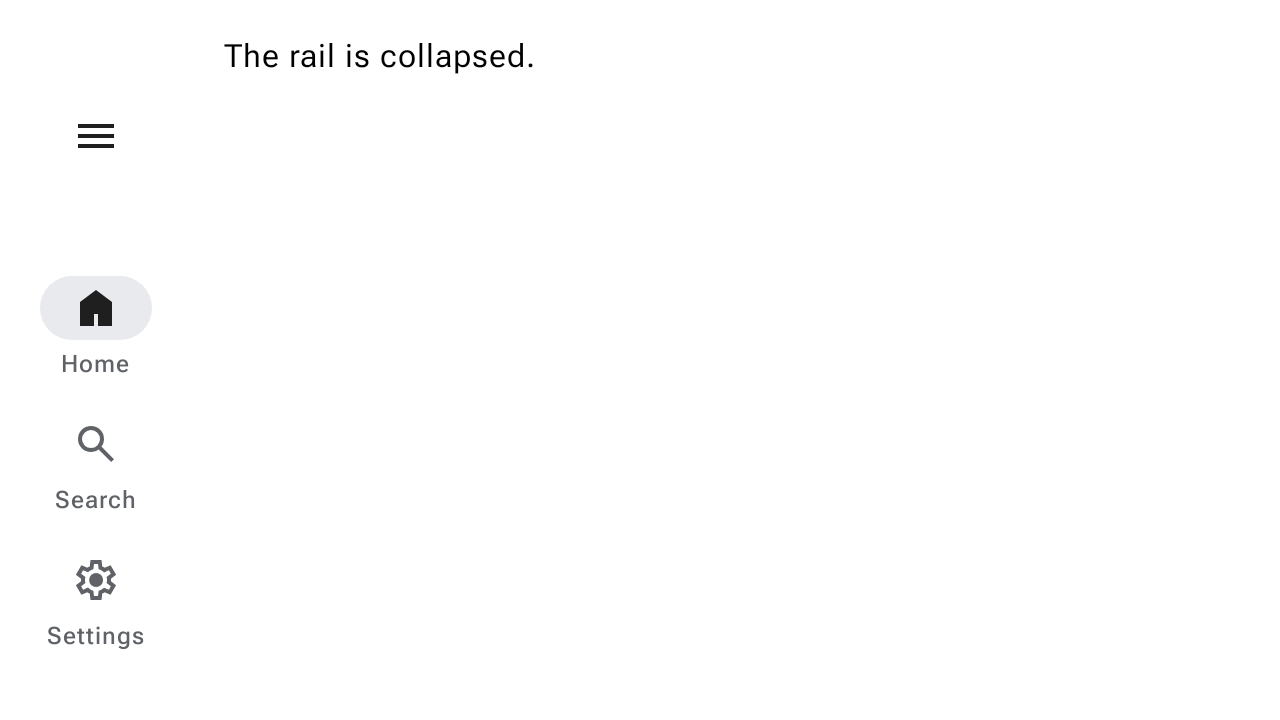
แถบนำทางด้านข้างแบบกว้างที่ปรากฏขึ้นมา
แถบนำทางแบบขยายอาจเป็นแบบมาตรฐานหรือแบบโมดัลก็ได้ การกำหนดค่าโมดัลจะซ้อนทับเนื้อหาหลักและเปิดจากไอคอนเมนู ข้อมูลโค้ดต่อไปนี้แสดงวิธีใช้ ModalWideNavigationRail
@Composable fun ModalWideNavigationRailSample() { var selectedItem by remember { mutableIntStateOf(0) } val items = listOf("Home", "Search", "Settings") val selectedIcons = listOf(AppIcons.HomeFilled, AppIcons.Search, AppIcons.SettingsFilled) val unselectedIcons = listOf(AppIcons.Home, AppIcons.Search, AppIcons.Settings) val state = rememberWideNavigationRailState() val scope = rememberCoroutineScope() Row(Modifier.fillMaxWidth()) { ModalWideNavigationRail( state = state, // Note: the value of expandedHeaderTopPadding depends on the layout of your screen in // order to achieve the best alignment. expandedHeaderTopPadding = 64.dp, header = { IconButton( modifier = Modifier .padding(start = 24.dp) .semantics { // The button must announce the expanded or collapsed state of the rail // for accessibility. stateDescription = if (state.currentValue == WideNavigationRailValue.Expanded) "Expanded" else "Collapsed" }, onClick = { scope.launch { if (state.targetValue == WideNavigationRailValue.Expanded) state.collapse() else state.expand() } }, ) { if (state.targetValue == WideNavigationRailValue.Expanded) Icon(painter = rememberVectorPainter(AppIcons.MenuOpen), "Collapse rail") else Icon(painter = rememberVectorPainter(AppIcons.Menu), "Expand rail") } }, ) { items.forEachIndexed { index, item -> WideNavigationRailItem( railExpanded = state.targetValue == WideNavigationRailValue.Expanded, icon = { Icon( painter = rememberVectorPainter(if (selectedItem == index) selectedIcons[index] else unselectedIcons[index]), contentDescription = null, ) }, label = { Text(item) }, selected = selectedItem == index, onClick = { selectedItem = index }, ) } } val textString = if (state.currentValue == WideNavigationRailValue.Expanded) "expanded" else "collapsed" Column { Text(modifier = Modifier.padding(16.dp), text = "The rail is $textString.") } } }
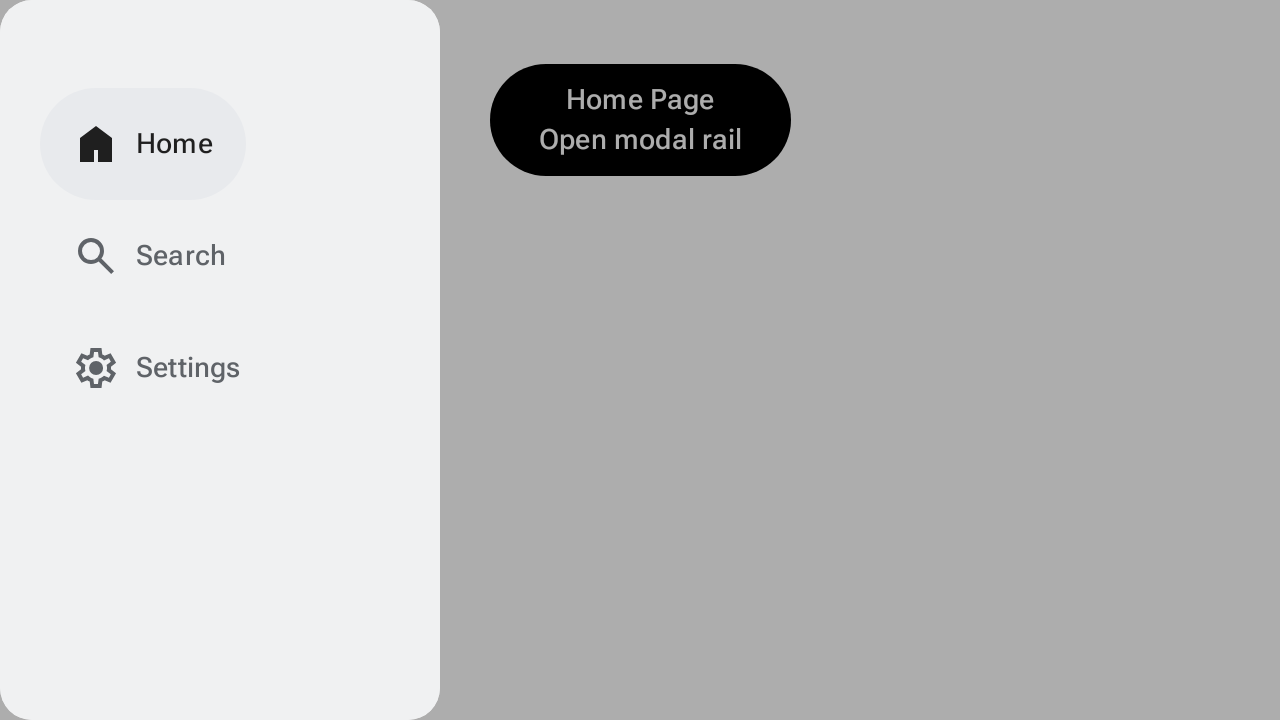
แถบข้างสำหรับการนำทางแบบกว้างที่ปิดได้
ใน Android ท่าทางสัมผัสการย้อนกลับที่คาดการณ์ได้ช่วยให้ผู้ใช้ปัดไปทางซ้ายหรือขวาบนหน้าจอเพื่อย้อนกลับหรือปิดคอมโพเนนต์โมดัล ข้อมูลโค้ดต่อไปนี้แสดงวิธีใช้ ModalWideNavigationRail ที่ปิดได้โดยการตั้งค่า hideOnCollapse = true
@Composable fun DismissibleModalWideNavigationRailSample() { var selectedItem by remember { mutableIntStateOf(0) } val items = listOf("Home", "Search", "Settings") val selectedIcons = listOf(AppIcons.HomeFilled, AppIcons.Search, AppIcons.SettingsFilled) val unselectedIcons = listOf(AppIcons.Home, AppIcons.Search, AppIcons.Settings) val state = rememberWideNavigationRailState() val scope = rememberCoroutineScope() Row(Modifier.fillMaxSize()) { ModalWideNavigationRail(state = state, hideOnCollapse = true) { items.forEachIndexed { index, item -> WideNavigationRailItem( railExpanded = true, icon = { Icon( painter = rememberVectorPainter(if (selectedItem == index) selectedIcons[index] else unselectedIcons[index]), contentDescription = null, ) }, label = { Text(item) }, selected = selectedItem == index, onClick = { selectedItem = index scope.launch { state.collapse() } }, ) } } Column(Modifier.fillMaxWidth(), horizontalAlignment = Alignment.CenterHorizontally) { val currentPage = items.get(selectedItem) Button(onClick = { scope.launch { state.expand() } }, Modifier.padding(32.dp)) { Text(text = "$currentPage Page\nOpen modal rail", textAlign = TextAlign.Center) } } } }